IDM240: Interactive Graphics
By Clay Tercek – 2018
IDM240: Interactive Graphics
By Clay Tercek – 2018
As part of undergraduate degree requirements and a group of nine Interactive Digital Media students, we worked on a nine month capstone project in which we created an interactive pop-up exhibit housed in Drexel University’s Pearlstein Gallery that highlighted the work of two minority creators through experimental technology and experiences. With 4 different interactions using web technologies (NFC chips, iPad web applications, the Leap Motion and a 60 inch multi-touch screen) and a user centered design process we were able to engage visitors in learning more about the artists’ creations and their cultures.
Other requirements of this project including identifying our project goals and criteria. For our project we focused on two main criteria, innovation and challenge as well as hybrid concept. For innovation and challenge, we expanded on our user experience skills by bringing them into a physical space alongside digital spaces. We also focused on curatorial design which was a new skill for us but was essential for a successful exhibit. As for the hybrid concept, we created an exhibit that spans both the physical and digital world through the use of prints, projections, multi-touch screens and gesture controlled experiences.
We started brainstorming for this project in Summer 2017 but officially began the process in Fall of 2017 when we started our senior project classes. After brainstorming and many meetings with various outside sources to find our content, we chose to highlight the work of two Philadelphian creators, Ange Branca, a Malaysian chef who is the owner of the restaurant Sate Kampar, and Lendeh Sherman, a Liberian fine artist currently studying at Jefferson University. This project was completed in June 2018 after being displayed in Drexel University’s Pearlstein Gallery. Additionally, we were awarded a Swift Fund scholarship to alleviate production costs.
For our project, we decided to push the limits of what we learned in our classes that revolved around web and app design/development and move them to a new setting involving exhibit design and experimental technologies. By applying the skills we learned, doing independent research and consulting many outside sources such as Night Kitchen Interactive,a firm that specializes in interactive exhibit design, we were able to develop Coalescence: An Interactive Pop-up Gallery Highlighting the Work of Two Philadelphian Artists. The focus of this exhibit was in response to the tension within our community caused by the current political state. We decided to utilize our given platform to try and unify our community members by engaging them in an immersive art/technology experience that teaches them how culture can inspire creativity in the community.
As we are all interested in art and experimental technologies, this led to the decision to blend the two into a museum experience. As a group, we defined early on that we wanted to create something that pushes the boundaries of what we learned in our classes, which was another reason we decided on making an immersive, interactive experience. We knew with this project that we wanted to make an impact, so we decided to showcase underrepresented immigrant communities by highlighting the work of two Philadelphian artists who use art as a way to express themselves and their cultures. By using experimental technologies to engage our visitors we hoped to encourage them to learn more about the cultures around them.
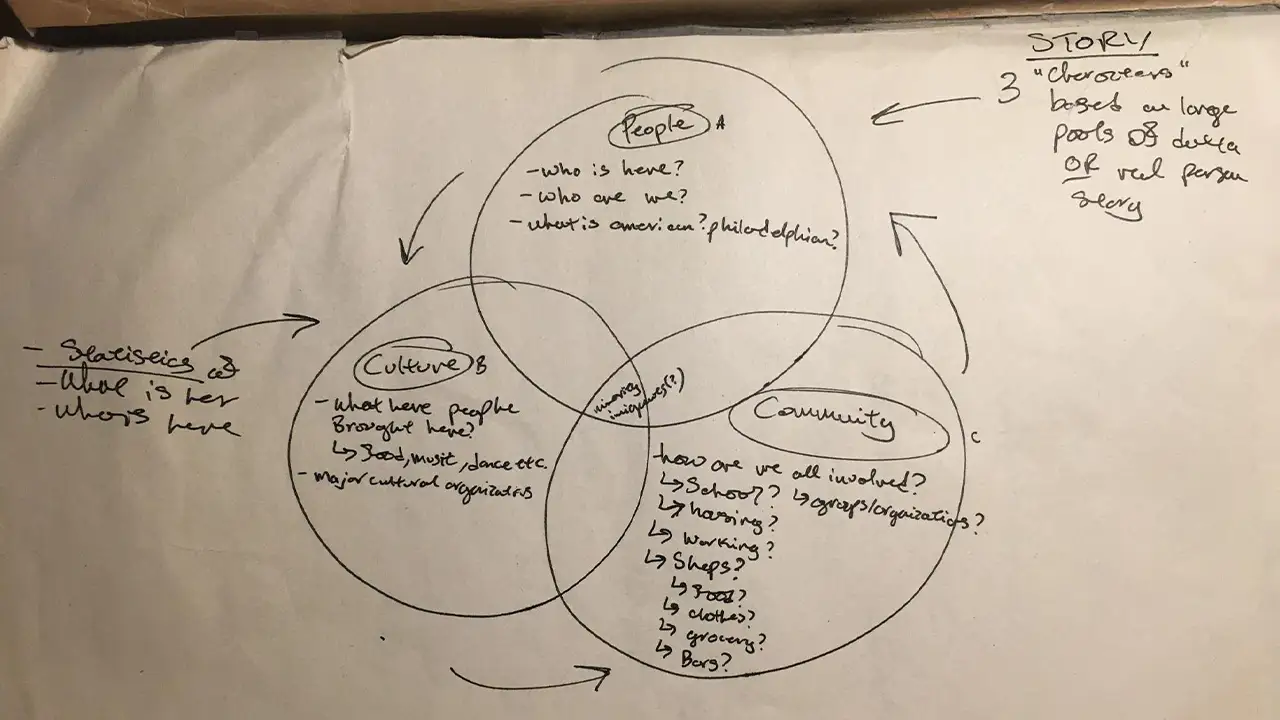
We began by choosing a topic/focus for the exhibit to follow.
Our first step in this process was to figure out what our exhibit was going to be about. At the beginning we wanted to focus on immigration and educate our audience through data visualization. However, after independent research and reaching out to cultural and immigration networks throughout the city, we realized, the topic was too broad, even when we refined it to immigration in Philadelphia area. After meeting with Rashidah Salaam, a design professor at Drexel University, we were able to get in touch with Ange and Lendeh, and changed our direction to showcase the work of individual artists related to their cultures.
Once we met with the artists, we started to brainstorm interactions that not only fully showcased their creative work but were also engaging and interactive. We knew at first that we wanted to include iPads, touch-sensitive projection, multi-touch screen, AR, NFC chips, LEAP motion and the Kinect. Most of these technologies were available to use though our college department. After a lot of refining, we settled on 4 different interactions involving NFC chips, iPads, the Leap Motion and a multi-touch screen. We further developed these interactions through heavy research, personas, user journeys, wireframing, sketching, mockups, style guides, prototypes, development, usability testing, construction, including 3D printing and laser cutting, and final implementation.
We explored various possibilities for the display structures housing our artist’s biographies and works. For example, our first idea was to buy wood and build the structure ourselves. After going through the logistics of building each structure by hand, we came to the conclusion that buying tables from IKEA would be the easiest and most cost effective way to construct these display stands. For the physical posters, we experimented with different mediums and materials and eventually decided on sewing the printed material on top of the painted fabric to mimic the designs and colors from our user interface and style guide.
In the beginning of the UX phase, we defined our target audience type and created user personas along with user journeys.
Our six target audience types were: college students, college professors, potential employers, student parents, young siblings, and grandparents.
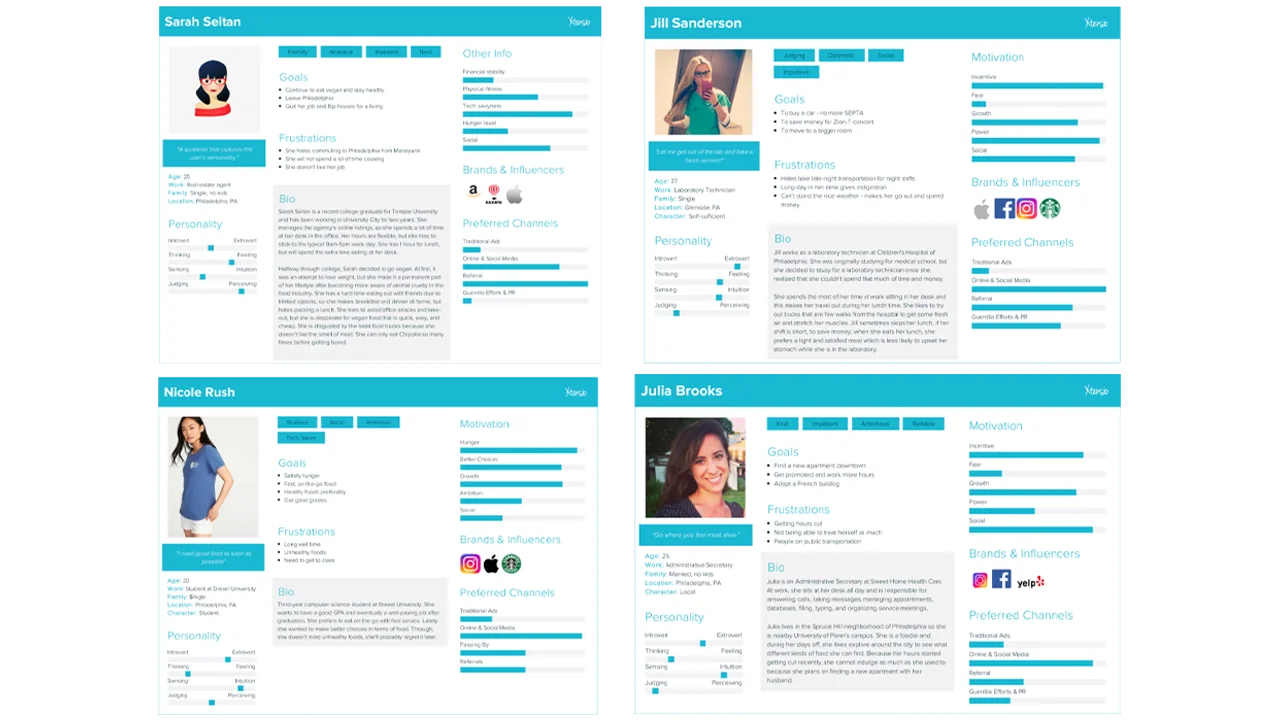
Below are the user personas we created:
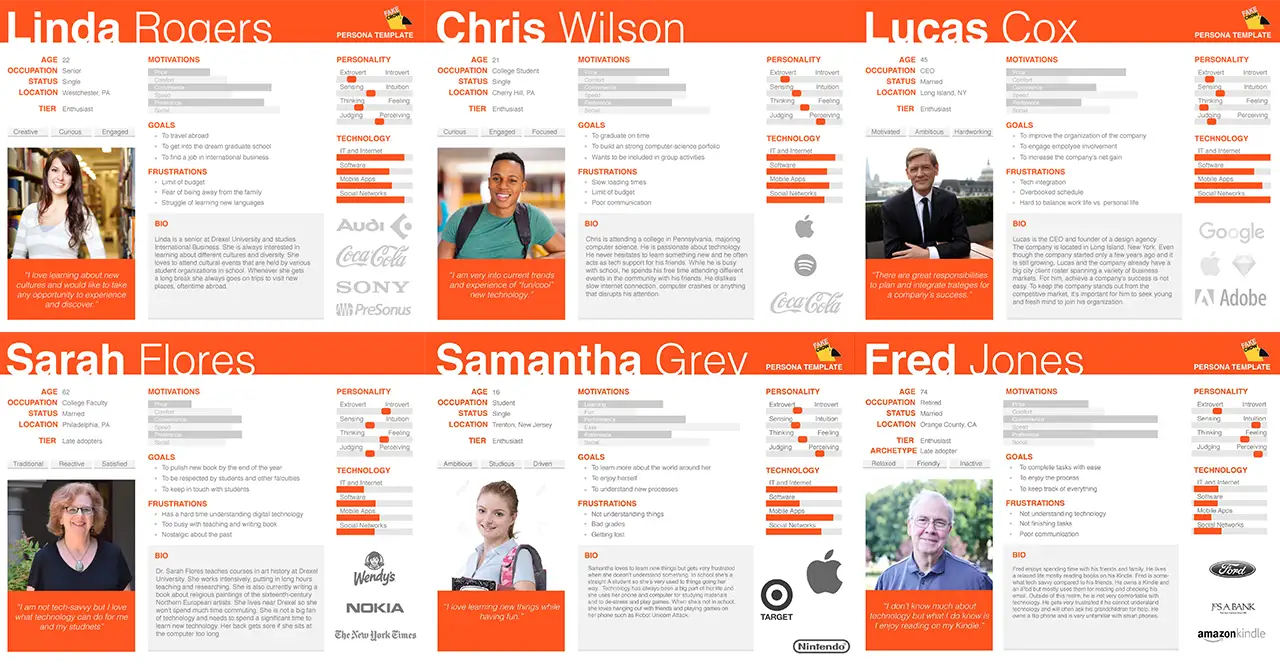
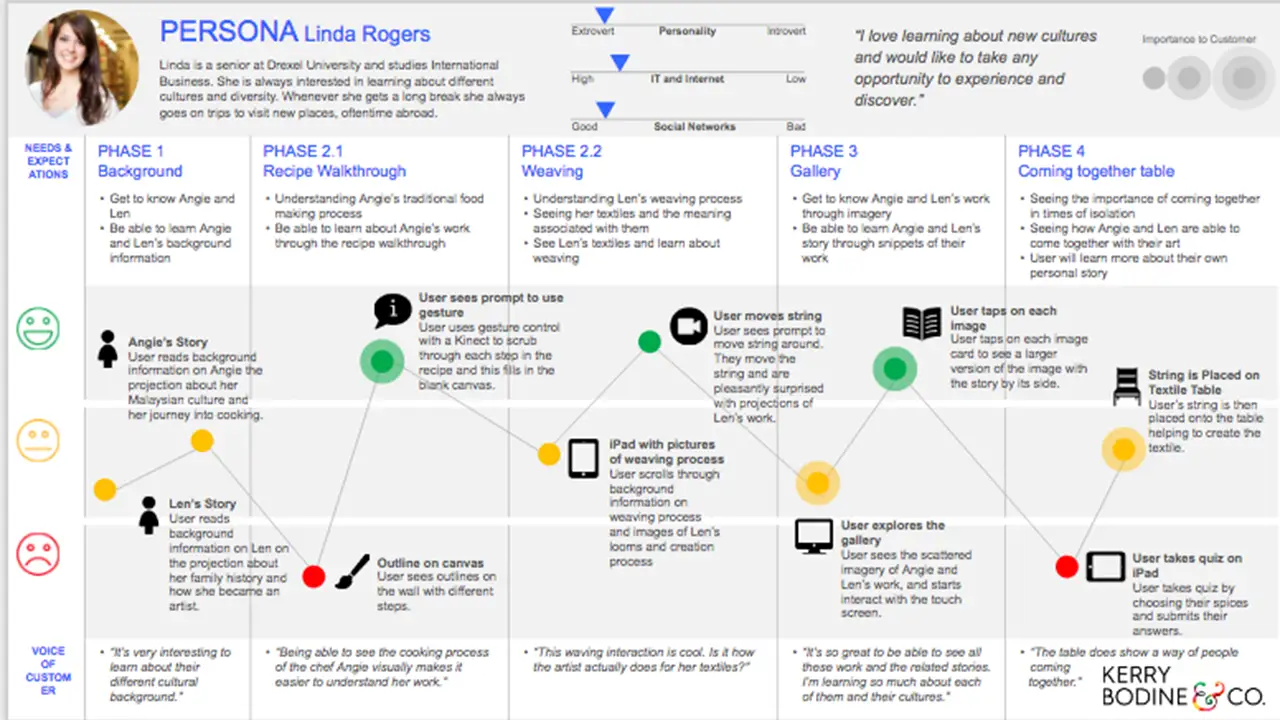
Based on the user personas we were able to develop the user journeys. Below is an example of the user journey, and more details can be seen on the google sildes.
In the beginning of the design phase, we drew sketches to help us brainstorm some possible designs for the different interactions with the chosen technologies in mind.
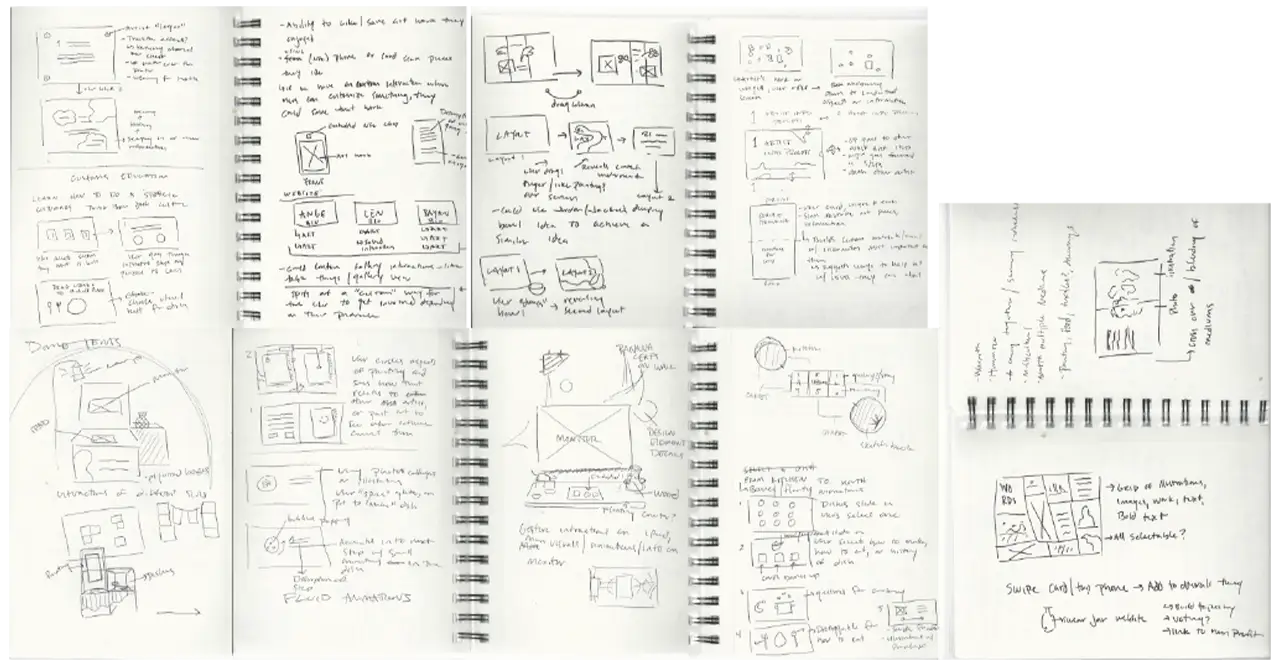
Here are some of the initial gallery sketches we drew:
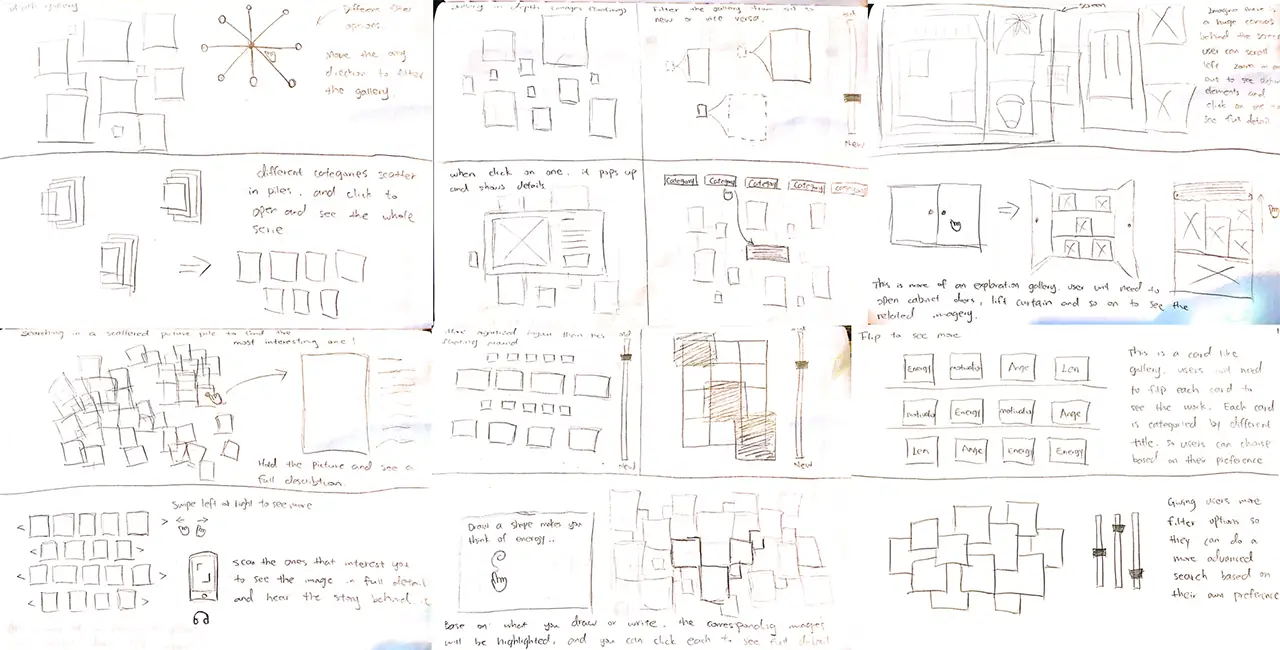
Here are some initial sketches we drew for the general interactions:
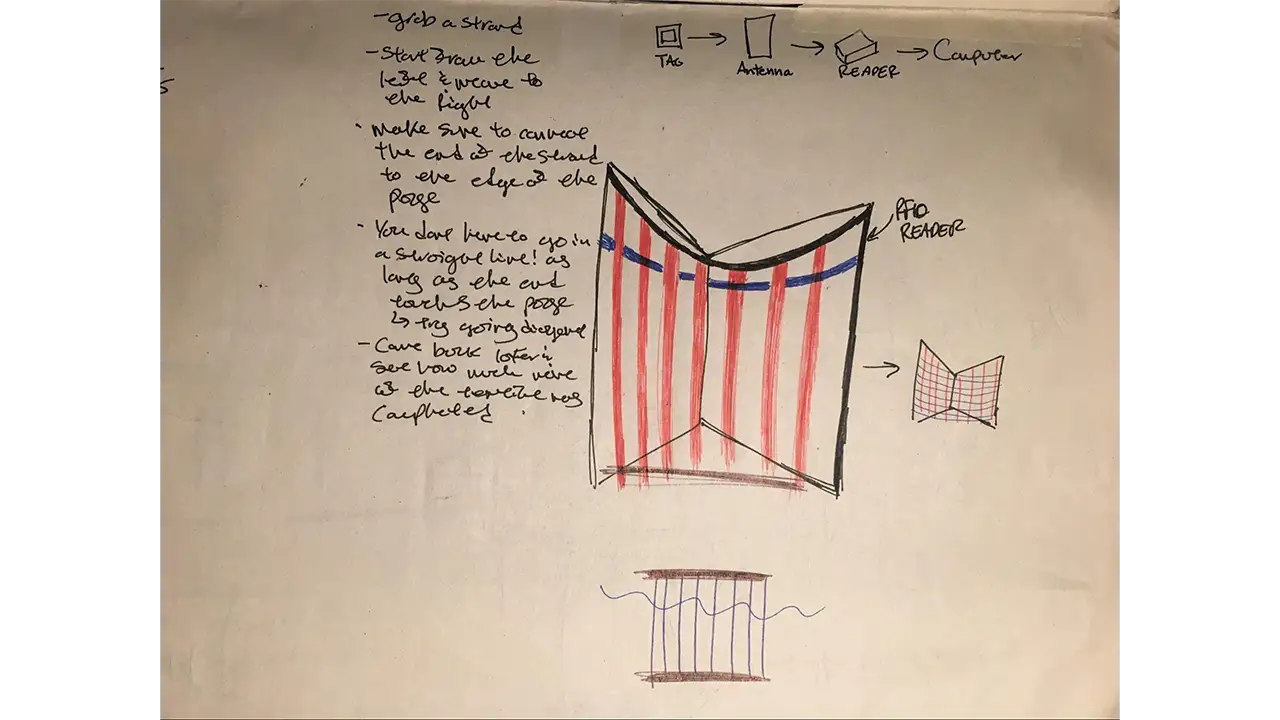
Here is an example of the initial loom sketch:
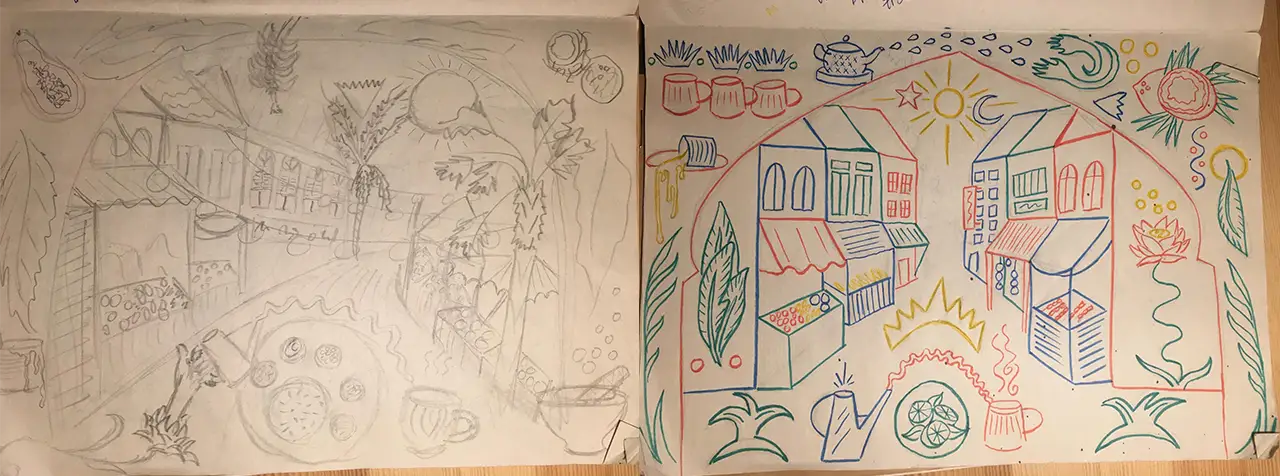
Here are examples of the initial mural sketches:
Moving forward beyond sketches, we created digital wireframes to better illustrate the decided designs.
Here are the wireframes of the initial energy table interaction:
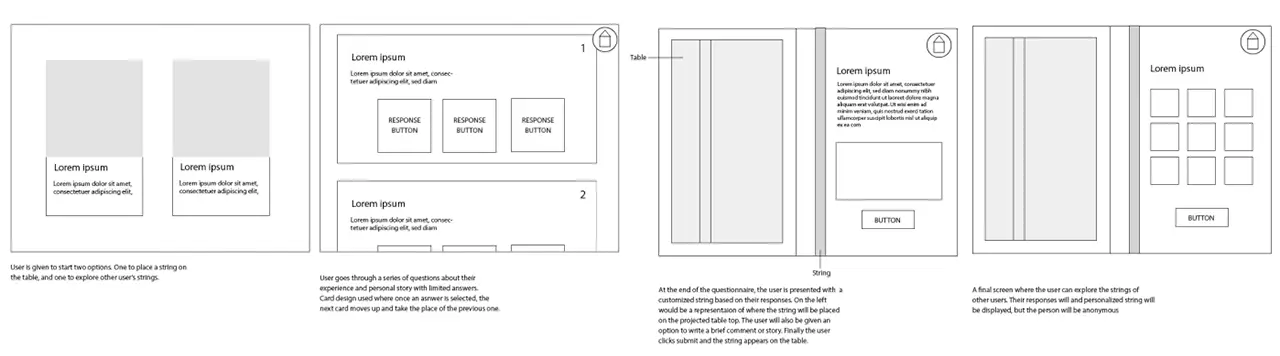
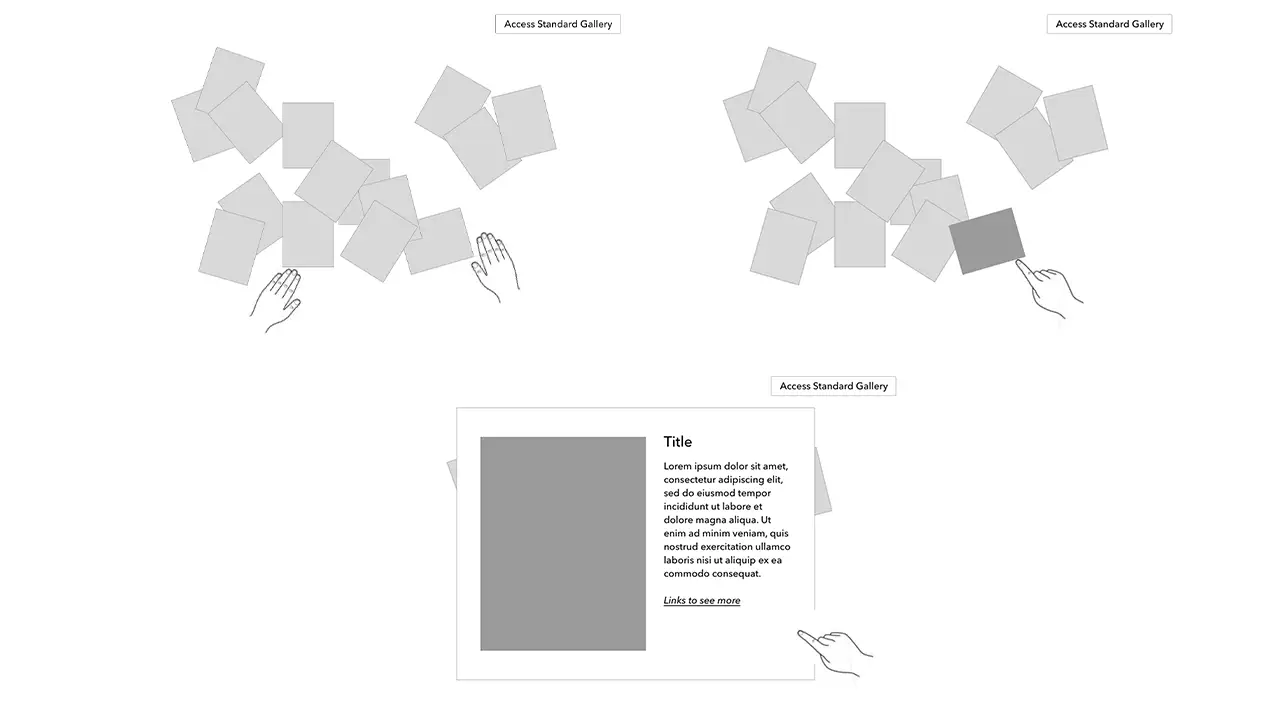
Here are the wireframes of the initial gallery interaction:
Here are the wireframes of the initial loom wireframes:
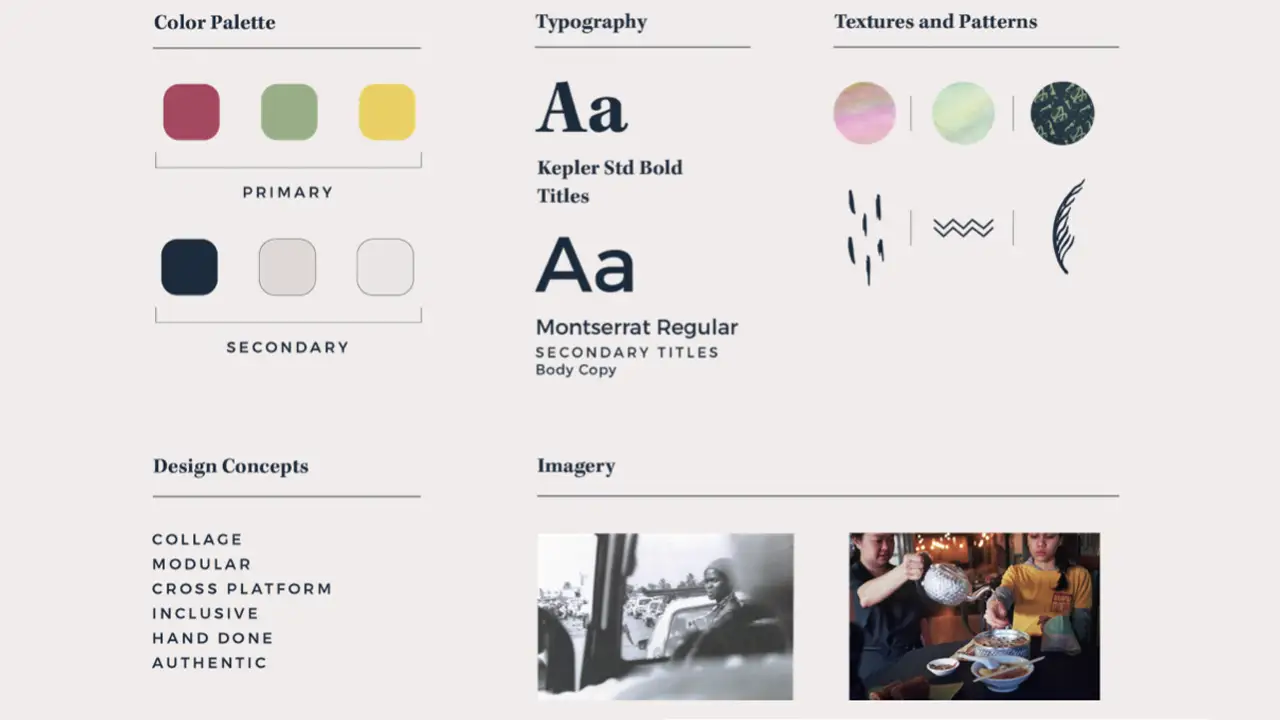
The palette for the exhibit was inspired by the backgrounds of the artists. Green, red, and yellow are significant in Malaysian culture, but most of Len’s work uses earth tone and nature based colors, so we toned down the hues of all colors for a more neutral palette. We were working with great reference material from both creators that were either hand made or artifacts from the past, so we created handmade textures, patterns, and a layered effect to create something akin to a college of the two artists.
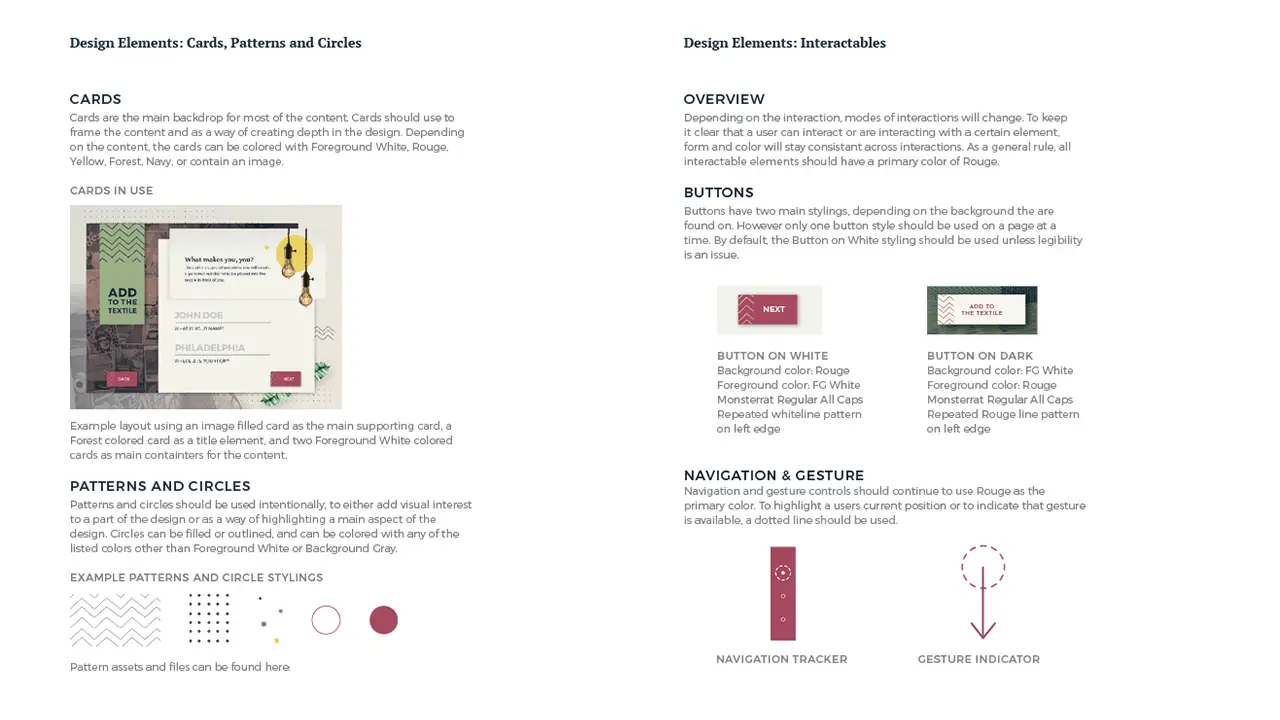
Once we decided on the design styles, we moved forward by changing the wireframes to prototypes and adding the colors and patterns in from the style guide.
Here is the initial gallery prototype. Our initial thought behind the collage allowed users to sort through scattered photos which open in a card layout to display more information.
Due to our agile process we were able to catch the limitations of the technology early and adjust our interaction to provide the best possible experience for our visitors. Because the touch screen could not be laid flat and the initial idea we had for the gallery didn’t work well on a flat surface, we changed the gallery to a more collage like design. Our users, after doing A-B testing, also confirmed our decision.
Here is the prototype of the first version of the collage gallery:
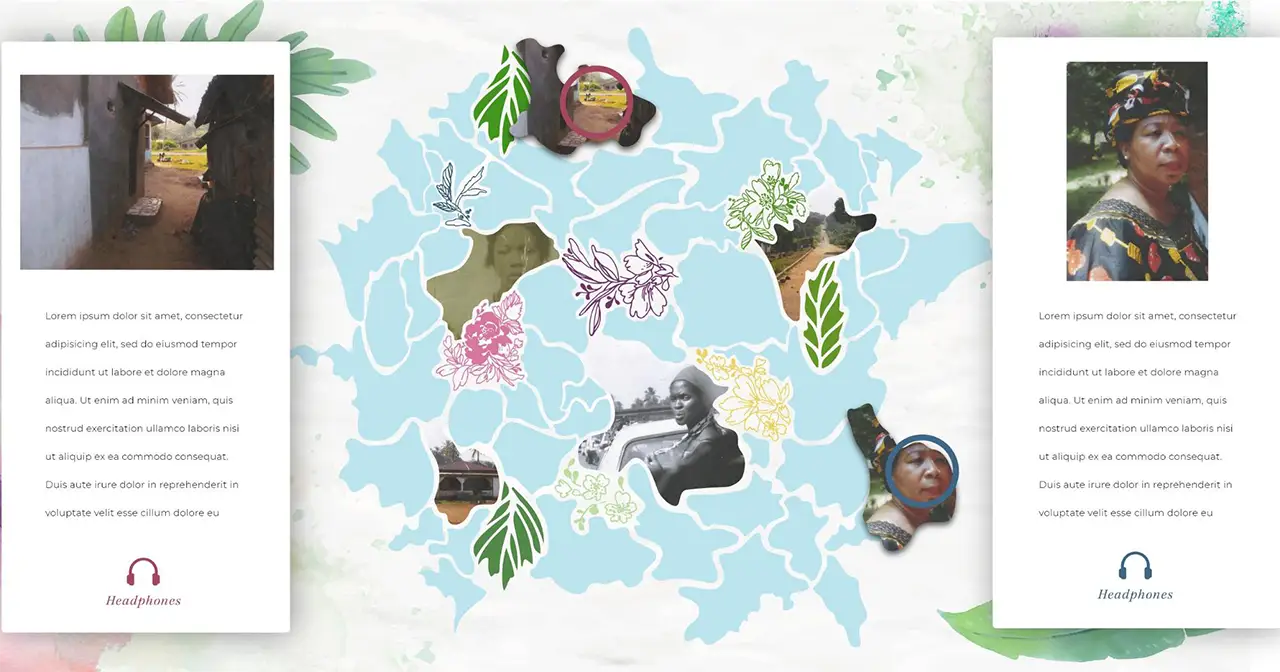
Here is the prototype of the second version of the collage gallery, and it is the final version displayed in the exhibit.
Here is the initial prototype of the mural interaction. The idea is that the outlines on the canvas only show partial information and the digital projection reveals the whole image by filling in colors, images, and texts on to the canvas.
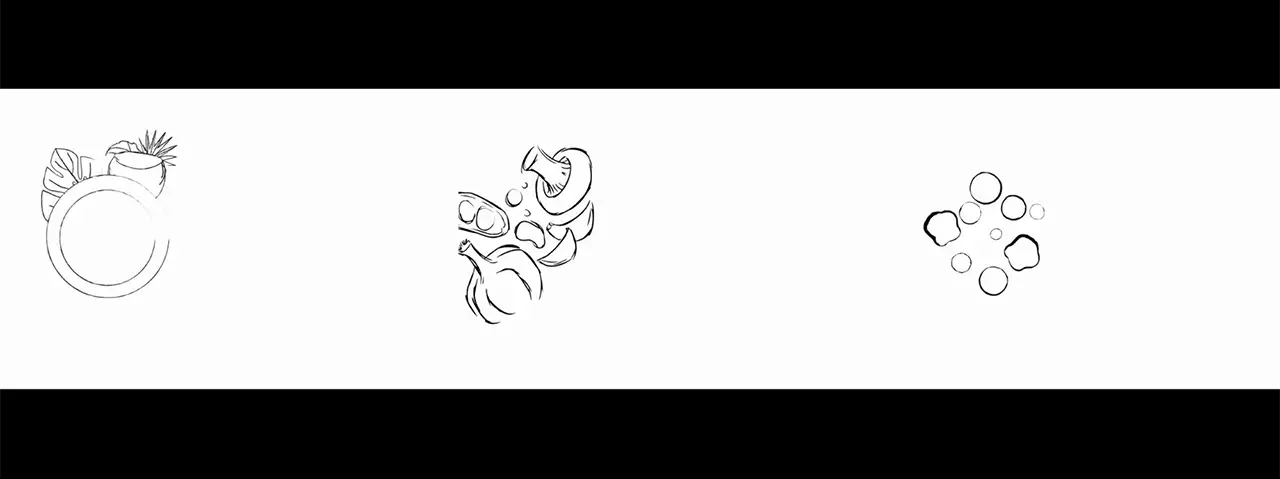
Then we altered the design of the mural to represent a Malaysian street scene. We wanted to introduce an element of discoverability where users can explore the market, and learn more about different foods that would be found there.
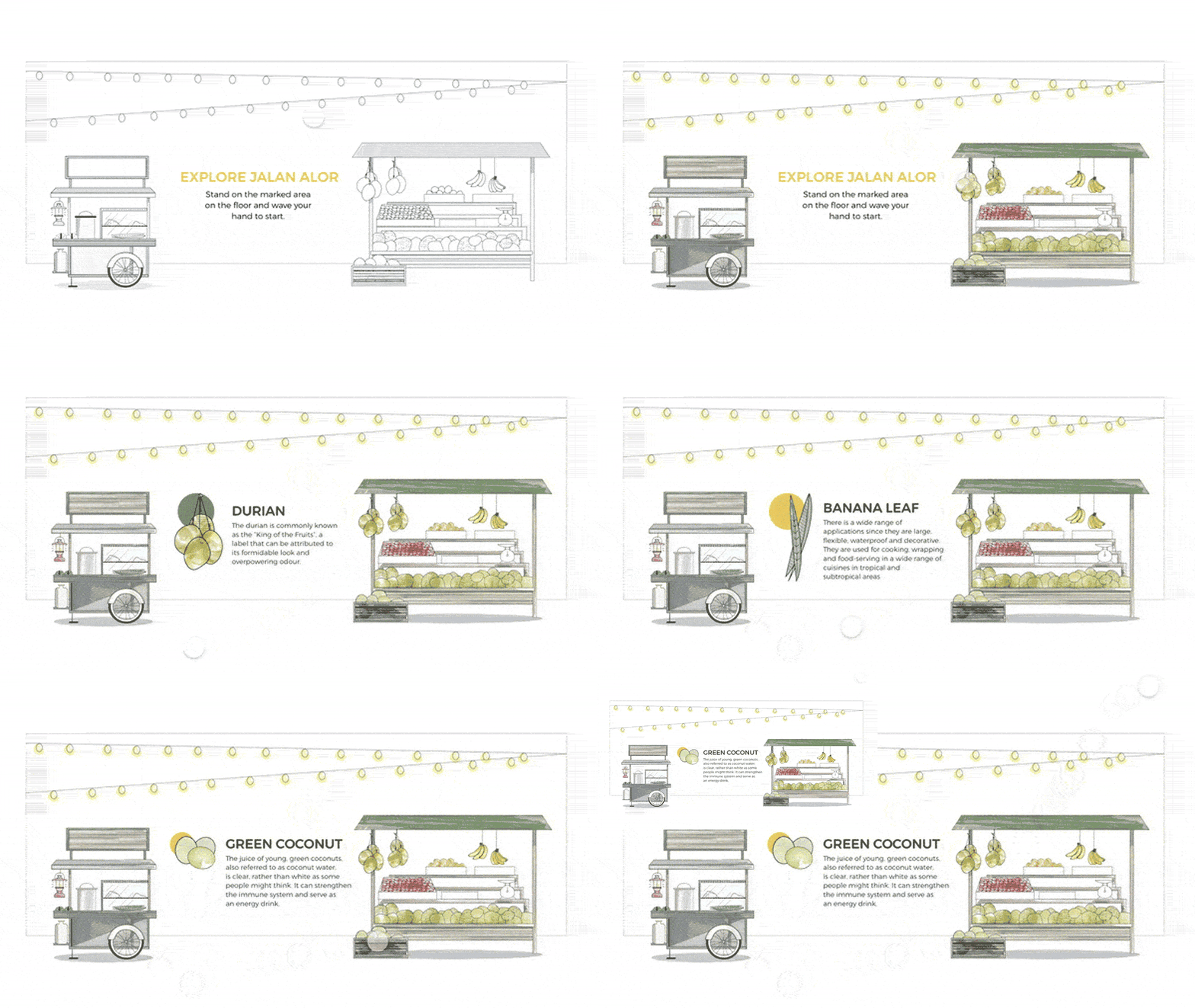
This is the final design that we ended up using for the mural. With this design, the interactive portions of the mural are within the archway shape. The parts outside of the archway are elements that show more about Ange, her restaurant, and Malaysian cuisine.
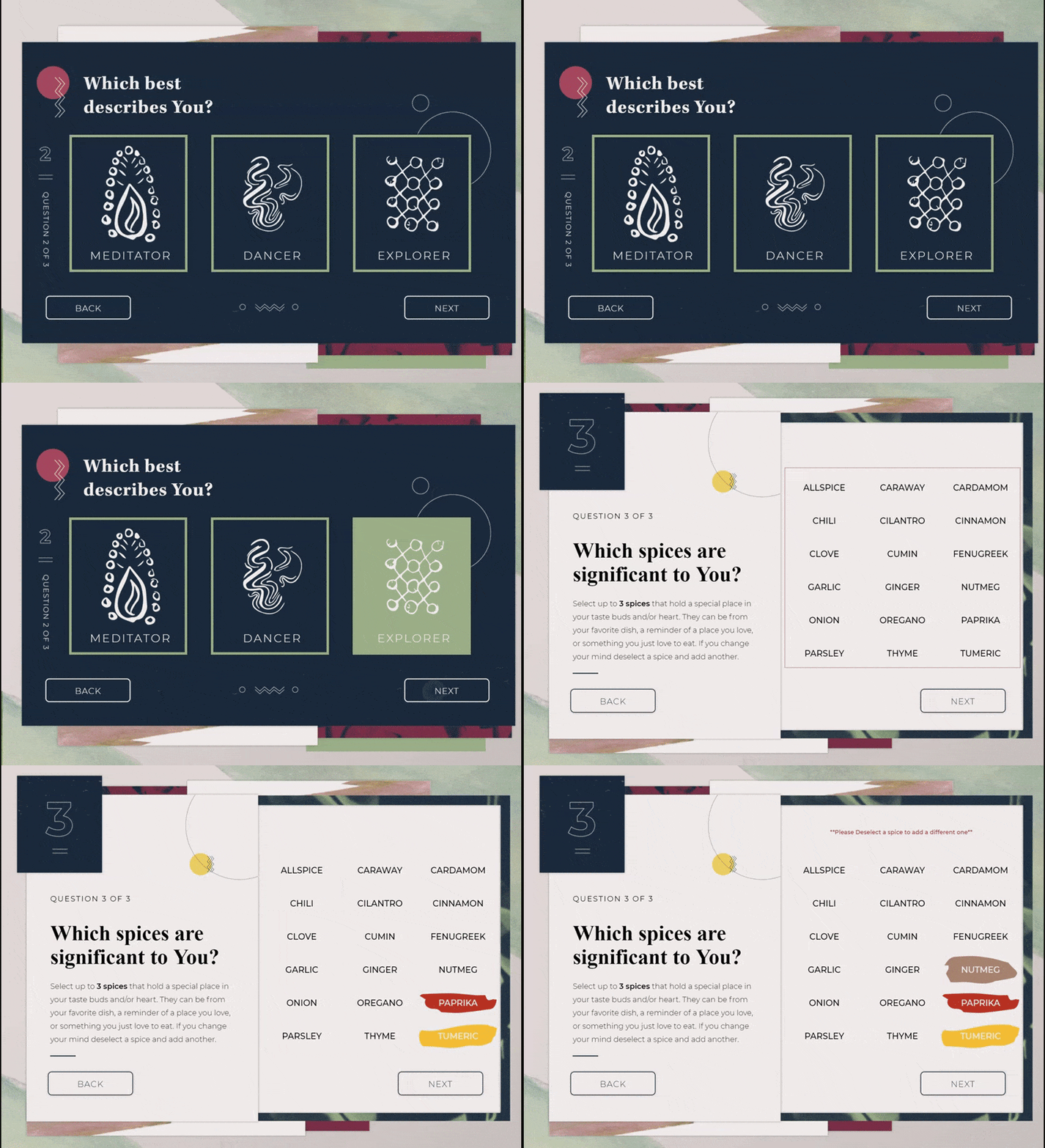
Here is the initial prototype of the energy table interaction.
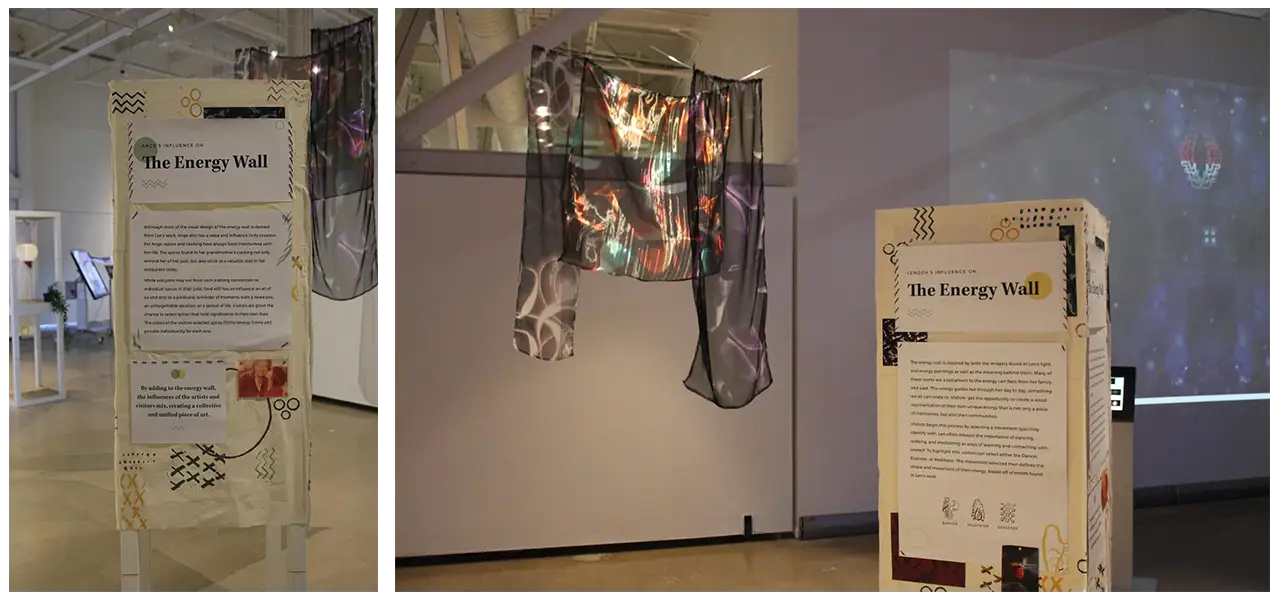
This is the prototype we ended up using for the exhibit. It allowed users to leave their own personal mark on the exhibit and demonstrates that while we are all different we can come together to create something new and beautiful. Users could enter a little bit of information about themselves in order to create their personalized energy form. The descriptive movement types were inspired by Len’s artwork she designs inspired on different energies that she feels and the spices were inspired by Ange’s cooking.
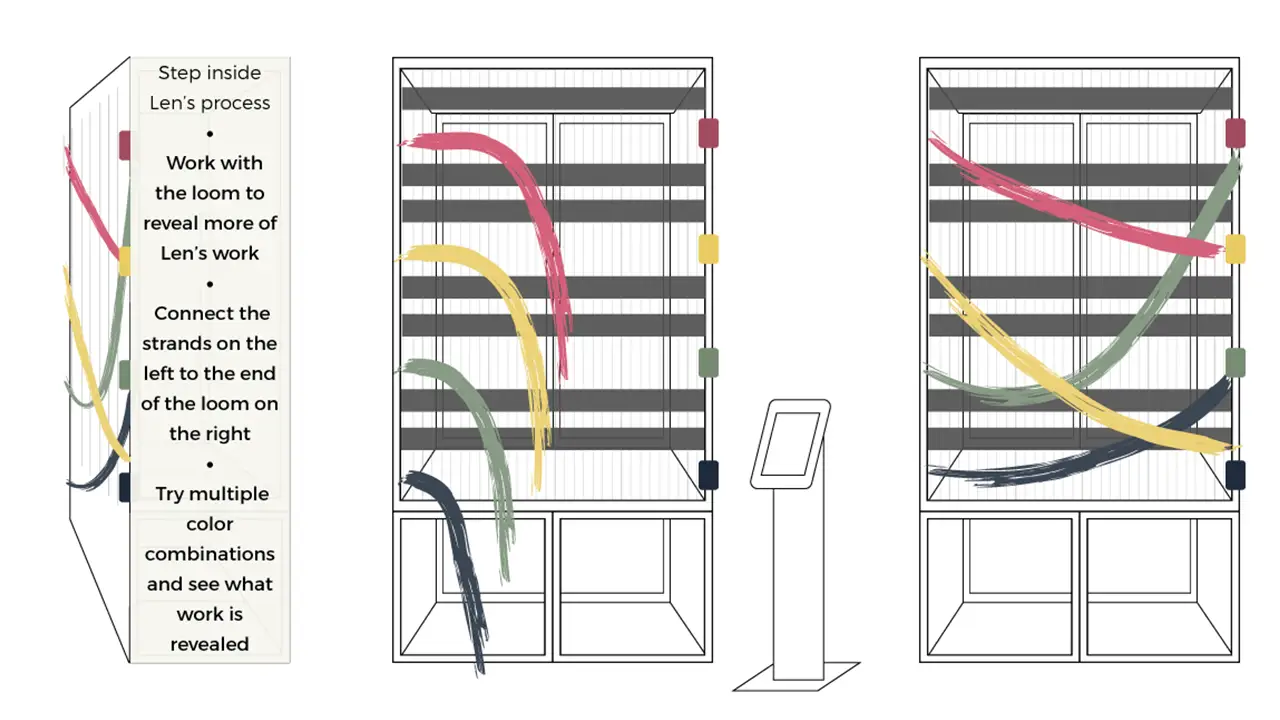
Here is the initial prototype of the loom.
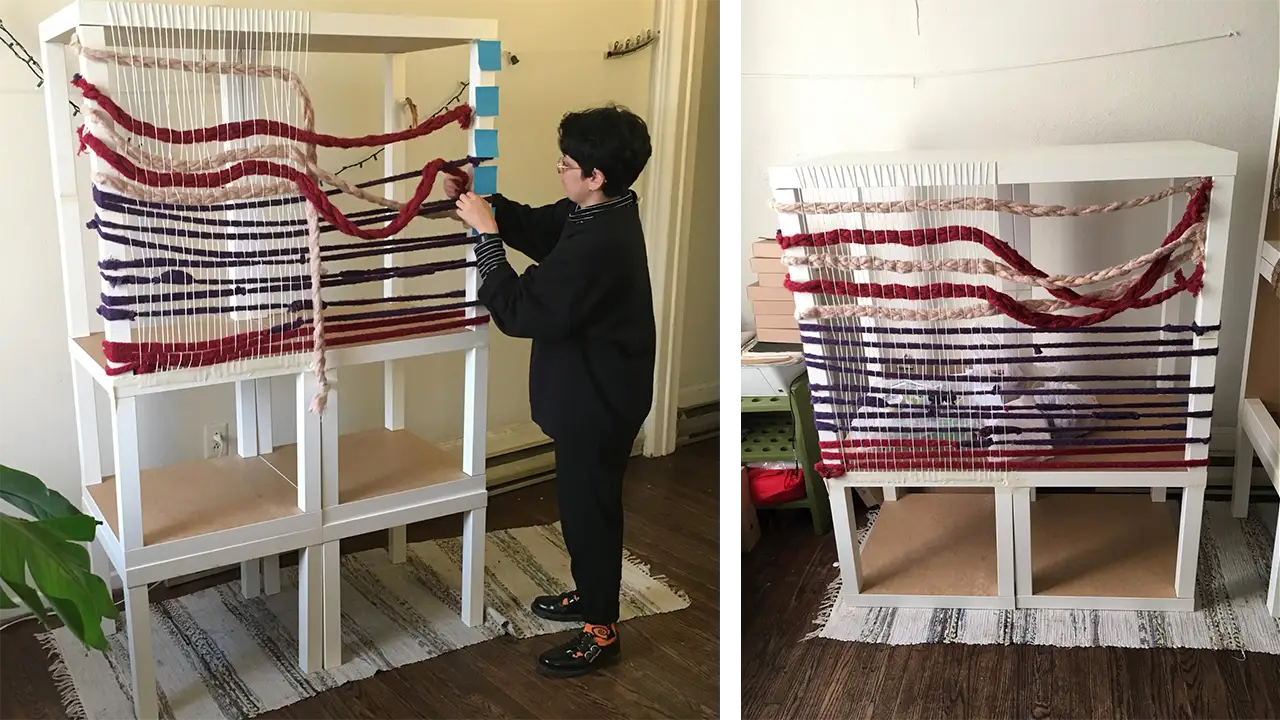
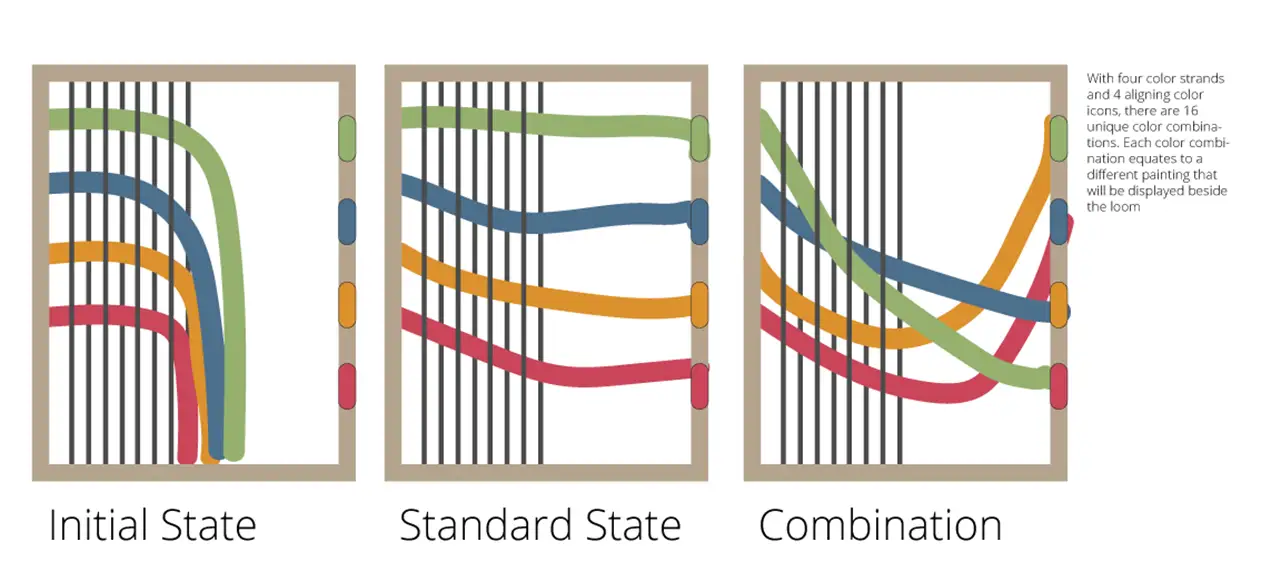
Here is the improved version of the loom prototype, and the version we ended up using. This design of the loom contained bigger strings which allowed for an easier grip for our users.
This is our exploration phase of using the leap motion and touch sensitive technologies. We also experimented with augmented reality.
This shows how code can be used to create colored strands using user input in our initial prototype.
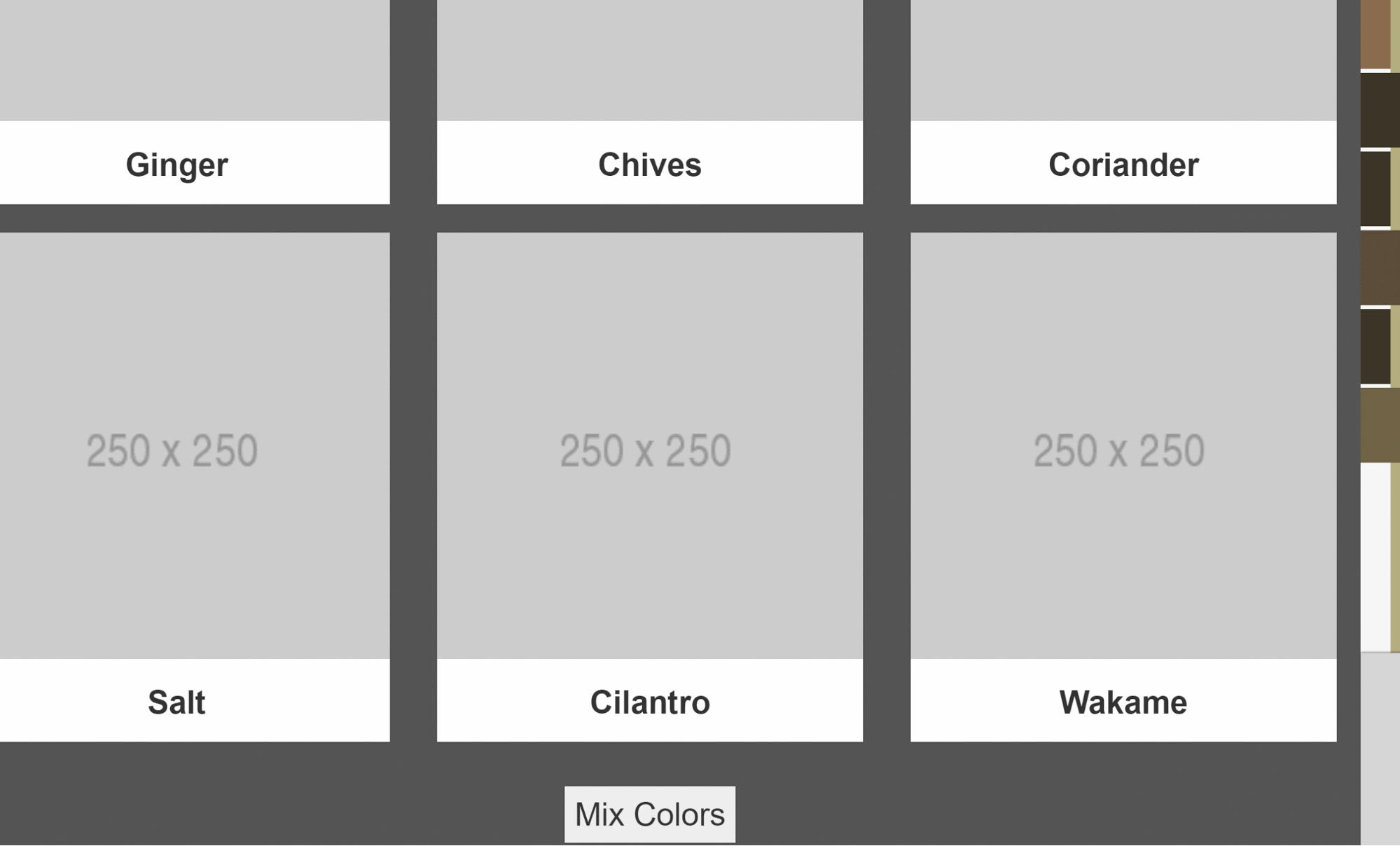
This was an experimentation using the Kinect and LEAP motion as different options for controlling the mural.
These are initial proofs of the multi-touch functionality used in the gallery.
Here is our first attempt at a collage type design using the multi-touch screen.
Here are examples of our initial structure builds in which we used IKEA tables and printed materials.
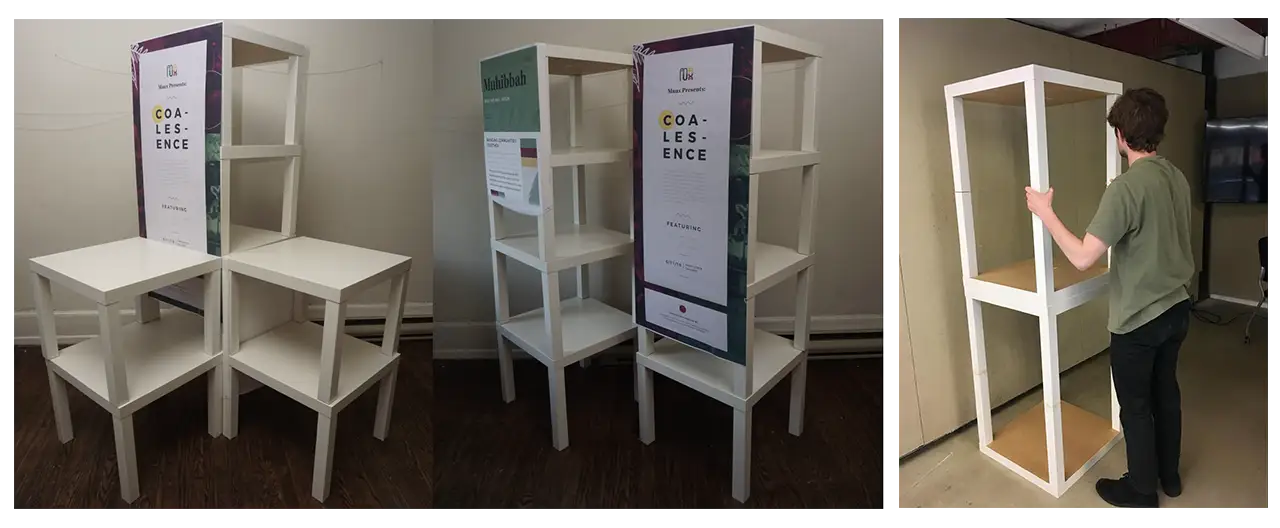
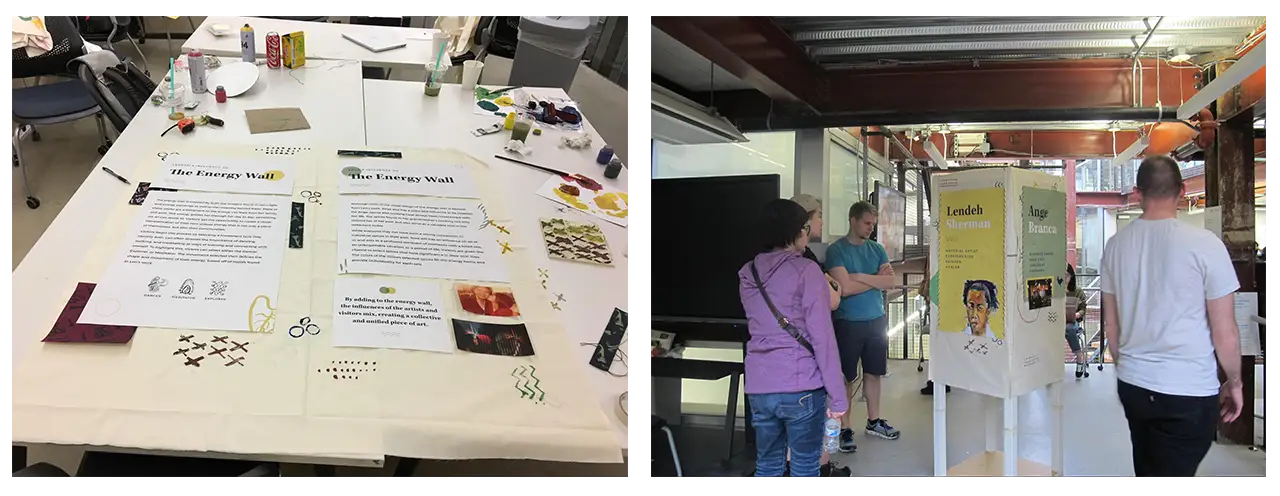
These are the design of the physical structures with copy placed on to them. We hand painted and sewed on all the design assets on to the canvas.

Throughout this process we were able to conduct over 100 usability tests which resulted in many changes leading to more intuitive and user friendly designs. Here are brief summaries of what we learned from our testing sessions.
Based on user feedback, we changed from the previous design to the current design but still kept the explorative yet informative experience. After identifying and solving the challenges, users thought the collage design is visually more interesting and the interaction is more cohesive.
The loom was very difficult to make user-friendly because we were creating something that we had never done before. By giving our users more guidance through instructions and onscreen feedback we were able to make the process much more intuitive.
In the beginning of our testing users found the gesture controls hard to use but by changing the controls to be much simpler by eliminating a clicking function and creating less cognitive load, users found the mural much easier to use.
At first users were not clear on the connection or meanings behind the energy movements or the spices. After refining, we added in more context explaining the energy movements and usage of the spices, so our users felt more connected to their selections and the artists.
To see our notes and analyses for these tests, click here.
Here are the final results that were shown in the exhibit held on June 11, 2018 from 6-9 p.m. All of the images/screen grabs seen below were taken/used in the exhibit.
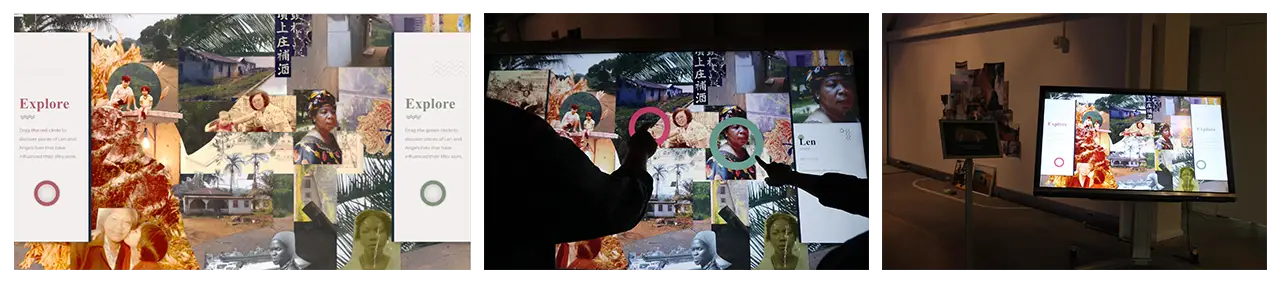
The collage introduces visitors to the backgrounds of Ange and Len. Using a multi touch screen, 2 visitors can simultaneously hover over and interact with photographs using their respective cursors. Each photograph is a significant person, place, or object to the creators which visitors can learn more about on the side cards. The collage format of these photos allows for an element of discoverability, where users must explore the whole piece to learn more, but it also represents the blending of individuals in cultures. By having 2 visitors be able to interact with this at once, we hoped to create a shared learning experience while also reducing wait times to use it.
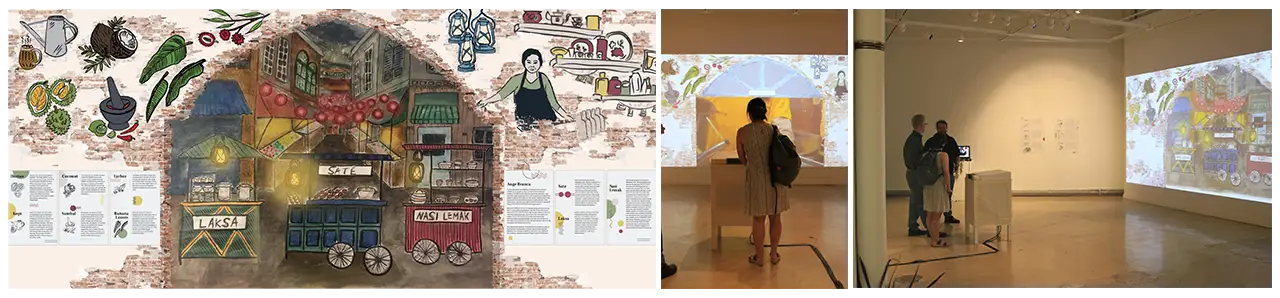
With this digital mural design, the interactive portions of the mural are within the archway shape. Users were able to select food carts representing different traditional Malaysian dishes/drinks, such as Nasi Lemak, Sate and Kopi, and once selected, watch videos of these dishes being made. The parts outside of the archway are elements that show more about Ange, her restaurant, and Malaysian culture.
We wanted users to feel like they were looking into the scene and were able to interact with the things they see. So, we decided to use gesture control technology. We used the Leap Motion, which allowed users to use their hand motions to interact with the mural elements.
The energy table allowed users to leave their own personal mark on the exhibit and demonstrated that while we are all different we can come together to create something new and beautiful. Through use of Socket.io and Javascript, the visitors could enter a little bit of information about themselves to create a personalized energy form. Visitors chose a descriptive movement type inspired by Len’s artwork and up to 3 spices inspired by Ange’s restaurant.
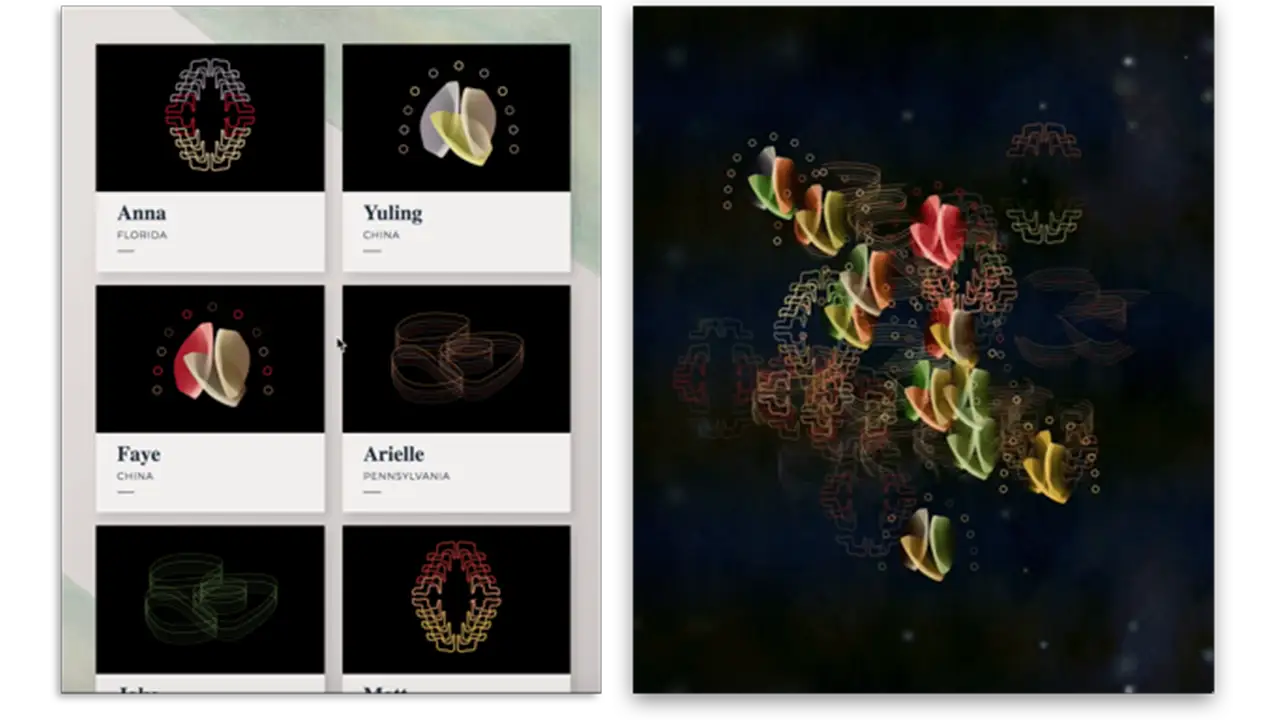

Once their energy was created the visitors added it to the collective energy energy projection where they could view their energy interacting with everyone else’s and the explore interaction where other visitors could see the stories told by others.
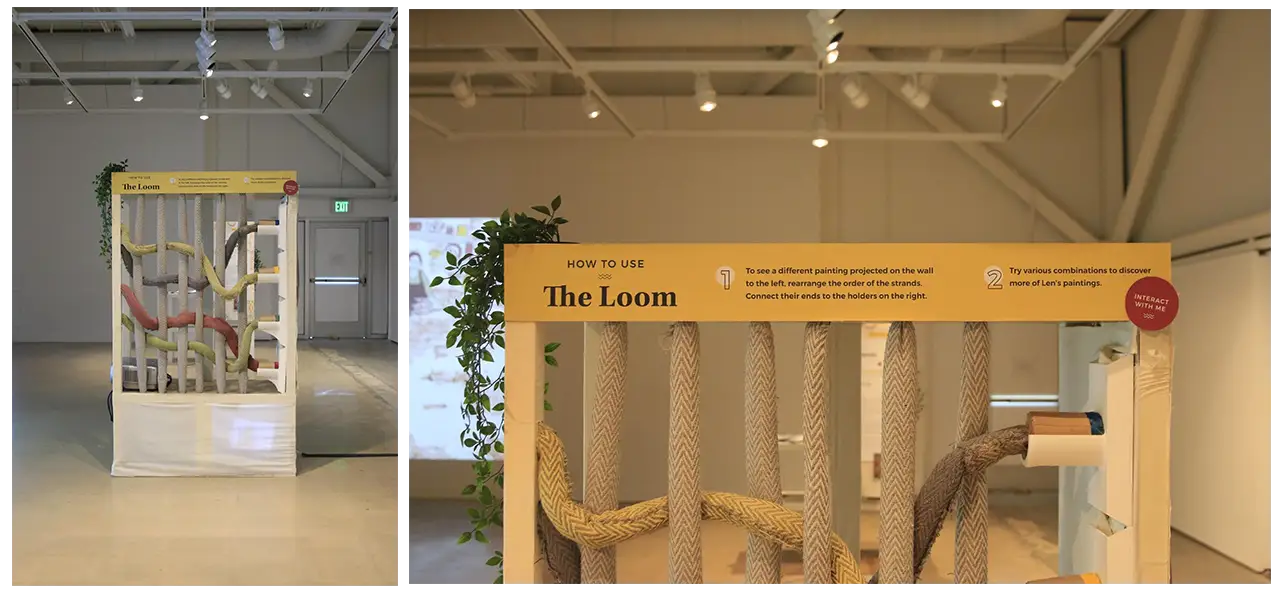
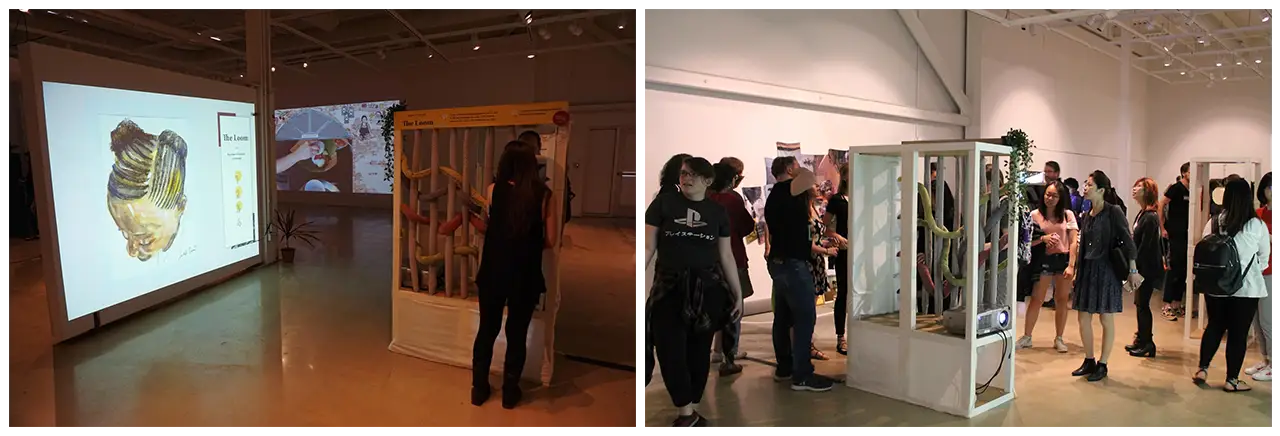
The Loom was built specifically for the tactility and connection to Len’s work it provided. Allowing users to participate in the textile creation process while also exploring Len’s paintings created an enjoyable and personal experience. The Loom uses NFC technology to create a digital change on a projection through the connection of physical strands to NFC readers. Connecting the four threads displays one of 24 paintings created by Len.
Developing the Loom was challenging because it not only included new technologies we had no experience with, but also relied heavily on the seamless connection between the physical and digital interaction. To ensure we had as little room for error as possible in the design, we worked with Adept Inc. to create and 3D print holders for the threads and NFC readers.
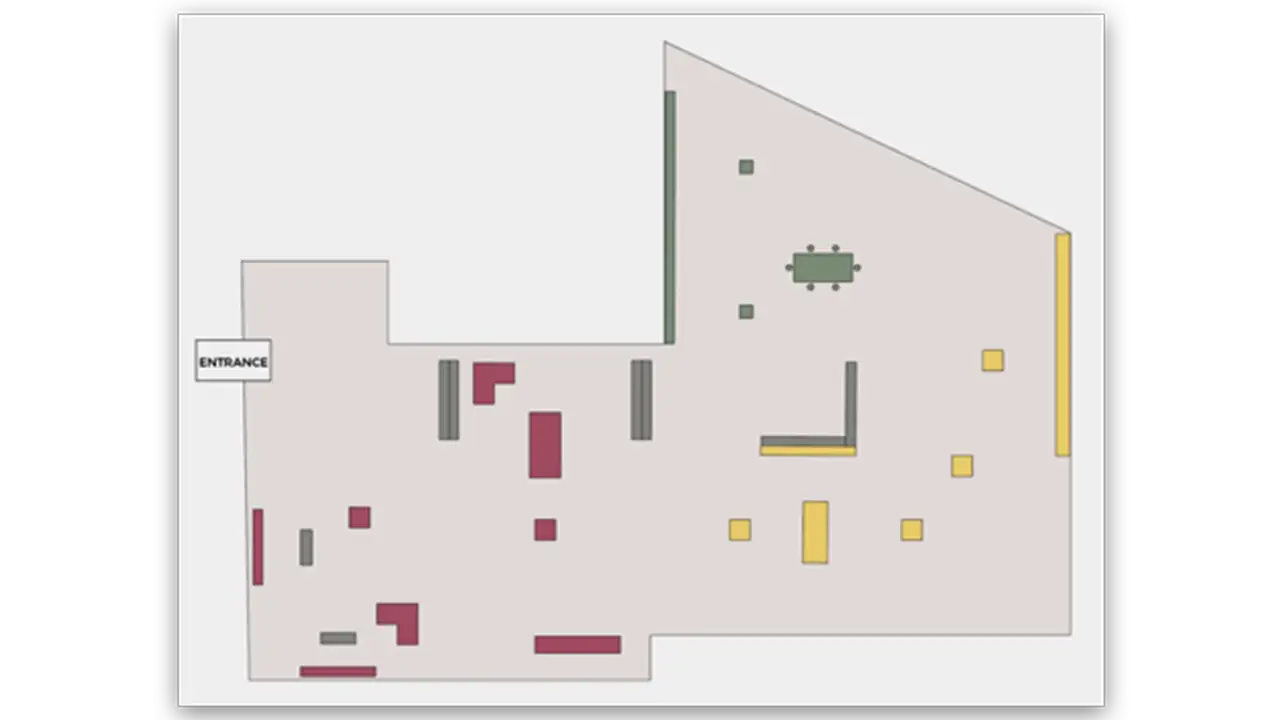
This is the layout of the exhibit we went through many iterations creating as we adapted the space in the Pearlstein Gallery to fit our needs.
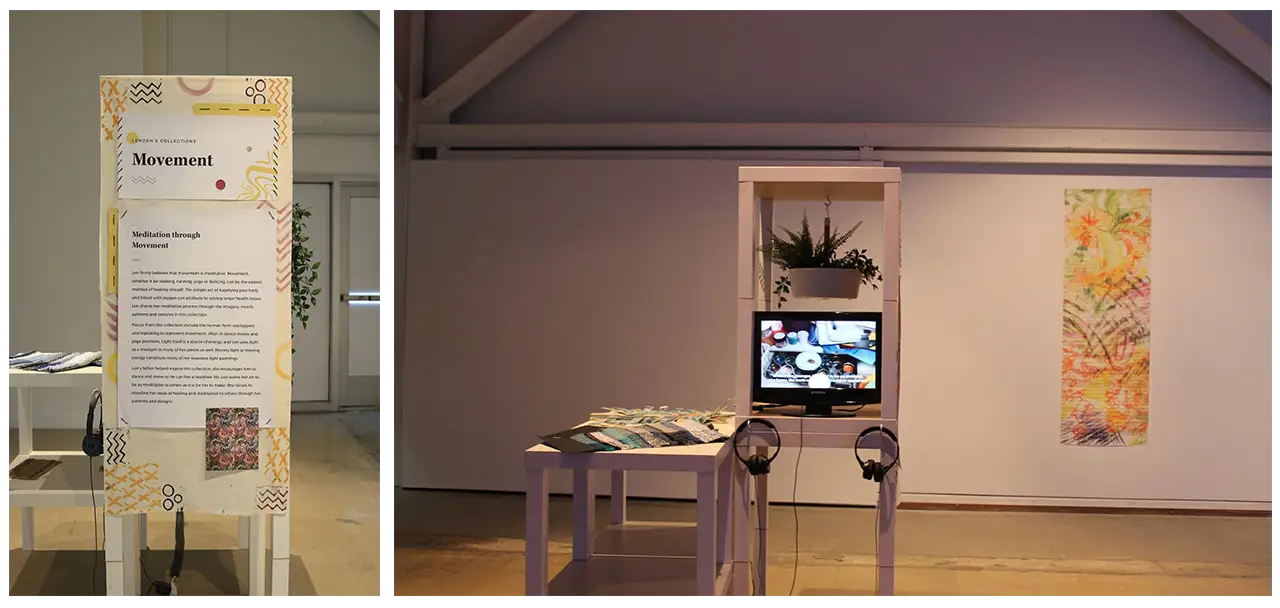
These are the final structures and physical setup in our exhibit. Len’s artwork can be seen hanging throughout the exhibit and it complimented the interactions and information displayed. We also filmed, edited and created short interview films starring our two artists that were featured throughout the exhibit which can be seen on the smaller televisions within the structures.

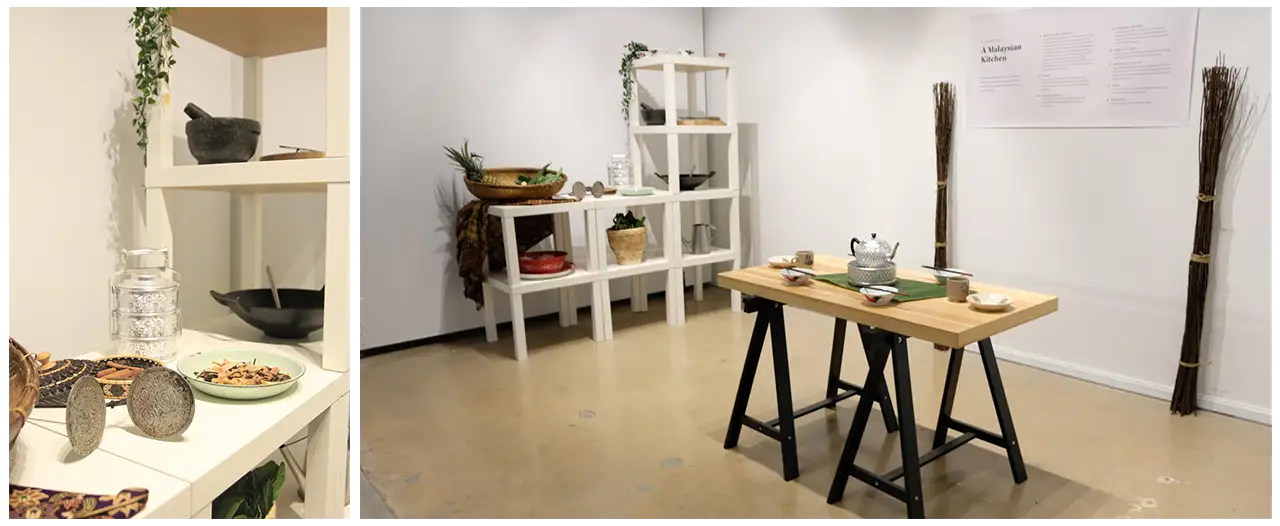
One of the most important aspects of this exhibit was the physical set up. We featured a traditional Malaysian kitchen set up, along with many items found in Ang’s restaurant and hometown. Ang provided us with spices, fruits and vegetables used in her kitchen for users to touch and smell. This was to connect users to her cooking and cultural connections that were shown within the mural, collage and energy table.
Len’s artwork highlighted her creative influences and culture, as it featured her family in Liberia and her different mediums, such as textiles and printed material. The textiles were displayed around the loom to help compliment each other, the Liberian family printed collage was shown next to our digital collage and the energy pieces were featured next to our energy table to help immerse users in our artists’ worlds.
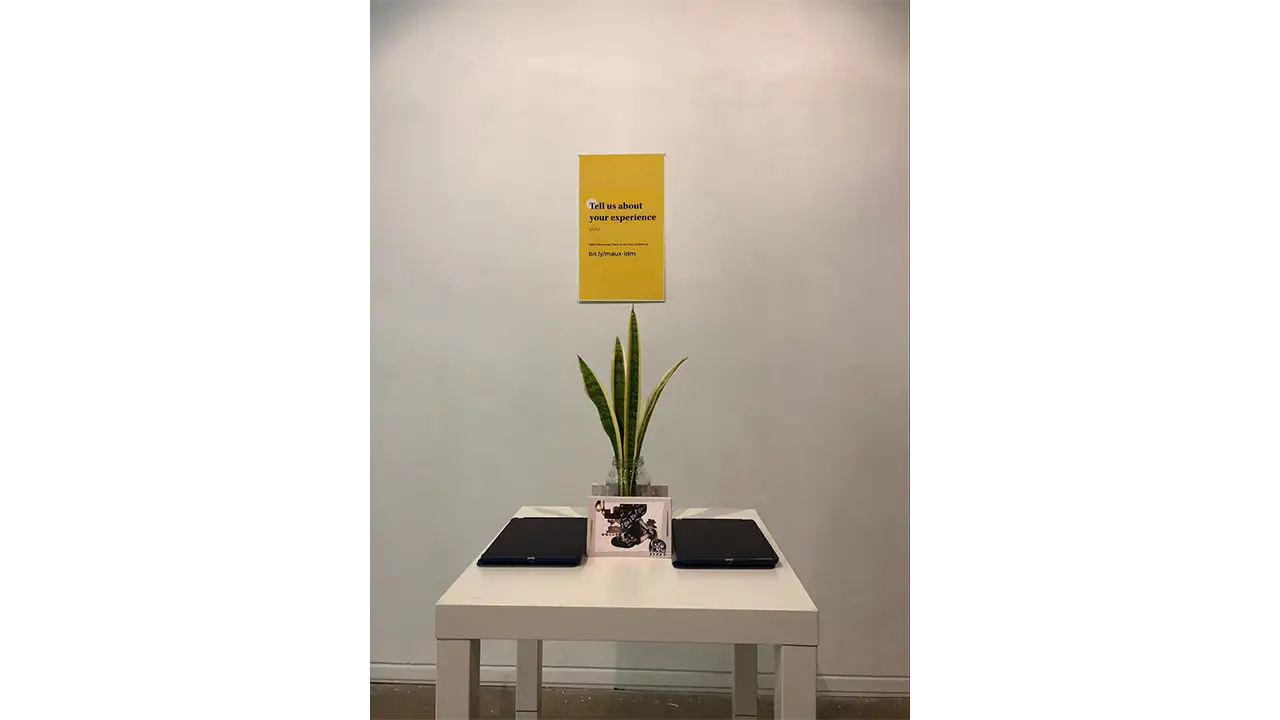
Overall, our exhibit was a huge success, as we had over 200 visitors come to see our show. At the exit, we set up a survey table where visitors could leave their final thoughts on the exhibit. We asked visitors to rate how easy the interactions and exhibit were to navigate. The survey results showed that most users found the exhibit easy to navigate and the interactions intuitive to use. A majority of users rated the energy table as their favorite interaction in the exhibit, which was rewarding to hear because this was the interaction in which users shared that they felt most connected to our artists. Many visitors shared that they would like to return to our exhibit in the future. Coalescence was an inspiring experience not only for our visitors but also us, the creators, as we were able to immerse ourselves in the creativity and culture within Philadelphia as well as push ourselves to build an inspiring experience through our research, testing and desire to make an impact. Below are some of the final remarks from our visitors, that show the impact this exhibit made on them.
“I really enjoyed the exhibit. I would love to see exhibits like this become a common experience at all museums. Amazing!”
“The graphic design was astounding and interior design was comforting. It really matched the vibe of your two featured artists”
“I also really appreciate how much every aspect of the exhibit, down to the backdrop of the descriptions and the plants on the wall, was stylized and designed. This exhibit was unlike anything I’ve experienced before, and I hope to be able to see it again somewhere.”
“It’s incredibly well executed and unified. The amount of thought put into this shows. It beautifully tells the stories of the women this exhibit centered on.”
“It was a beautiful experience and an amazing exhibit. It was so unique and you can tell a lot of time and effort was put forth”
“I loved the look into the lives and culture of these two beautiful creatives and feel very blessed about my chance to see it”
“Fun, well integrated design and technology, thought provoking while simple enough to engage”
Over the past 10 weeks our group has been working closely with Schmear It and their customers to create a brand new mobile ordering experience. We conducted primary research, went through multiple rounds of ideation and user testing, and ultimately created a final interactive mockup in Sketch and Flinto. Through this process we learned the importance of collaboration, user testing, team meetings, and understanding business requirements. We are extremely pleased with the final application and hope Schmear It’s users love it as well.
Schmear It is a local Philadelphia bagel food truck established in 2013 and recently expanded into a physical location in October 2016. Our team was tasked with developing a mobile application for Schmear It that provided mobile ordering, rewards, and business information for their customers. This application would substitute their existing order ahead solution on their website. We worked closely with Schmear It and their customers to test and develop this mobile application over the past 10 weeks.
While Schmear It already had a mobile ordering function built into their website. It wasn’t advertised or communicated to users very clearly on their website (especially the mobile site) or at their physical locations. The goal of this application was to bring mobile ordering to Schmear It in an accessible and discoverable way for users, while preserving the unique personality and branding Schmear It has developed. The application should also promote their build-your-own option as this is their preferred way for people to order and their collaboration with charities.
We began the design process by establishing a relationship with Schmear It. We created a business model canvas and project model canvas for the company. After that we began visiting the truck and store to observe the ordering process and the customer experience Schmear It provides.
From there we began conducting competitive research on competing mobile ordering applications to determine what ideas, flows, and features were already on the market. We determined our target audience based on the surrounding area and the customers we saw from visiting Schmear It. We determined our primary customer types were students, commuters, medical professionals, and to a lesser degree tourists.
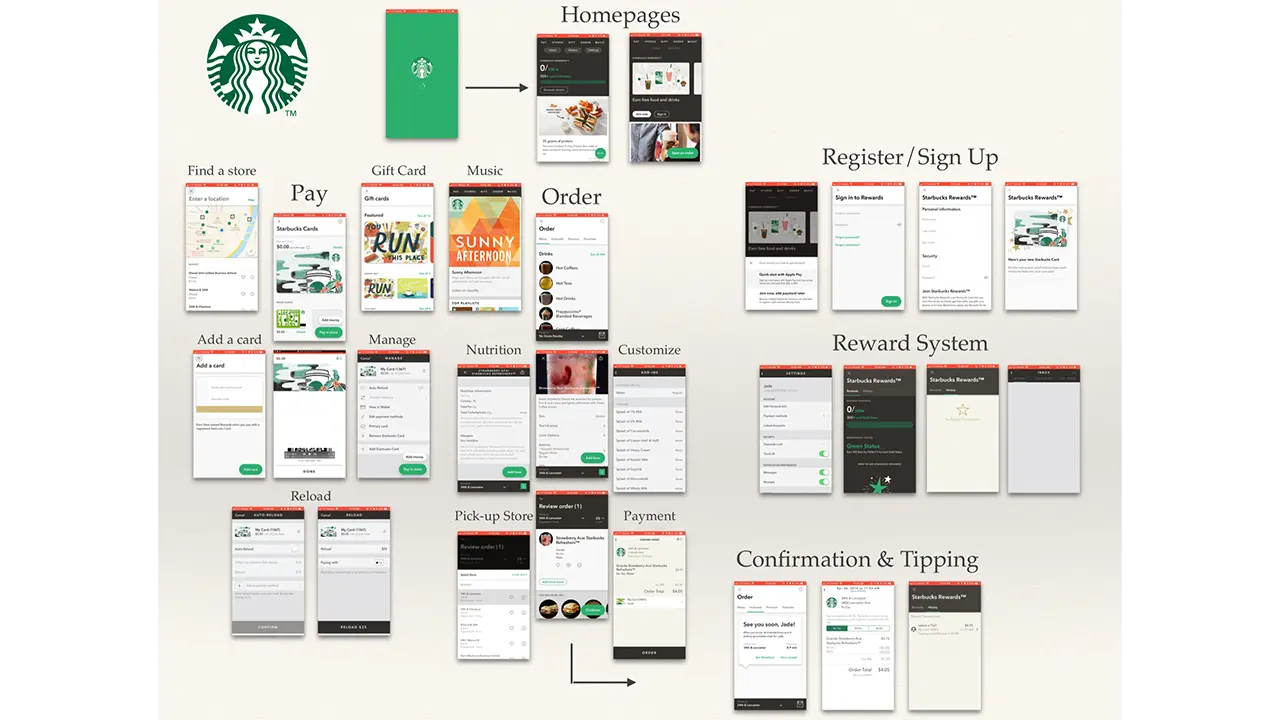
After our initial research and planning, we began to sketch wireframes for potential designs and user flows. This process, like every process was collaborative and we went through 2 rounds of wireframes before moving to digital mockups.
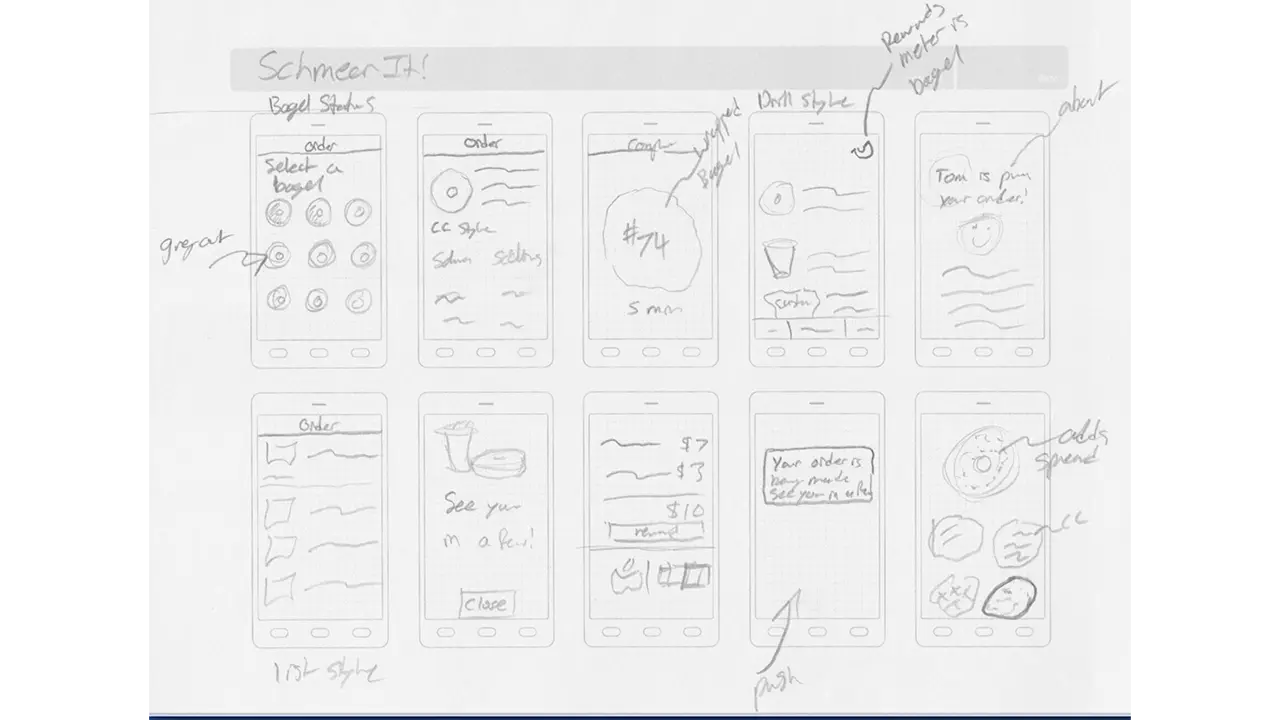
From there we made individual mood boards that we combined into a unified team mood board with our color palette, potential iconography, fonts, etc.

We then began creating wireframes in Sketch and tested paper prototypes with users.
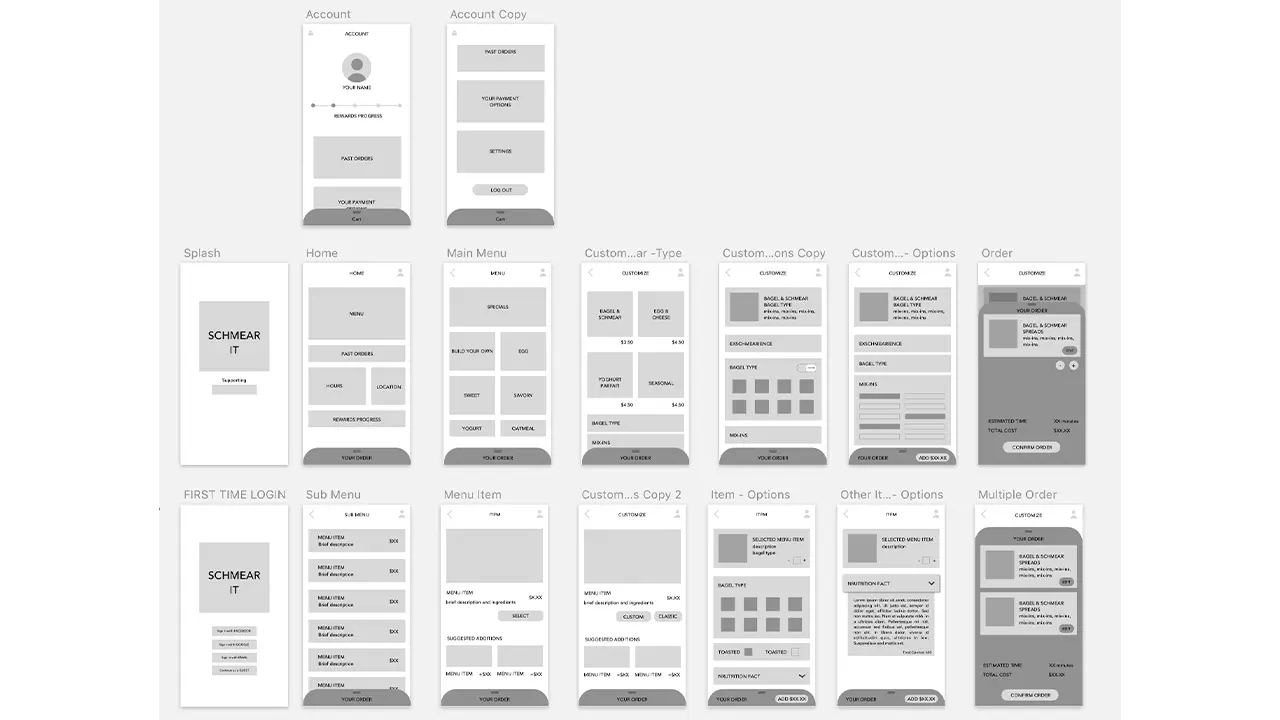
After testing with paper prototypes we moved into testing digital mockups with scripted user interviews. We repeated this testing every week from weeks 6-10. After each round of testing we regrouped as a team, discussed our user feedback, and determined what changes needed to be made for the following week. Collectively we tested with approximately 50 users over weeks 6-10. In week 7, we began using Flinto to add animation and navigation to our prototypes. The navigation went through several revisions as the first few prototypes were difficult to navigate. By week 10 we had a final prototype that went through one final round of testing and validation.
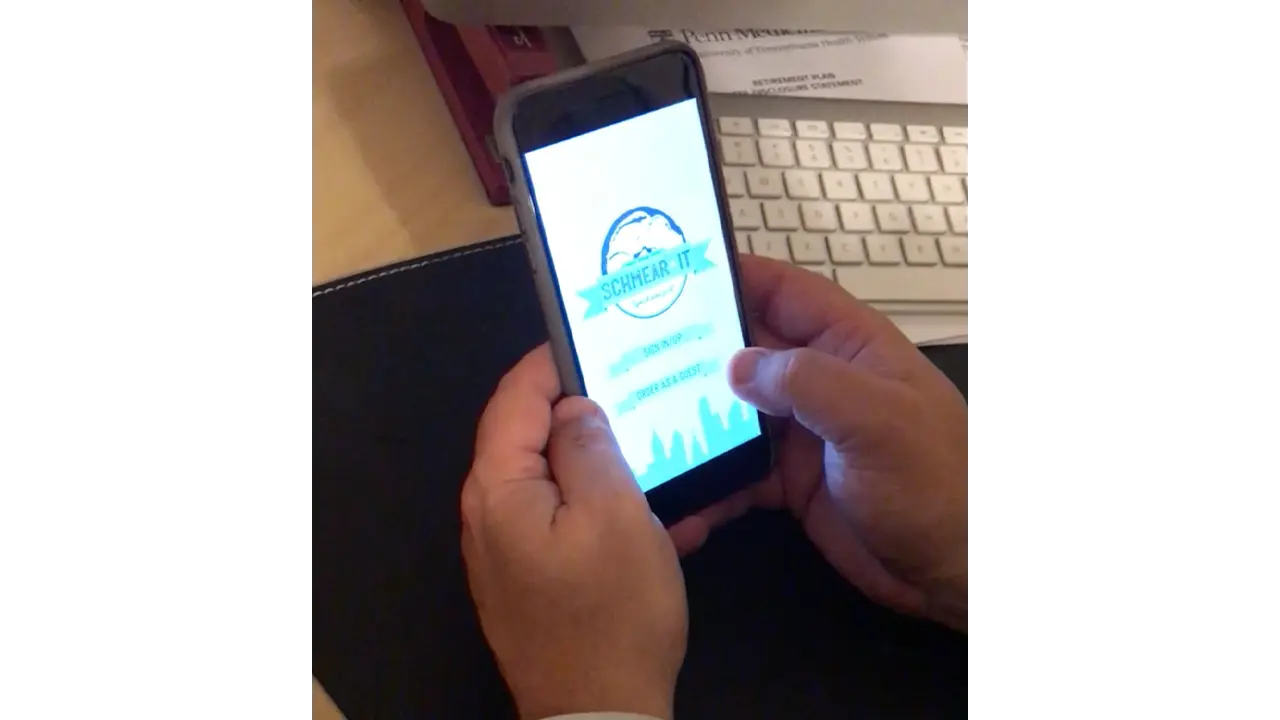
Overall we split the initial wireframe sketches and user testing between each team member. Alex Aslid created mockups in sketch and the final presentation. Alex Huffaker helped create standardized UI elements in Sketch and the final case study.
Yuan Li created the initial wireframes in Sketch for testing and assisted Jordan with animations in Flinto. Jordan Zagerman focused on talking with the business, users, and later animations in Flinto. Miles was responsible for creating graphics and did the final work in Sketch before it was passed off to the Flinto team.
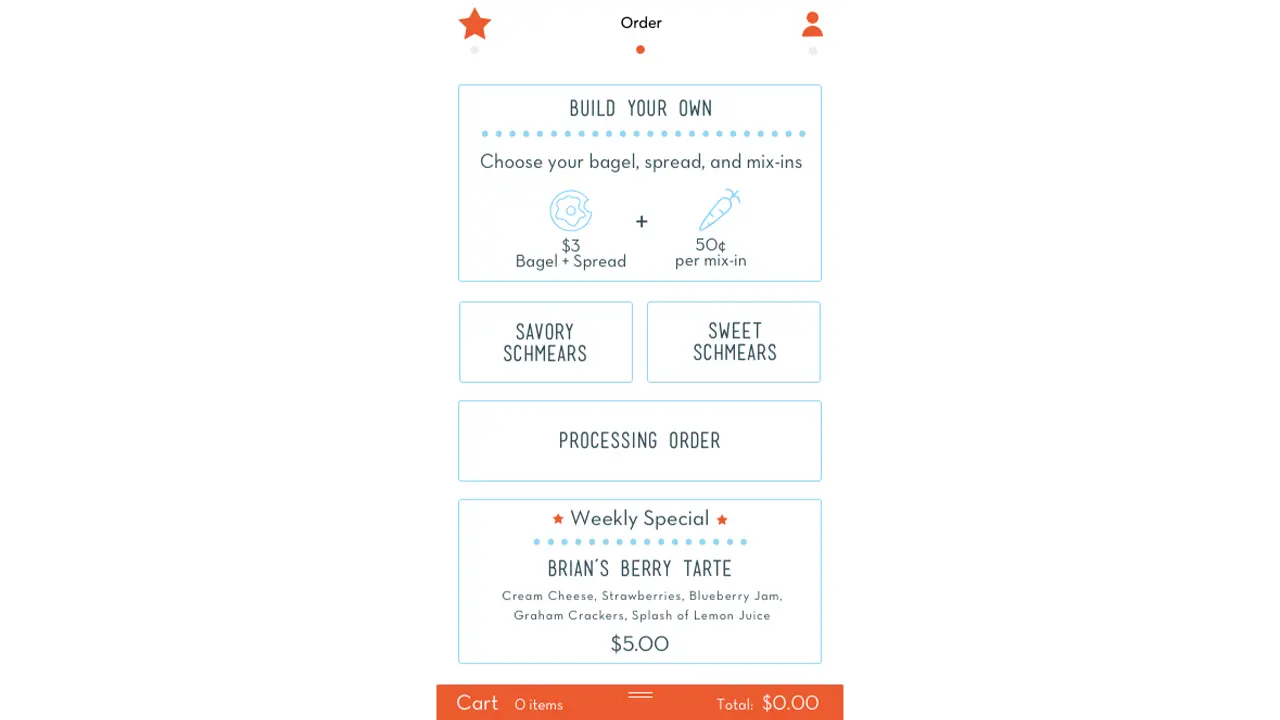
From the start we wanted ordering to be as easy and fast as possible. This was a defining trait that drove our design decisions. This led to the removal of an initial sign up screen and was a driving factor for the adoption of an ever-present card style cart.
You can see the application clearly promotes the charity Schmear It is working with that month as well as displaying their logo and branding.
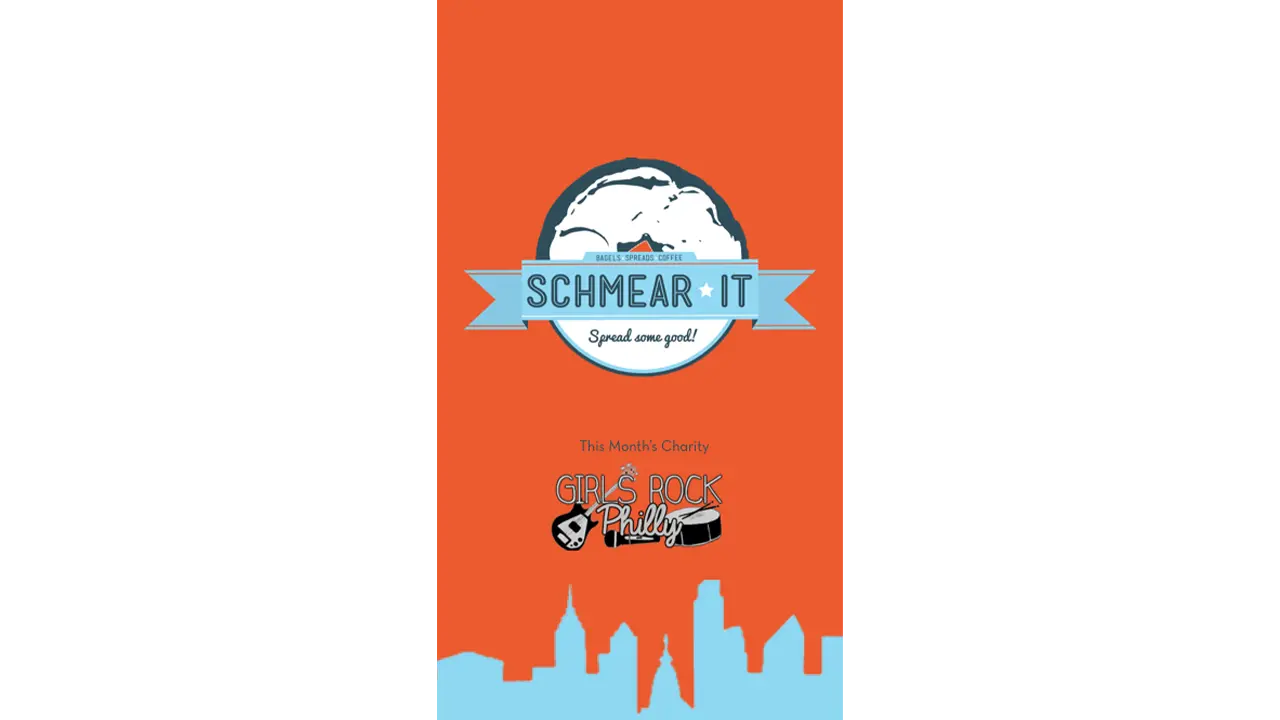
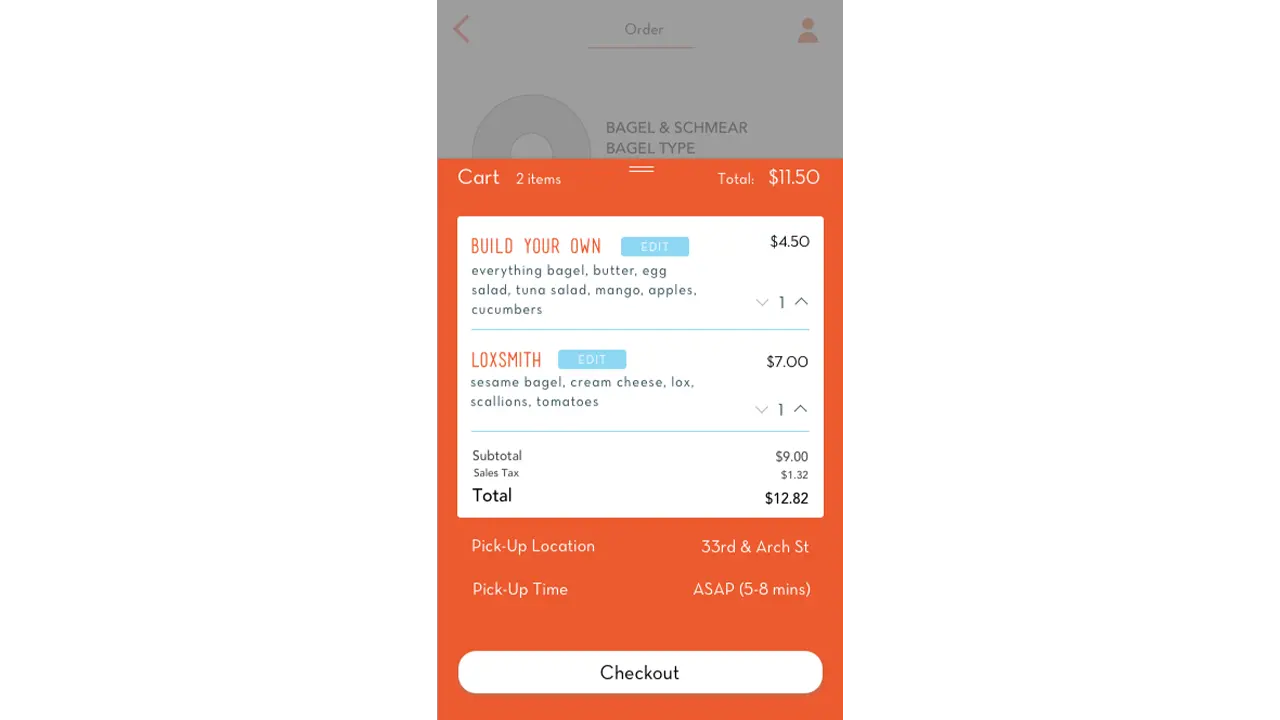
The home screen allows the users to dive immediately into the menu and ordering process. A card-style cart is persistent at the bottom of the ordering section of the application. The location and account pages are positioned to the left and right respectively and can be navigated with a swipe left or right or by tapping the respective icon from the navigation bar.
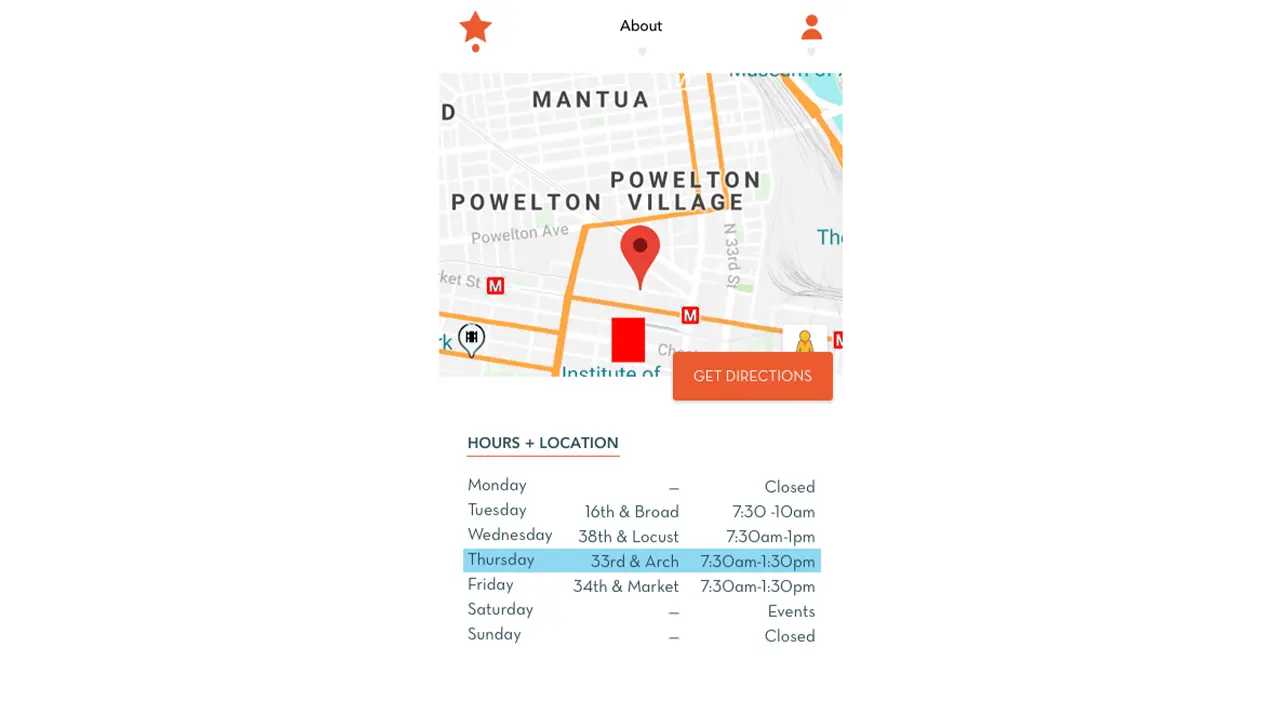
The location and times of the truck are clearly displayed under the about section so users are aware it closes early and the location changes.
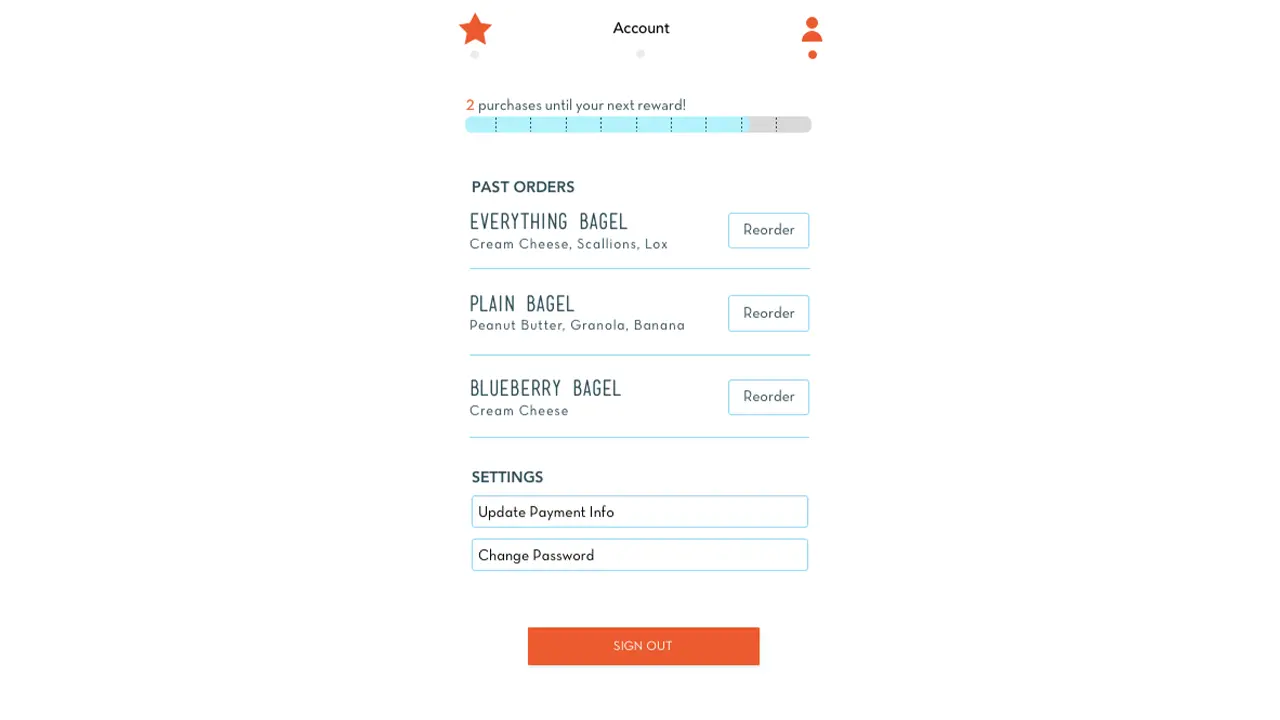
Rewards status, past orders, and account settings are all under one screen thanks to user feedback and provide a general account overview.
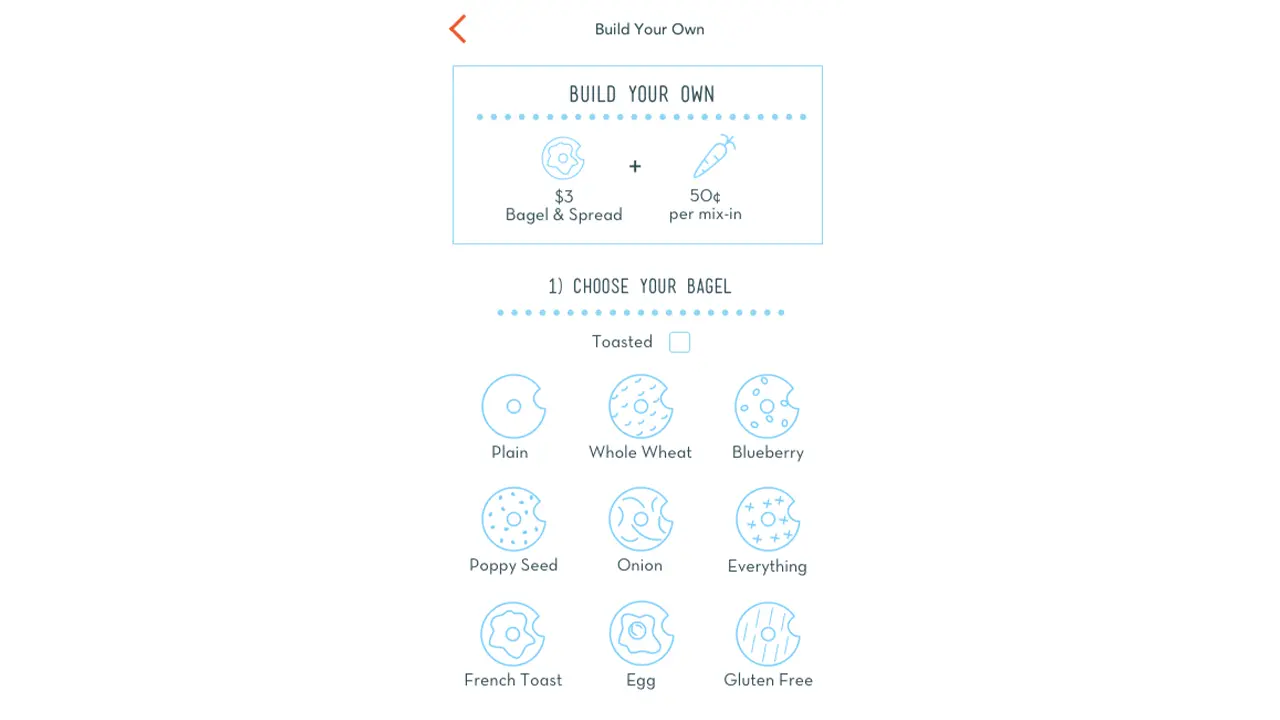
Custom orders guide users through a step by step flow where they can select their bagel type, toasted option, base spread, and mix-ins. Each of the bagel icons were recreated in Schmear It’s graphic style.
The checkout process allows for setting a custom pickup time and location when ordering ahead.
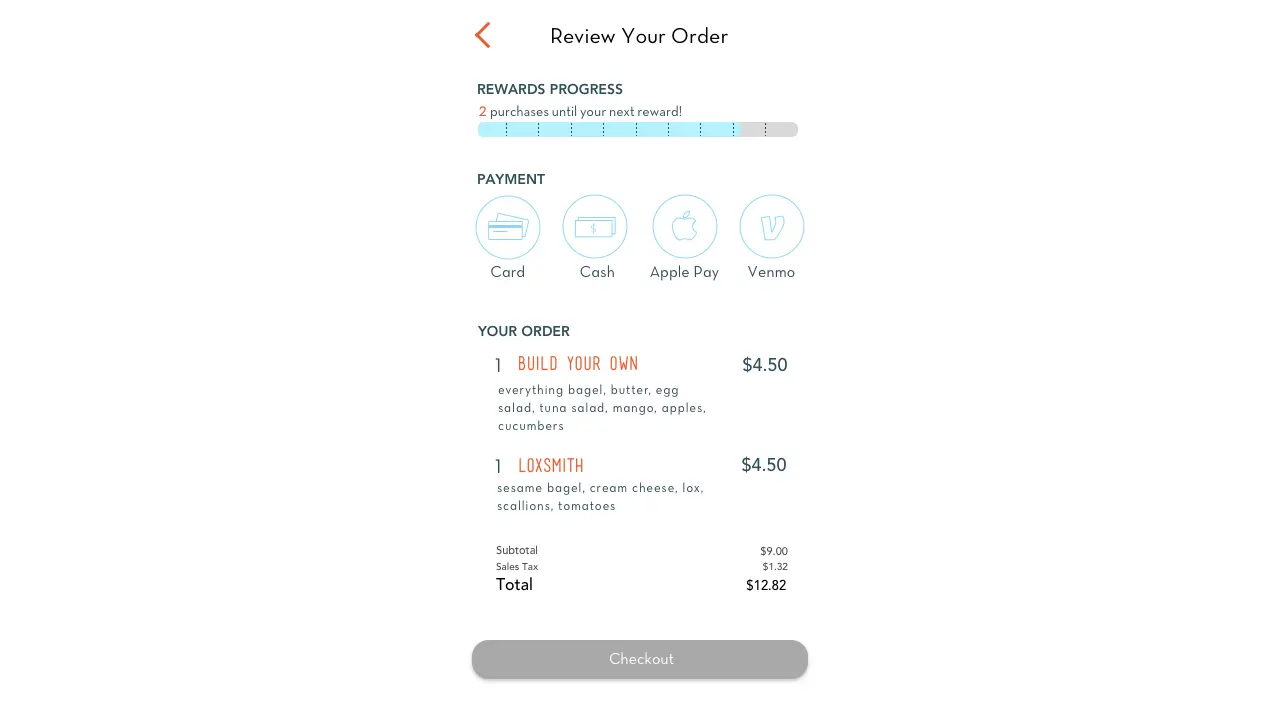
The payment info screen displays the user’s rewards status and alerts them if a reward is available before they complete the checkout. We also accept multiple forms of payment including Apple Pay for faster checkouts.
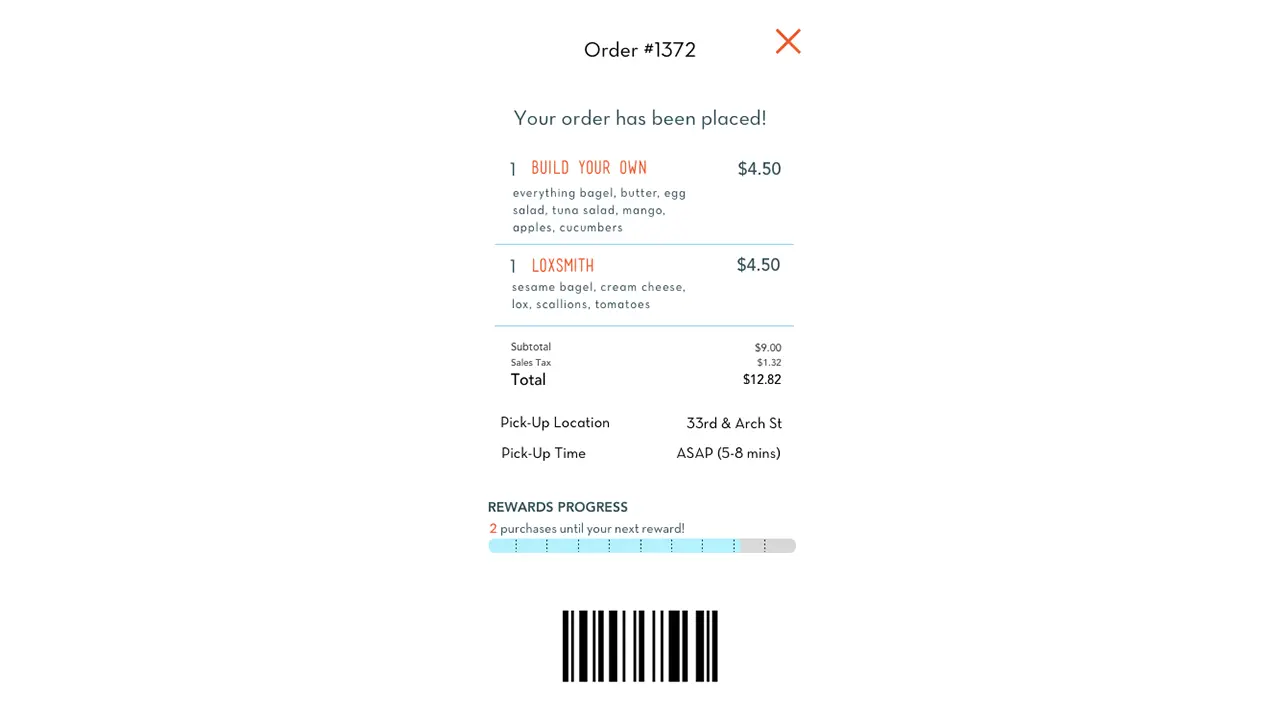
The order confirmation screen clearly shows the location and estimated pickup time. It also has a barcode for the store to scan upon pickup.
Once an order is placed, a new order status button appears on the home screen.
Overall we feel this project has been very successful due to the branding, ease of use, and feedback from users. We met all of the business’ criteria to promote custom orders. User feedback was tracked through quantitative user studies with users reporting increasing satisfaction week to week. The application itself is very straight forward with its ordering process and the lack of an initial sign up screen greatly decreases first time setup for new users.
Creating a consistent meeting time really helped us stay on track even if one or two members weren’t able to make it that week. These meetings became less consistent as the project began wrapping up due to external conflicts from group members and affected the final product. In the future we would be stricter about these team meetings and at least one occurred a week outside of class. Sharing Sketch and Flinto files between the team also proved an obstacle as the team multiple versions for testing and the roles changed weekly.
For the spring 2018 User Experience (UX) course, our team was asked to build a mobile application prototype for a local food truck over a timeline of 10 weeks. We selected a truck called “PaperMill”, which sells Vietnamese-Mexican fusion food on Market street, at the heart of Drexel University’s campus.
Why:
What:
How:
Using a mobile device to order food has increasingly become common-place. Food trucks are generally individual businesses and operate locally, so the majority do not have their own individual digital application. Many of these trucks utilize third party services like GrubHub to take advantage of digital customers without having to build or maintain an application. While PaperMill does not have a digital application, the food truck itself is rather new and has become popular on Drexel’s campus. The truck itself alternates location between University City and Rittenhouse Square during the week, and on the weekends, it is commonly found at catering events throughout the tri-state area. Due to their local success, their business was a perfect client for our mobile application design. By having an app for PaperMill, the wait time spent at the truck is minimized, while providing customers with a convenient way to order and pay for food. It also provides up-to-date information on the trucks current location for those who are not familiar with the trucks whereabouts.
PaperMill was started in Sydney, Australia in 2016. It was initially a 10ft by 10ft tent at the Bondi Beach Farmers Market. As it grew in popularity, there was an opportunity to bring the fusion of South-East Asian and Australian style foods and favors to the United States, starting in Philadelphia. PaperMill throws a spin on the classic burrito by offering “spurritos” (a rice paper spring roll wrap around fresh ingredients), bowls for those not interested in the spurrito style, and Banh Mis (Vietnamese hoagies). Customers who prefer their food on the spicy side can add jalapenos or sriracha to their order, and the ever-popular option to add sliced avocado. The truck offers water bottles and LaCroix as their two beverage options.
The goal for this project is to increase the use of mobile ordering in order to reduce wait time spent in front of the truck. Our front-end development team consisted of 5 members: Hannah Juraifani, Alyssa Klein, Meet Palan, Sanika Rann, and Woo Young Song. We had similar responsibilities each week. Based on the results of several prototype testing sessions, we went through multiple refinement stages until we built a prototype that catered to our target audience best. Throughout the ten weeks, we were able to problem solve by using our increasing knowledge of user experience design.
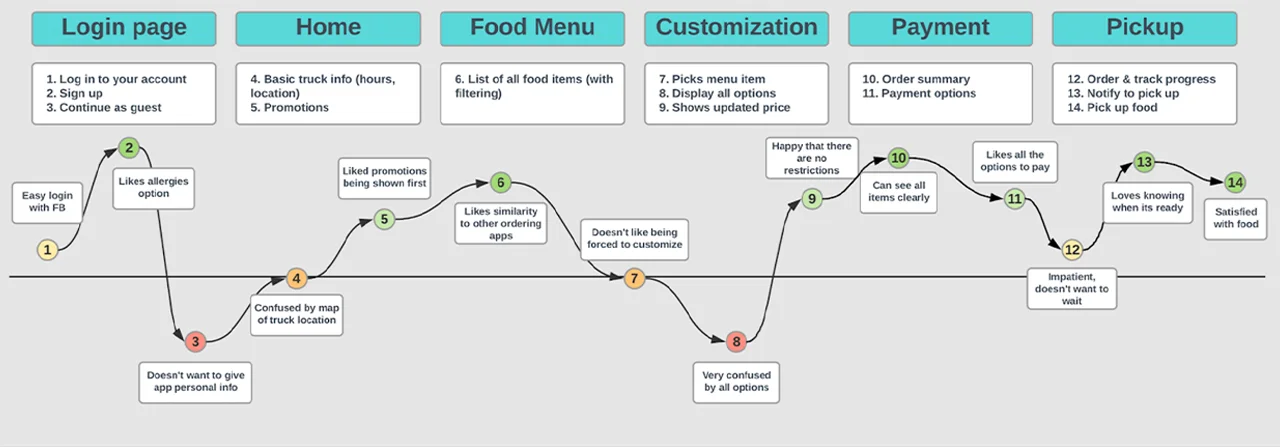
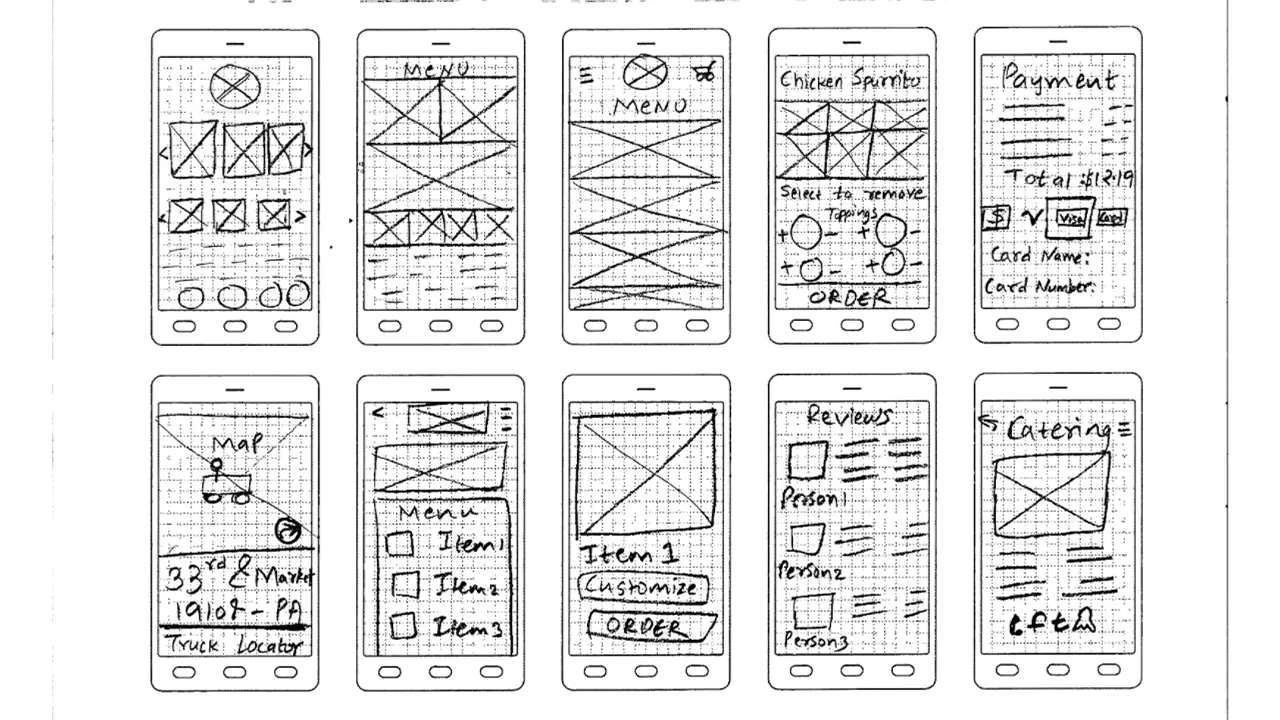
The process began listing our project’s strengths and weaknesses for analysis. As a team, we spend time each week on basic analyses via sticky notes. This allowed us to ideate on what features are most important to the app, the target audience, user pain points, and potential benefits. We began to compile wireframe sketches for possible iterations of the future application. We conducted primary research by doing observation sessions on-site. As a team, we took notes on the food truck’s interactions with customers, as well as constructing a journey map of the process of ordering food at the truck. This was recorded in the project canvas and business model documents. We also identified the components, characteristics, challenges, and characters of the necessary design. A project brief was created for our research on PaperMill’s competition, such as Chipotle, iPho, and Hawker, which are all within the same block on Drexel’s campus. The competitor analysis also included research on existing mobile food ordering applications, which we critiqued as a group to determine what should and should not be included in our design.
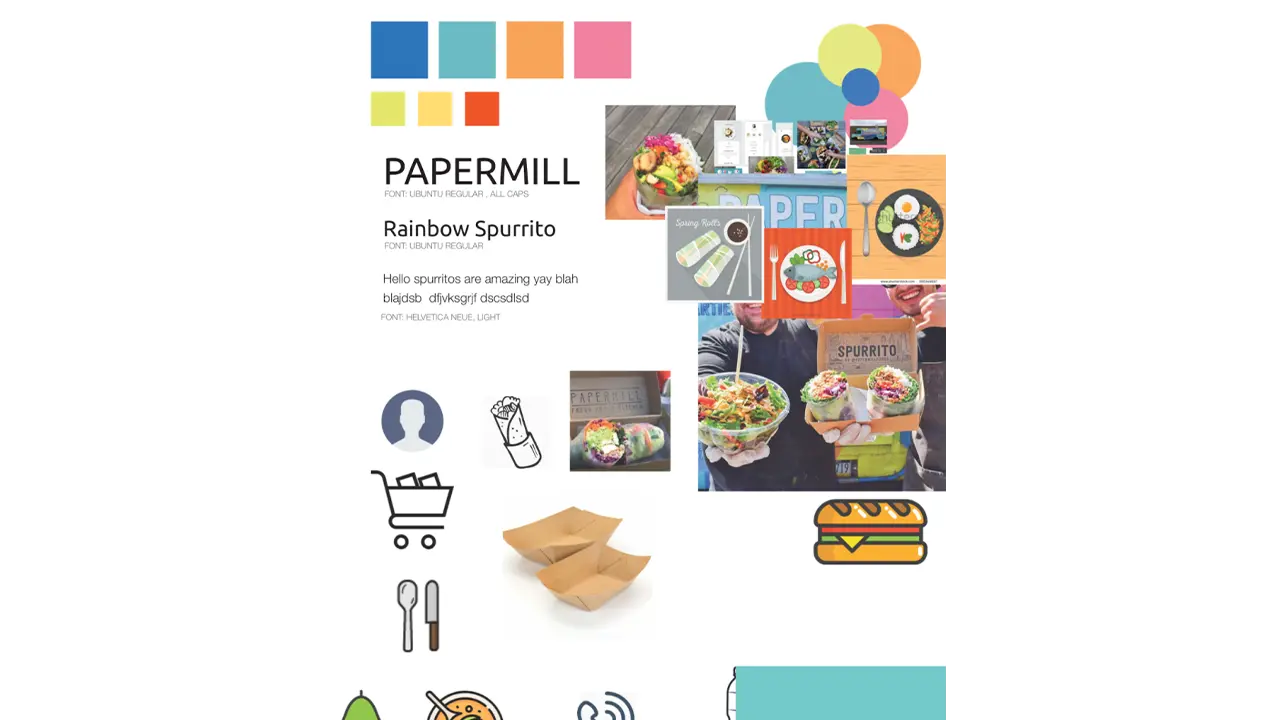
Each team member created an individual mood board, and a team mood board was derived from the individual ones to define a general aesthetic and color palette. We created an affinity map, and each team member sketched 50 possible designs for the future prototype. We crafted user personas of the potential target audiences: Drexel students/staff, locals, Drexel gym goers, and vegans/vegetarians. This gave a better understanding of who the users are and how to empathize with them to inform an appropriate design. We created a journey map and task flow for the application as well. As we got closer to implementing the actual design of the app, we continued to sketch ideas out as wireframes and we selected the best sketches for the prototype. From there, we created paper prototypes and asked potential users what they thought about the prototype’s usability.
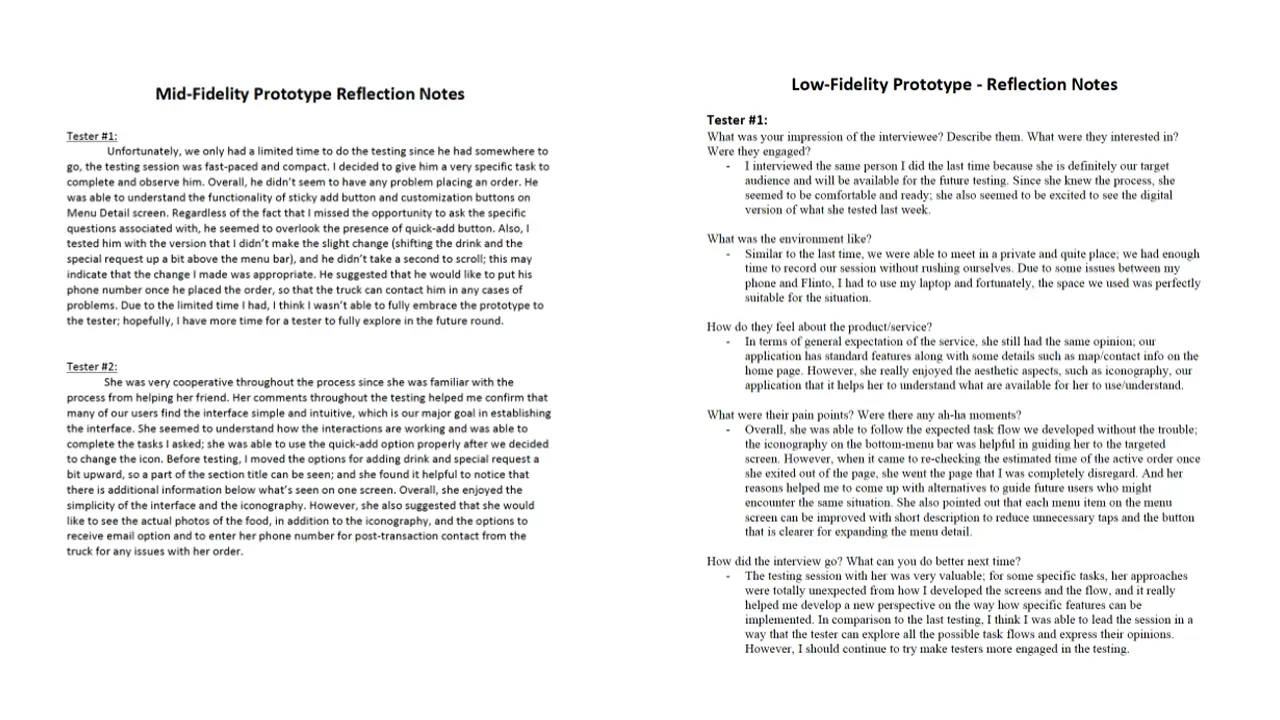
After gathering feedback from the tests with potential users, we came up with ideas as to what features will be included in the actual prototype as well as the basic layout and how it should work. The low-fidelity prototype had no colors, images, or style, everything was still greyed out. Our mid-fidelity prototype included colors, graphics, and style.
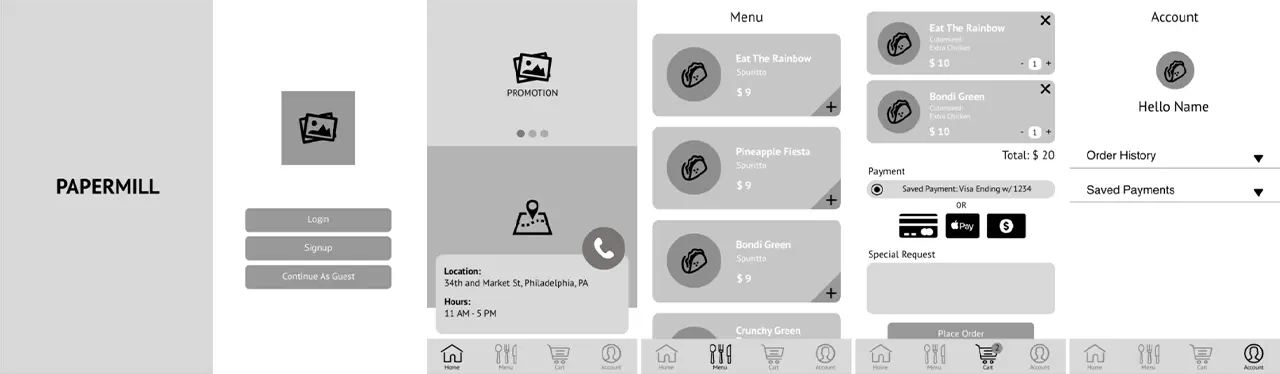
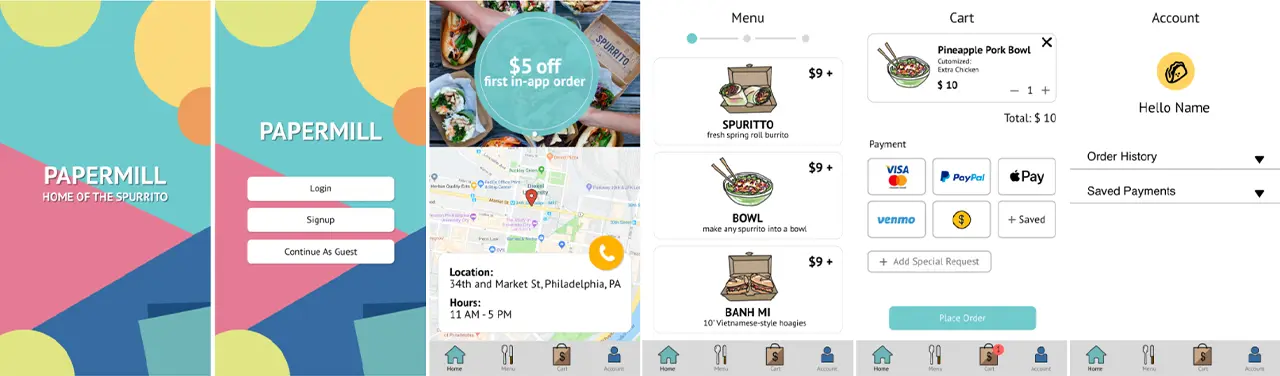
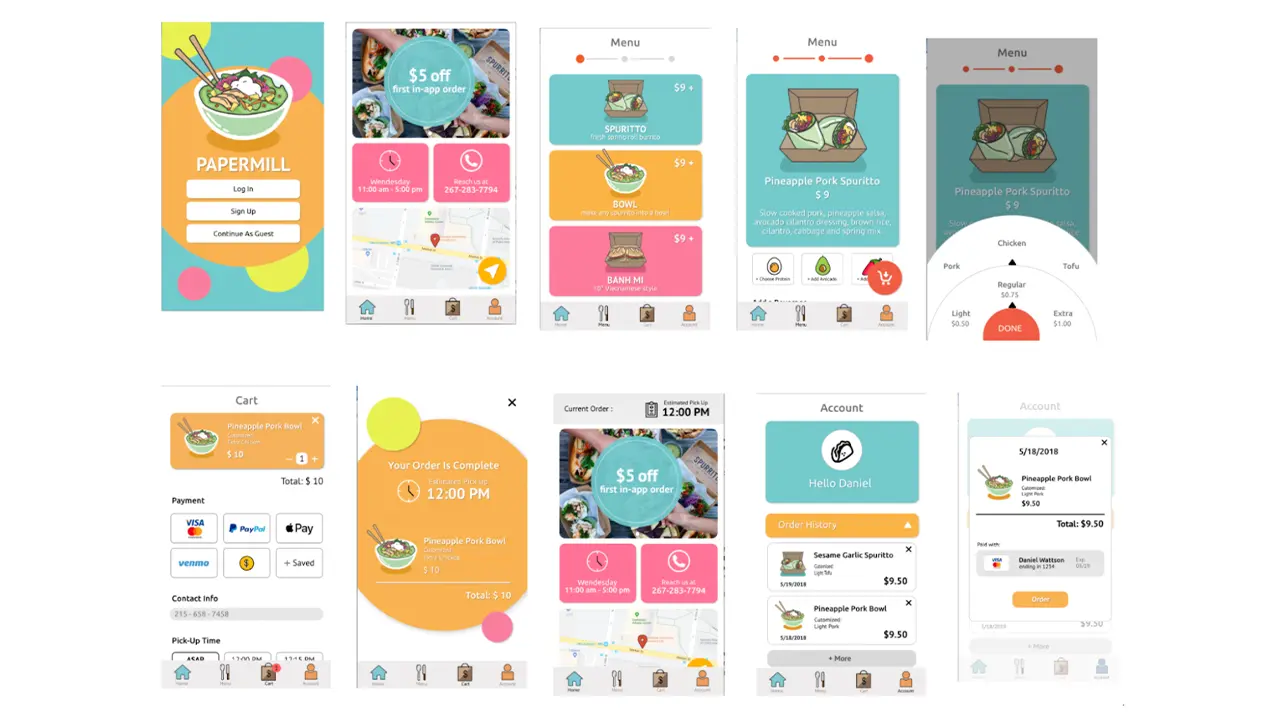
We added a splash page so that the user can get a feel for the app on its first time. The vibe we were aiming for is fun. We allow the log in and sign up to have connections with Facebook and Google because the user may prefer to have a different way to log in. For the home screen, there is a promotion so that users can know the promotions that the truck is having. There is also a map because the truck changes locations depending on the day of the week. We also showed the hours of the truck on the home page so that users can know the hours for that day. Lastly on the home screen, there is a way to call the truck in case the user needs to contact the truck directly. In the menu, there are only three different food items the user can choose so we created icons for the food and added a splash of color to continue the vibe we have in the splash page. In the individual food item menu, we kept the color scheme from the main menu to show consistency. Since the item is customizable, the user have the options to choose protein, add avocado, or add spices to their order along with a beverage item if they choose so. When you click on the customization options, you will get a wheel where you can choose the amount or protein you want on the order in a fun way. For the payment page, we added multiple different ways to pay for the order because each user is different in how they want to pay for their order. Carrying over from the splash page, the confirmation page keeps the vibe of the app while giving important information such as the total price and when the order will be ready. The user will then be taken to the home screen again, but this time, there is a tab on the top of the screen that shows the time that the order will be ready at. The profile page shows the user their order history and saved payments to show the user their history with the app and how they are paying. Within the order history, the user can reorder their previous order. We decided this was a good idea because users who order the same thing all the time can just order without going through the customization part again.
In the end, we do think that we delivered a solid final product and it is definitely a success. After conducting usability testings as we progressed, we learned that designers mental models’ not always match users’ conceptual models. At times, users had problems understanding some of the things that we thought (as designers) would be great for users. This is where multiple usability testings helped us a lot as we kept on making changes as per the users’ needs. We divided our whole UX process into three main categories namely strategy, research and design (paired with testing). In the future, we would definitely follow this process in order to deliver a final product that is easier for the users to use.
When assigned the project of creating a mobile food-ordering application, our team knew exactly who we wanted to ask. Side of the Road Jerk Chicken is an authentic Jamaican kitchen and food truck based in North Philadelphia. The owner, James Legget, is a passionate and inspiring man who connects with each and every one of his customers. We strived to create an app that speaks to the familiarity of his brand while streamlining the ordering process.
Side of the Road Jerk Chicken takes pride in their strong sense of community and because of this, has a very dedicated consumer-base. The goal of our mobile app is to bring this warm, friendly, community feel to a digital format — just because the customer may not be able to wait extended periods of time for food from their favorite Jerk Chicken Food Truck doesn’t mean they shouldn’t get #TheExperience, a phrase Mr. James coined to describe its magic.
Our main challenge was making the app as personalized as possible while maintaining an efficient and intuitive ordering process.
Before beginning the process of designing or even structuring our app, it was important to get an authentic sense of what Side of the Road Jerk Chicken’s business model is and the needs of their clients. Mr. James is very dedicated to the quality and the authenticity of his product. Because of his business model and investment in both the quality of his product and the overall experience of his customers, Side of the Road Jerk Chicken’s fan-base is very loyal. The app was designed to target both new and returning customers.
After seeing the onsite location of Side of the Road Jerk Chicken in Sherman Mills, we were able to fully immerse ourselves in analyzing both the business and the consumer-side of the product we’ve designed. This analytical stage included a SWOT analysis, the Four Cs and creating different proto-personas.
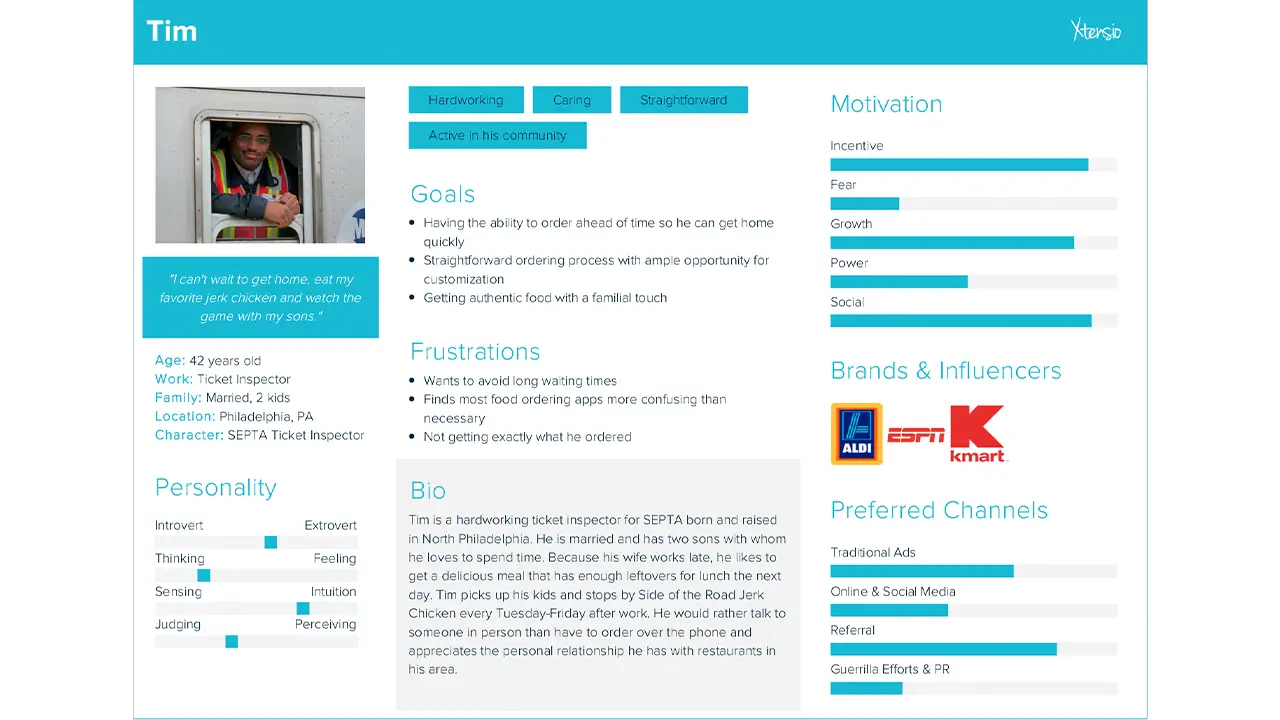
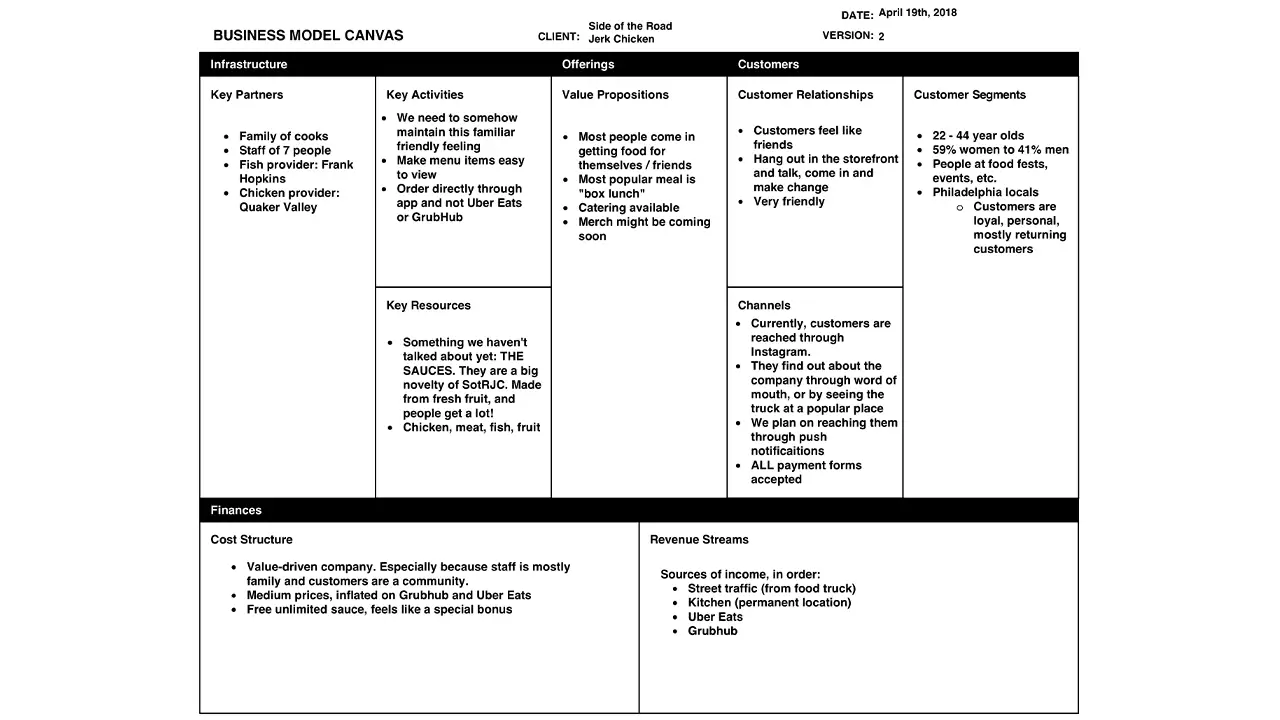
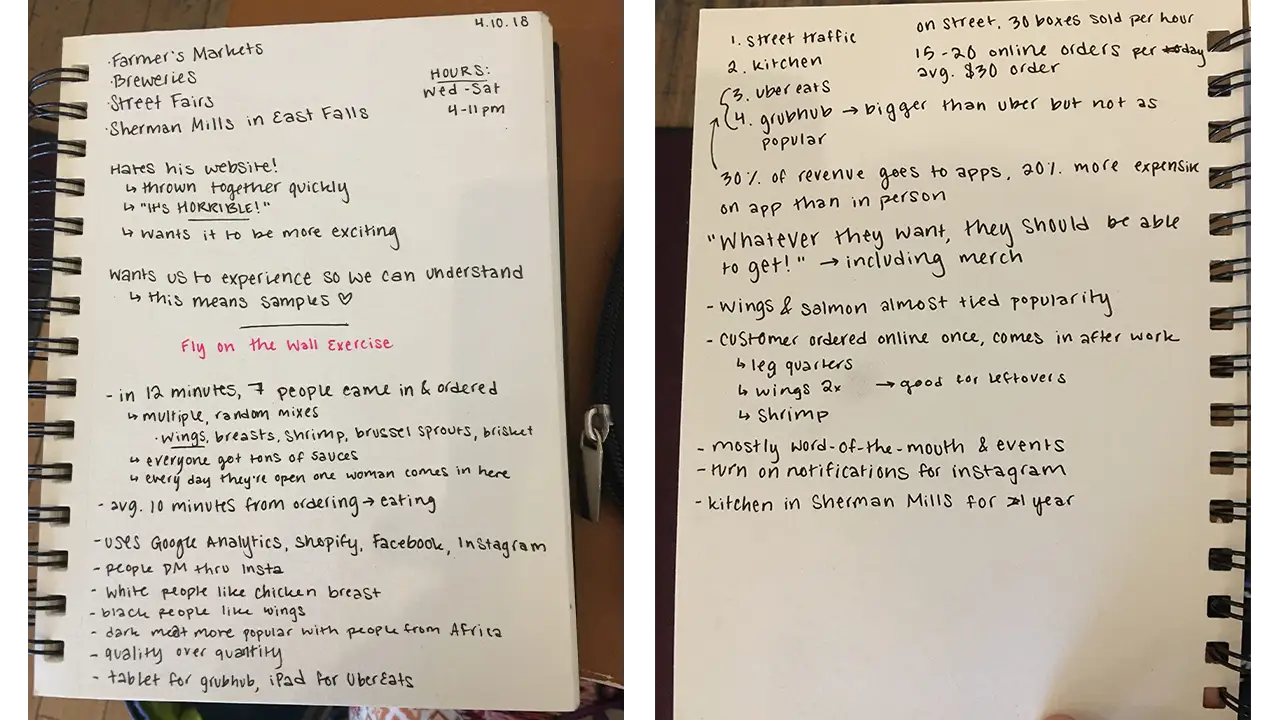
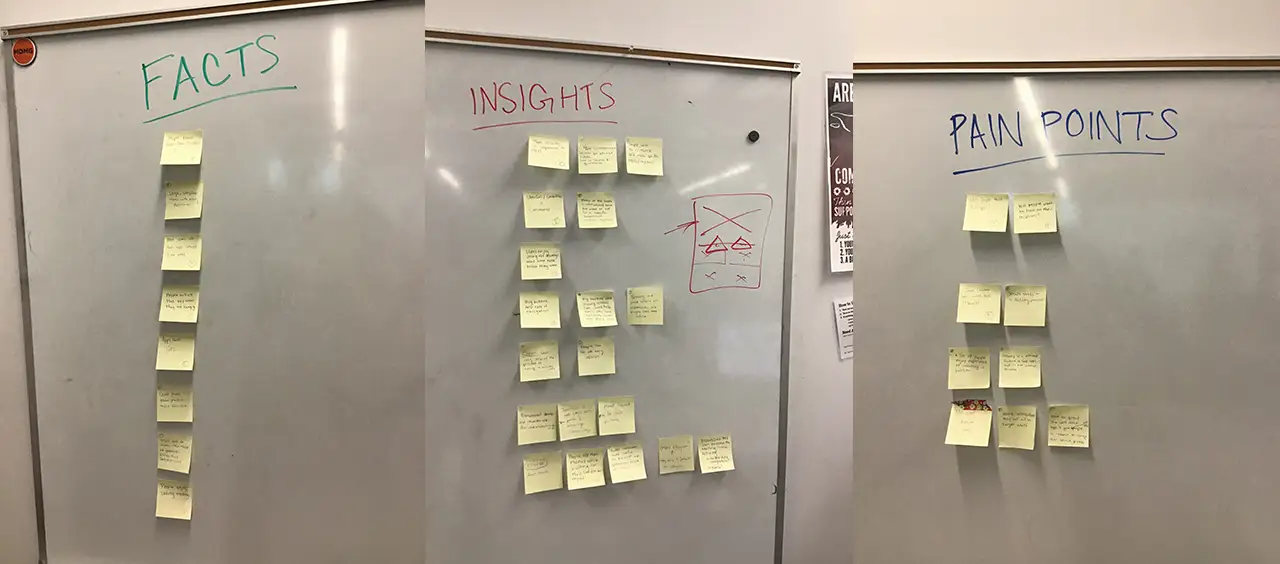
After these exercises, we each conducted user interviews on which we shared detailed notes. This gave us a better sense of who our target users were and what real users would be looking for in a mobile food ordering app. Using the feedback and information we took away from these activities, we made a list of facts, pain points and insights to keep in mind while solving our main problem: how do we make our app meet the needs of the consumer and our client in a seamless, intuitive way while fully capturing the spirit of James’ business?
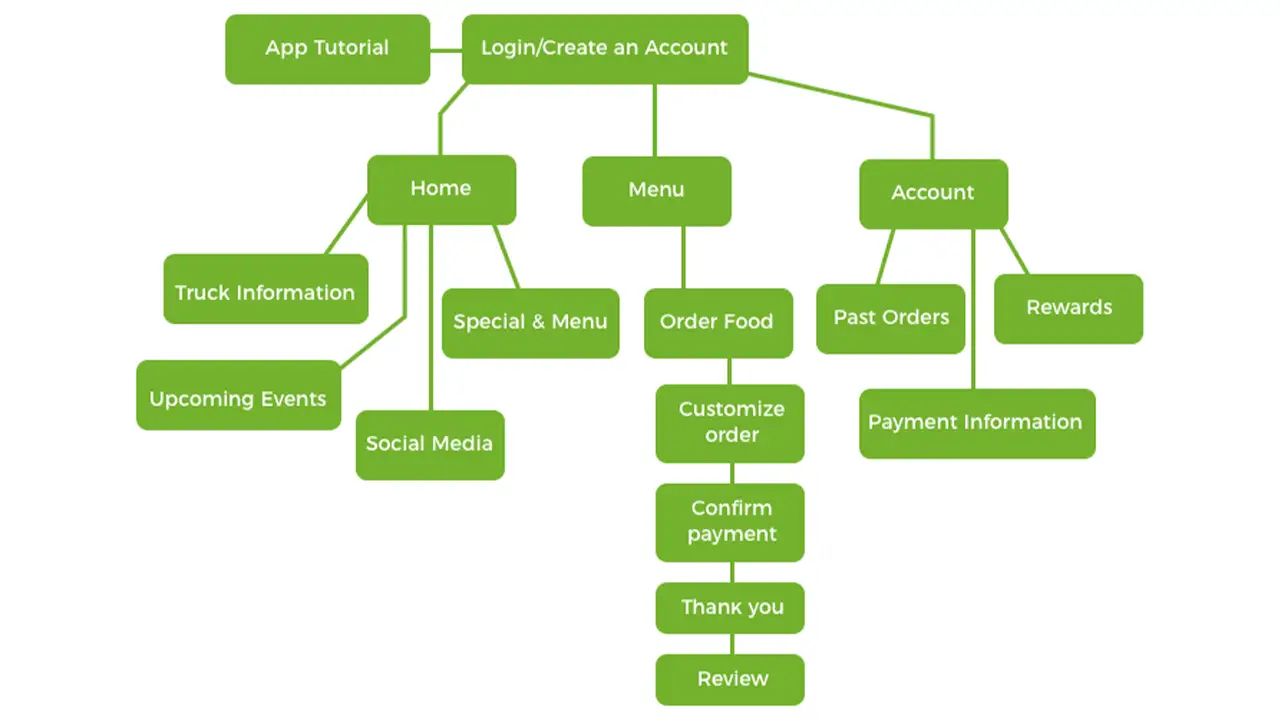
The information on the app was organized in a way that reflects the needs of the users as well as our client. The main things that the user needs to know is the location of the truck, what’s on the menu and past payment information. Our product goes beyond simply clicking on a menu item and ordering it; we allow them to stay in touch with the truck by showing them how to easily located the truck and keep updated on its whereabouts. Other information such as a rewards-based loyalty system, meal combos, the option to customize your meal with sauces and a previous orders section were added to embrace what helped drive the company’s identity.
Before building the wireframes digitally, we sketched out what we envisioned the main task flow of ordering a food item would look like and received input from users on how effective our method was.
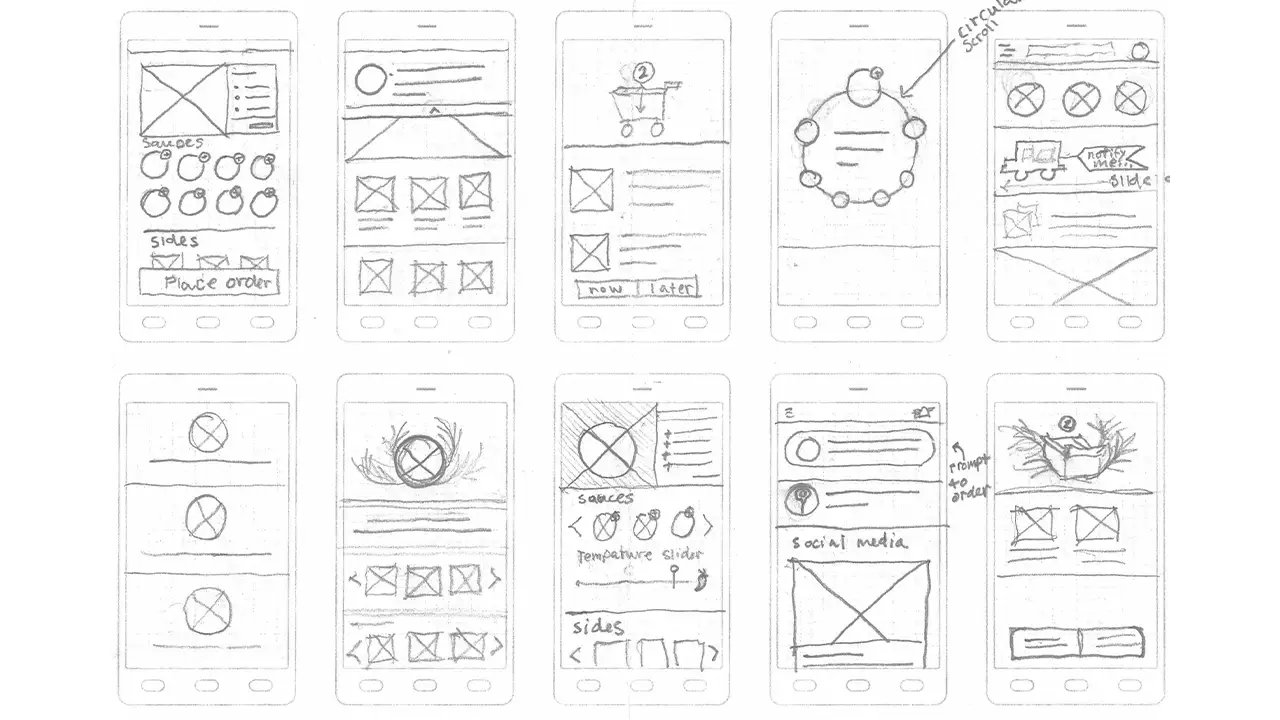
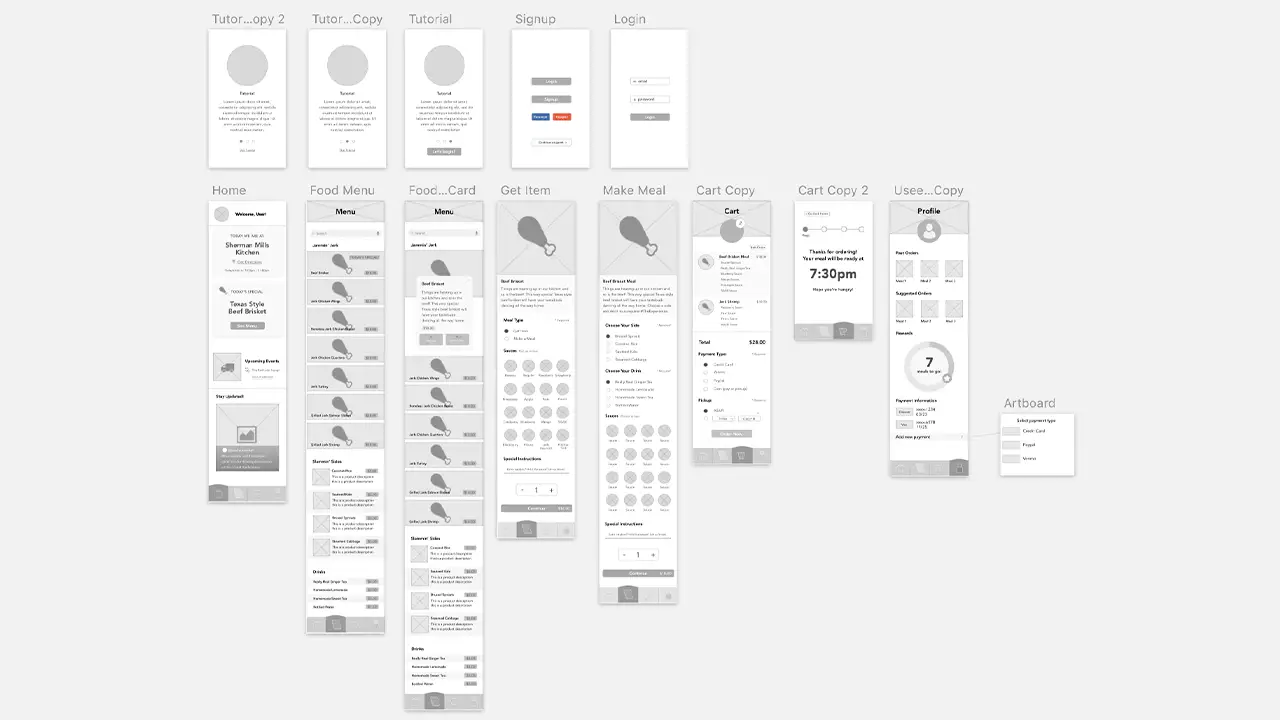
From there, we were able to build a rough draft of the wireframes which we used to conduct two rounds of usability testing and made adjustment to the layout accordingly.
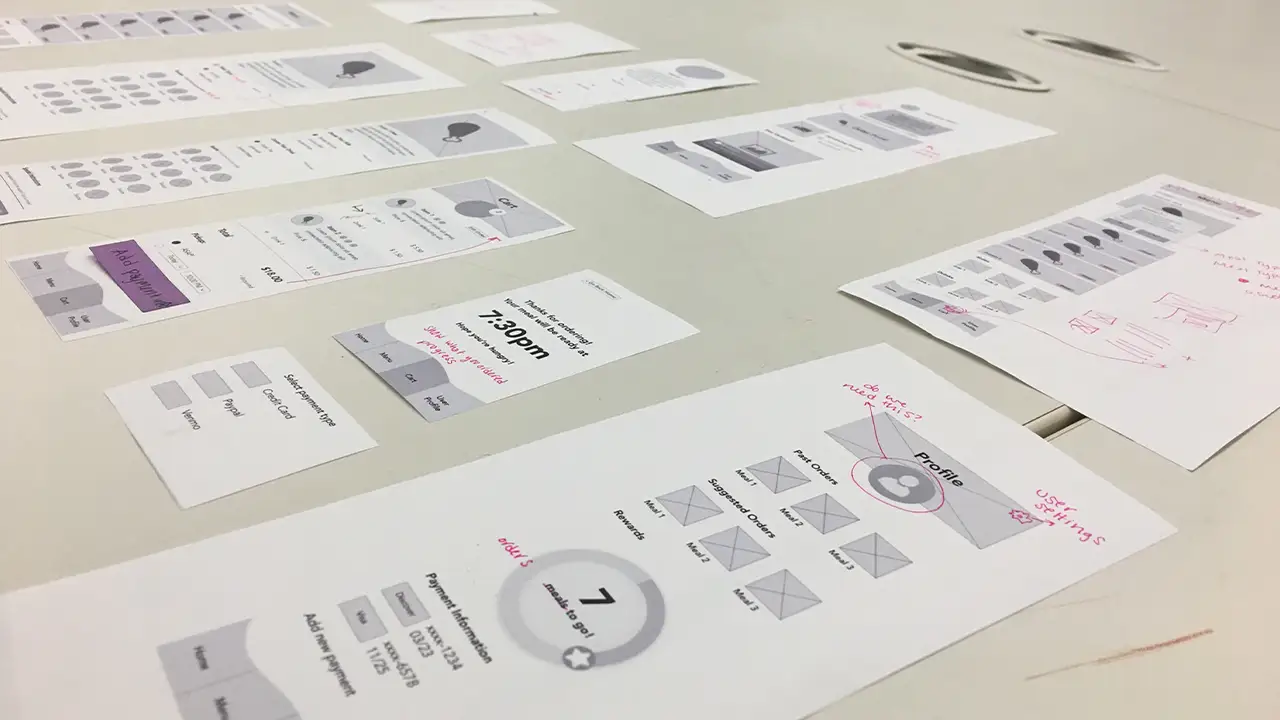
After more testing, we revised and built a paper prototype. This allowed are users to actually “click” through the app and see how the ordering flow would work.
The branding of our app was a challenge in itself because we had to find a way to bring a very rich feeling to a digital format which would breathe life into our product. What made this task demanding was the fact that we had to a lot of rebranding. This is because while Side of the Road Jerk Chicken has a website, James was not happy with the design of it in the slightest. We began tackling this process by creating individual mood boards and from there, agreed on a dark, chalkboard theme, green and yellow accents from the Jamaican flag and vibrant tropical flowers scattered about.
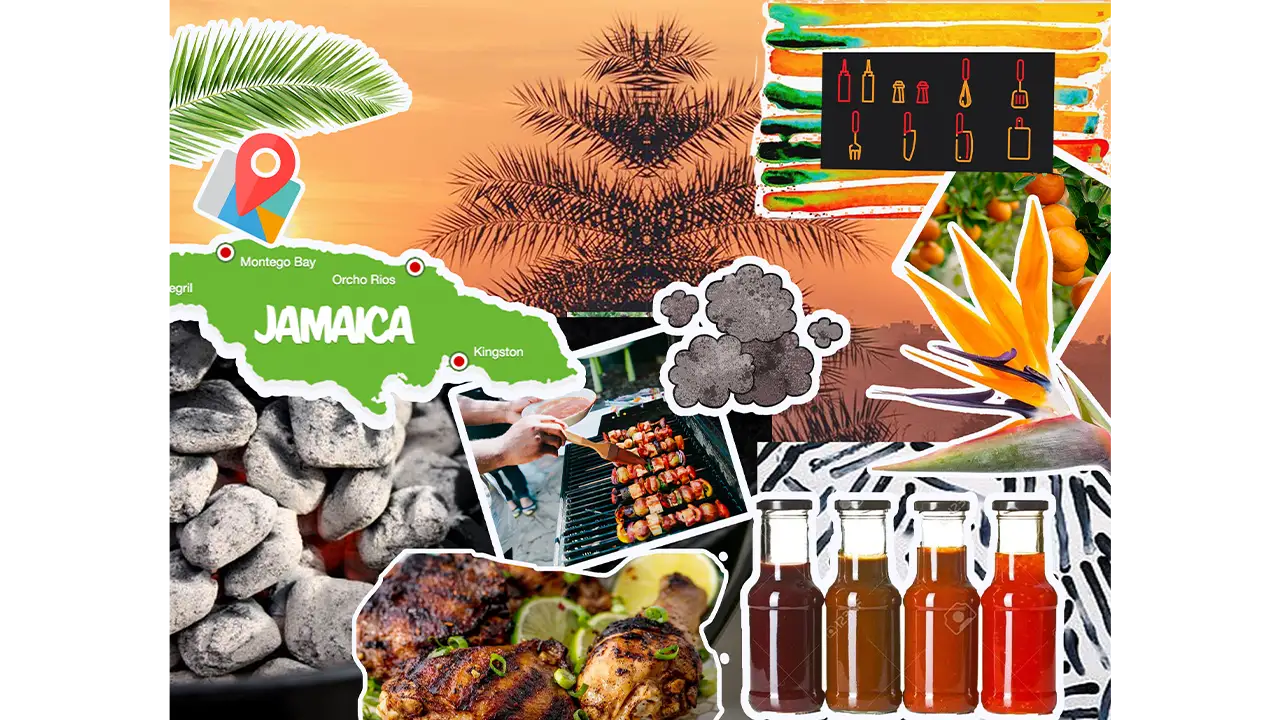
From that point forward, we were making the vector graphics of the fruits and flowers to create that warm atmosphere we were striving for. After we put the wireframes through two rounds of usability testing with we began the process of adding fonts and colors to the prototype. After adding the styling to our app we ran it through two more rounds of usability testing and continued to make minor changes to the layout. Our end product blends the vibrant colors of Jamaica with a hands-on chalkboard texture which gives a touch of James’ personal brand and business model to our food ordering process.
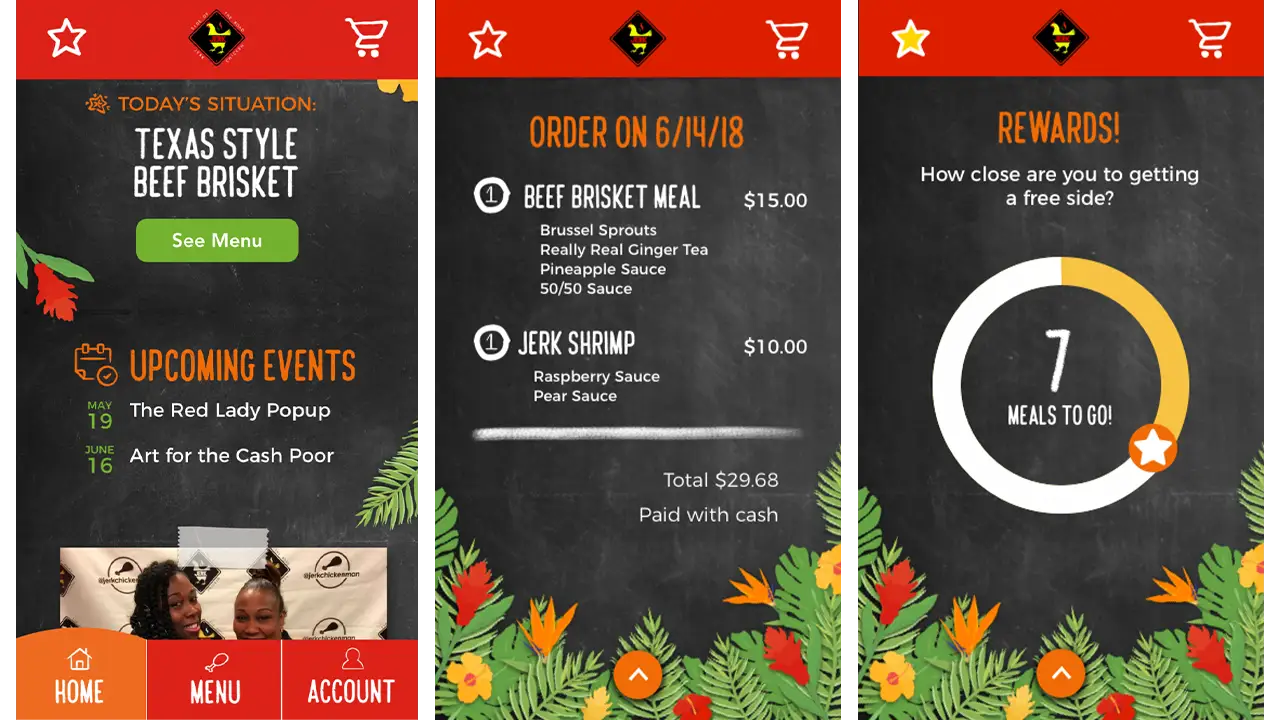
From where we began to the final product, our team could not be more proud. After only ten weeks and losing a key member of our team, we encountered our fair share of challenges; however, in the end, you would have no idea. Our concept of an island-themed, user-friendly application that used common practices to solve the challenge of mobile food ordering was a success. It is a personalized, intuitive application that has ample opportunity for customization and stays true to our goals.
We’ve learned so much about empathic research and user-centered design throughout this term. Our team can’t wait to share this prototype with the world!
IDM240: Interactive Graphics
By Sanika Rann – 2018
IDM240: Interactive Graphics
By Sarah Bray – 2018
IDM240: Interactive Graphics
By Robert Nashed – 2018
*WARNING: Flashing Colors*
IDM240: Interactive Graphics
By Jordan Zagerman – 2018
IDM362: Interactive App Design II by Seamus Donaldson
“Quote of the Day” is a concept I came up with for my Interactive App Design course. Since this was my first time experimenting with apples integrated development environment, Xcode, I knew I wanted to create something simple so that I could focus on learning the basics. The concept for Quote of the Day came to me after seeing an inspirational quote on Facebook; my idea was to show users inspirational quotes every day from influential people on their birthdays, thus Quote of the Day was created.
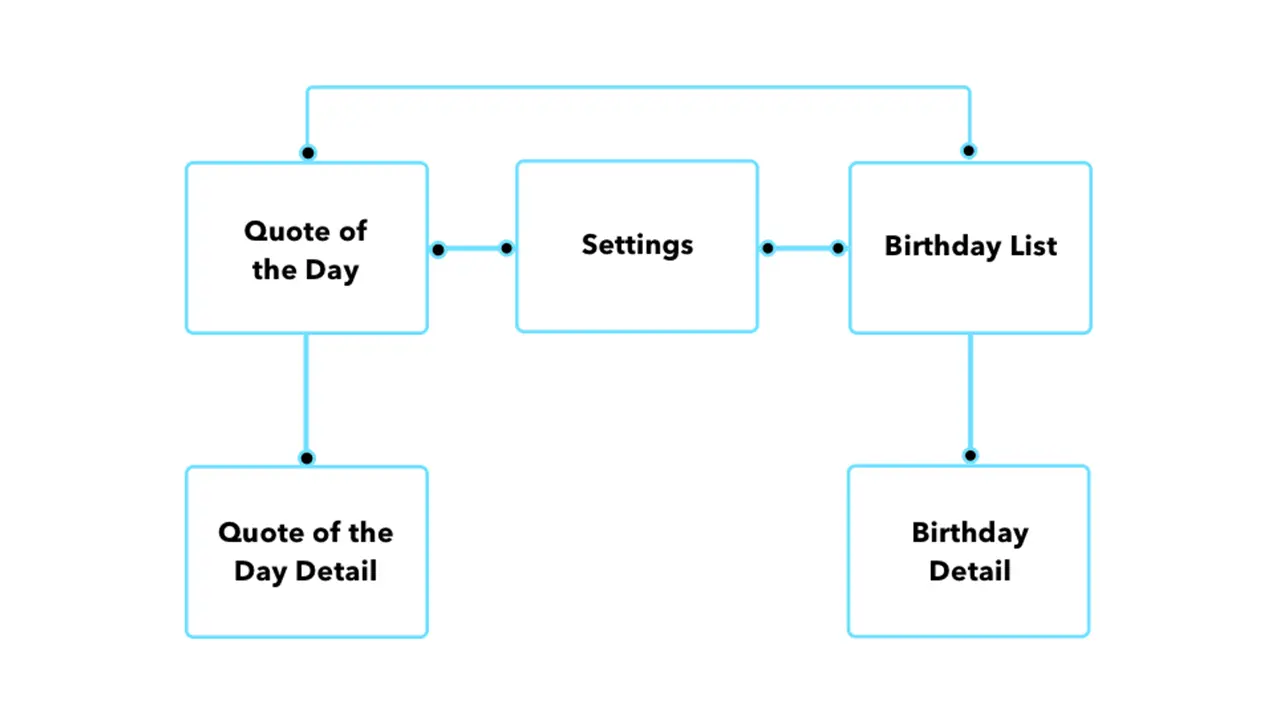
Once I had the idea for my app I needed to organize the content I wanted to include in a way that would make things easily accessible and user friendly. By creating a sitemap, I was able to clearly understand how users would get through the flow of the app. My goal was to make all pages accessible with just two taps.
Before I could start designing my screens in Xcode I had to come up with some sketches that I could refer back to throughout development. I wanted the screens to be clean and free of all unnecessary content so I made sure to only include functional elements.
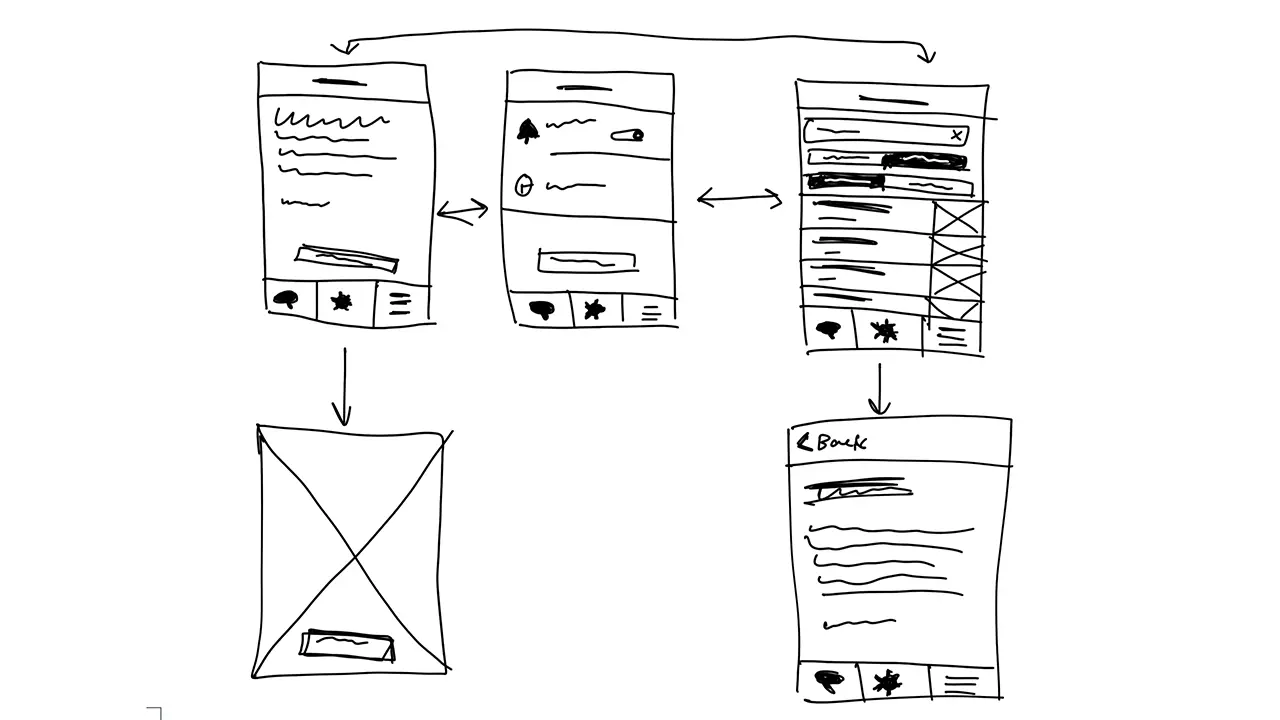
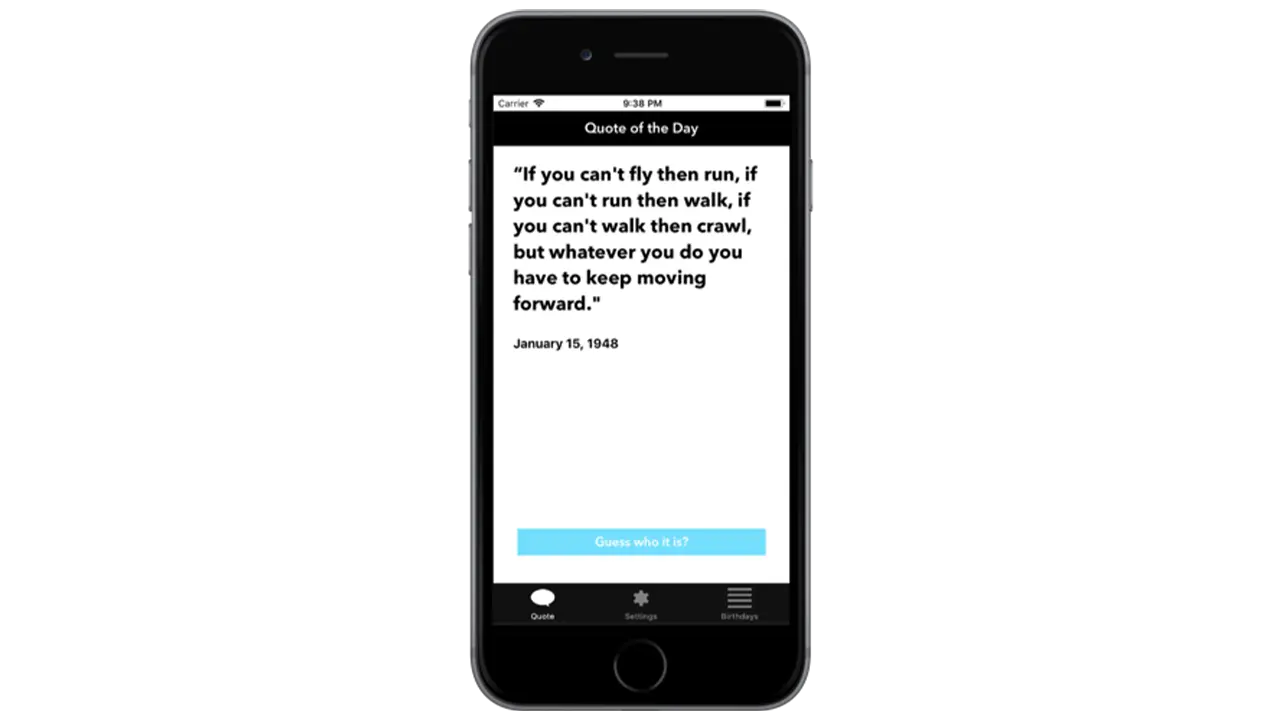
The first page I wanted people to see when opening up the app was the ‘Quote of the Day’. This is the primary function of the app so it made sense to show people the relevant quote of the day first. To make it a little more interesting I left out the name and picture of the person who’s being quoted so users could guess. Once a user had an idea, or just wanted to know who the quote came from, they could simply click ‘Guess who it is’ and the page would flip, showing the full portrait of the person as well as their name.
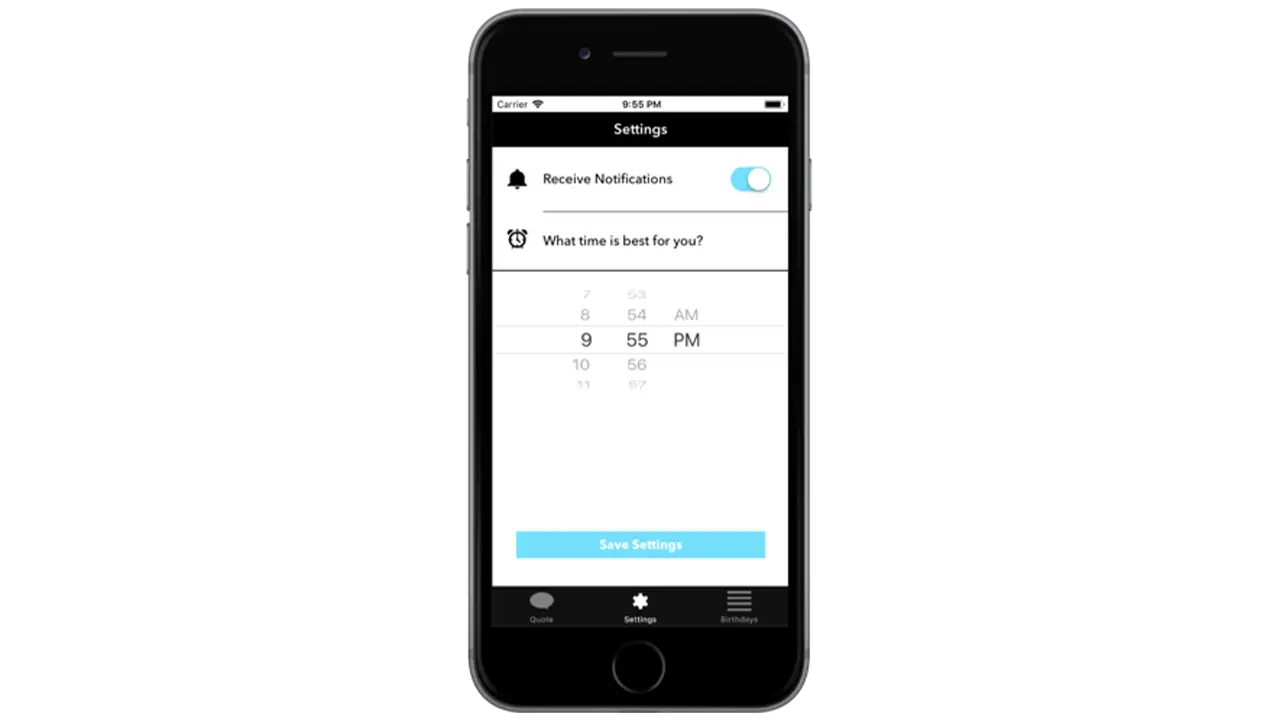
The settings page isn’t very interesting but when you’re creating a native app that takes advantage of notifications, it’s important to provide users with options for when they want to receive them, if at all. By simply asking users if and when they want to receive the notification for the quote of the day, I was able to create a clean and easy to understand interface that took advantage of premade elements in Xcode.
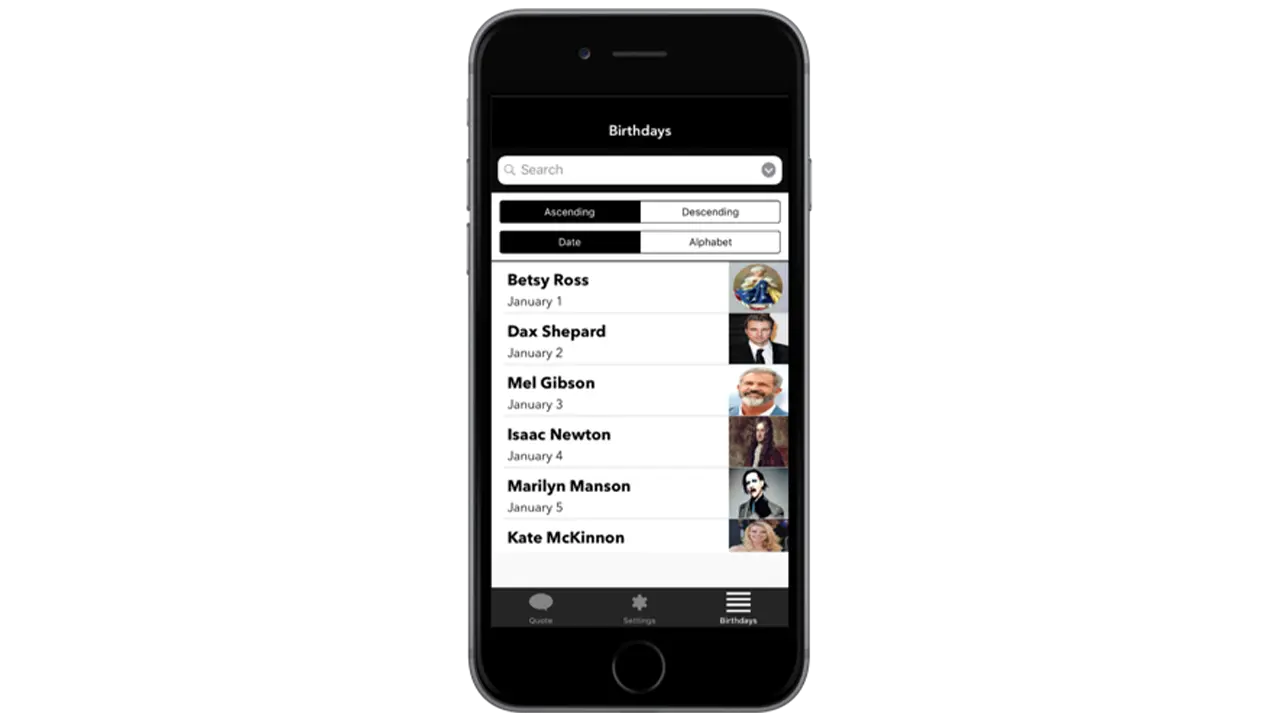
The birthday listing page is the secondary function of the app which is why it’s not the first page you see. If a user is curious to see more quotes they can go to the birthday listing page to see who’s featured on the app, and if they’re interested in seeing that persons quote, they can simply tap on their cell block and go to a detailed page that shows their quote.
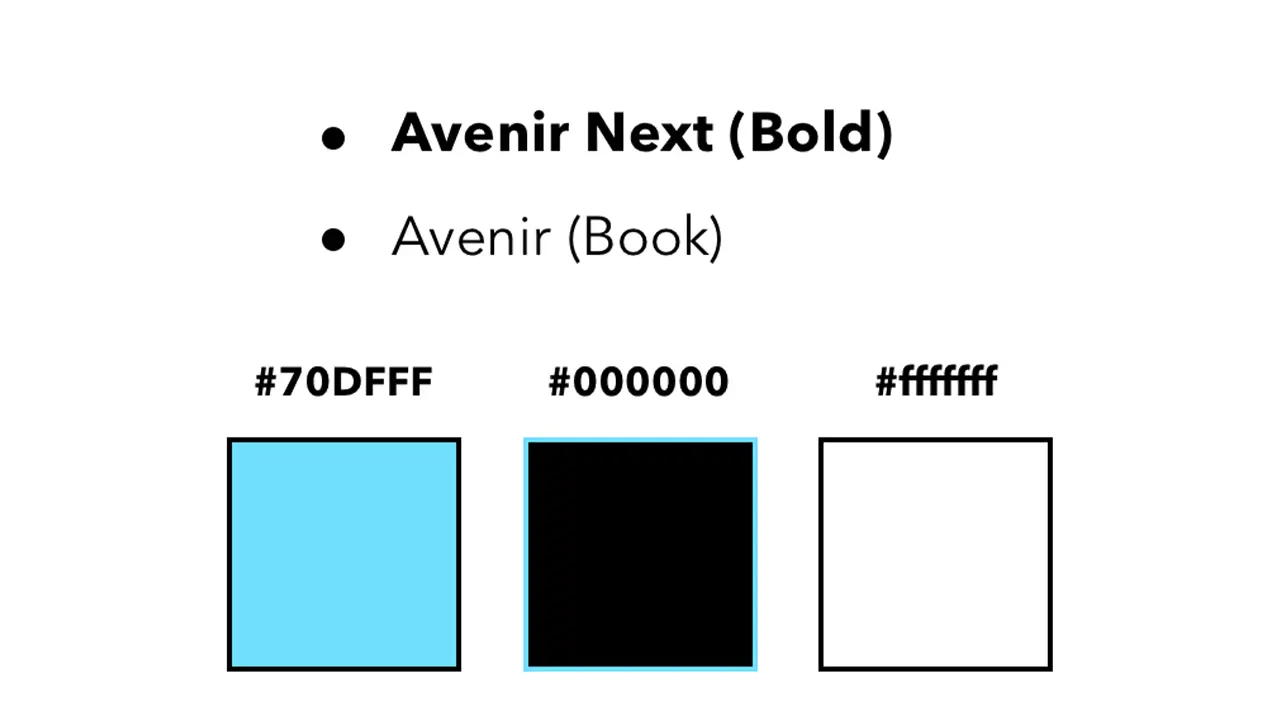
I wanted the aesthetic of the app to feel modern and sleek which is why I chose a black and white color scheme complimented by blue to represent functional buttons. I used Avenir next and regular because they’re both sans serif fonts and are easily readable.
All assets were created using Illustrator and Sketch. This included custom icons used throughout the app as well as the app icon. All images featuring influential people were edited in Photoshop to share equal proportions. The app was styled using Xcodes premade elements and constraints, and was then made functional using Swift.
To conclude, I’d first say, this was an awesome learning experience and definitely something I’d do again. Working in Xcode was not nearly as difficult as I thought it would be, and given that I’m very interested in app design, it’s a relief knowing I’ve got some experience under my belt. For the future, I’d try and get some more of my functionality down, but for now I am satisfied with what I’ve created.