Author: Ashley Nguyen

  • Window Shopping: A Fashion Show in Your Pocket

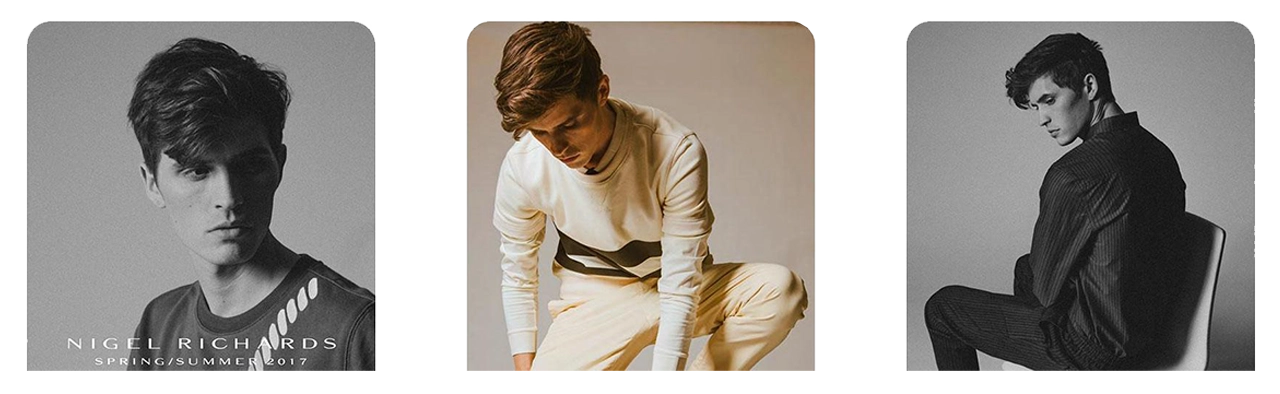
    Images of models used to base the Window Shopping App off of.

    Team

    Brendan Luu & Brendan Russo

    Technologies

    We used the structure sensor, an IR 3D scanner attachment for the iPad Pro, to scan photo-realistic mesh of clothing on a model.

    We then placed the 3D models into augmented reality using Apple’s ARkit, a framework released last year that unlocks depth sensing technology into iOS 11 devices.
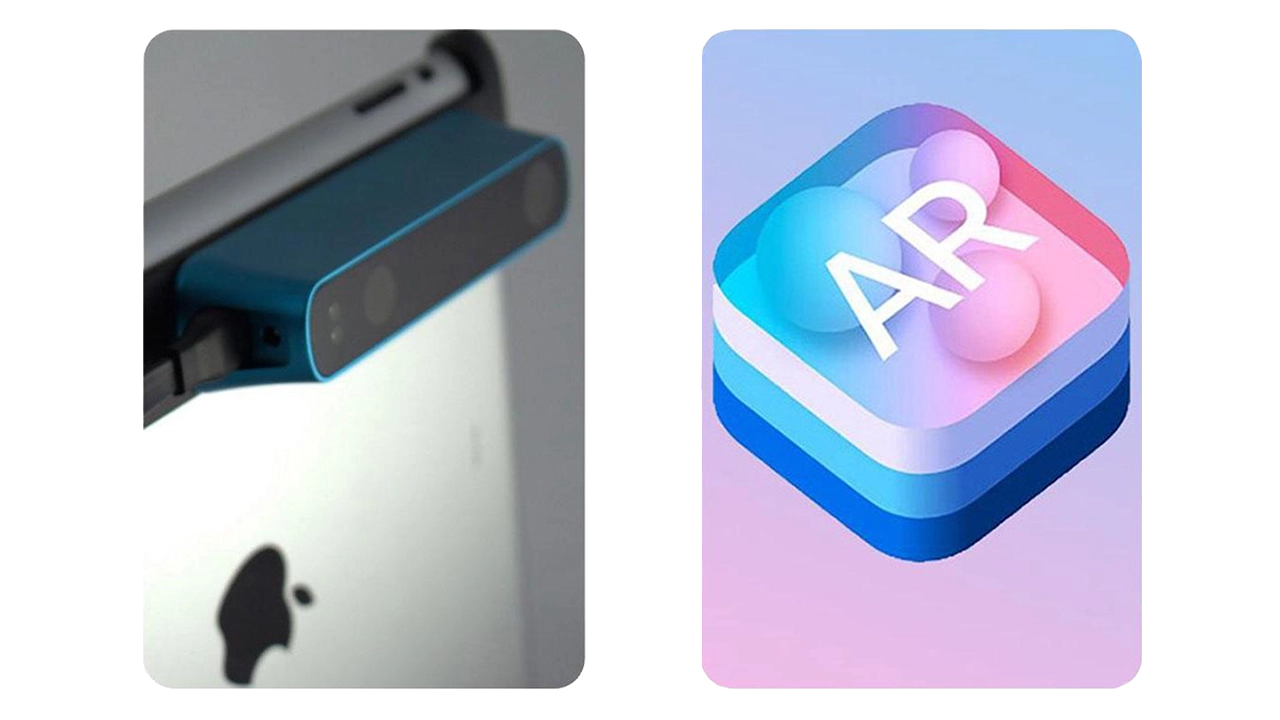
    Technology used to create the Window Shopping App. On the left is the 3D scanner attachment, and on the right is Apple's ARkit.

    Goals

    • Experiential retail experience in augmented reality
    • Communicate brand identity
    • Seeing from the brand’s POV

    Online shopping has changed the retail industry, that is undeniable. We believe AR is an upcoming technology.

    Communicating brand identity means a lot more than just staying within design guidelines and displaying styled outfits. We have set out to help tell the story of Nigel Richards. Our storytelling approach enlists elements such as motion, pose, mood, and flow in addition to the standard aesthetic decisions. AR allows us to attach a meaningful story to the product more so than in a traditional retail experience.

    Lookbooks have been around for decades but have barely evolved. It makes sense, they’re an industry standard and there has been a proven best way to do it. We believe the goals of a lookbook; again promoting the brand, communicating pricing to buyers, and gathering a collection, can all be done more effectively in AR.

    Audience

    • Millennial shoppers
    • Fashion industry natives

    After speaking with the Design and Merchandising faculty from Drexel’s Westphal College, we identified a few different types of people that would benefit from seeing clothes in AR. First, millennial shoppers who purchase clothing online.

    Younger shoppers are more aware of new tech and more comfortable with AR so are a good audience for us to target with this app.

    We believe millennial shoppers would be a strong group of “early adopters” of this kind of retail. This will help open other groups up to such technology.

    The D&M faculty also said that fashion designers could use this app to display their clothing at retail expo’s where hauling physical merchandise is often difficult to manage. These types of environments also don’t lend themselves to communicate branding and mood like this app could potentially do.

    Inspiration
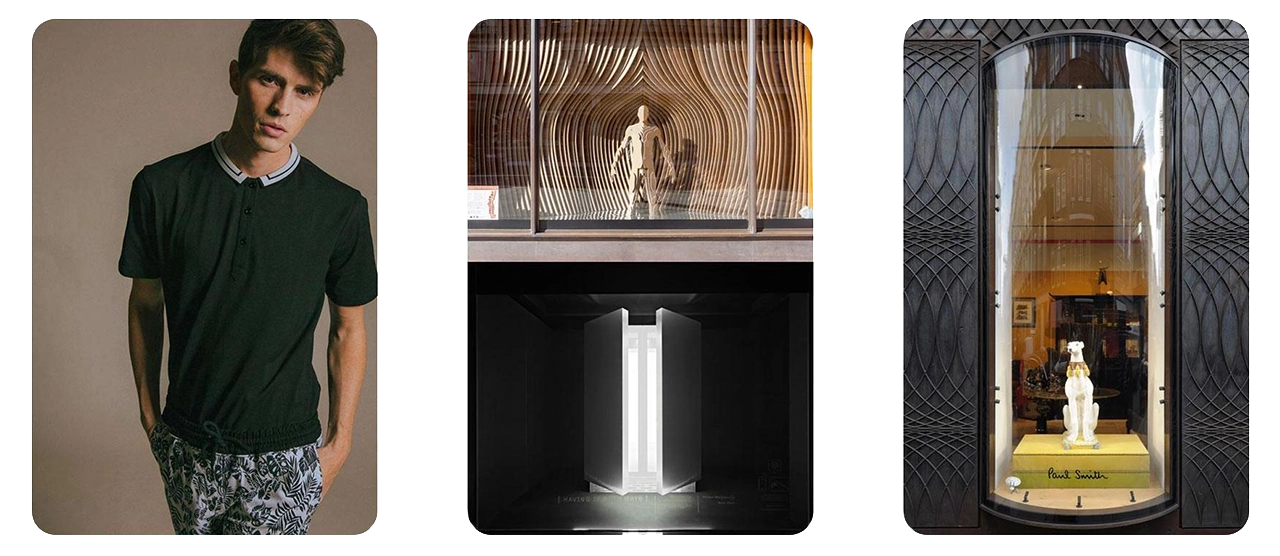
    Images that inspired what the Window Shopping app would do / look like.

    We took inspiration from Nigil’s Spring/Summer lookbook, we liked his clean and modern aesthetic. We also looked towards physical retail for inspiration for how clothing is displayed in stores today.

    We really liked the idea of displaying one look at a time and making it the highlight of the environment, similar to a true fashion show experience. The idea of revealing clothing by coming up from the ground was inspired by Louis Vuitton’s runway show where models arrived out of elevators.

    We also identified Paul Smith as a similar designer brand with established aesthetics. The concept of the elevator was also inspired by his use of capsules for window merchandising.

    How It Works

    Ask user for them to find enough space to fit a circle in perspective that will measure the same as our unity scaled scene. This way we know they will have enough space for the scene.

    Tapping the screen when you think there is enough room will confirm that step.
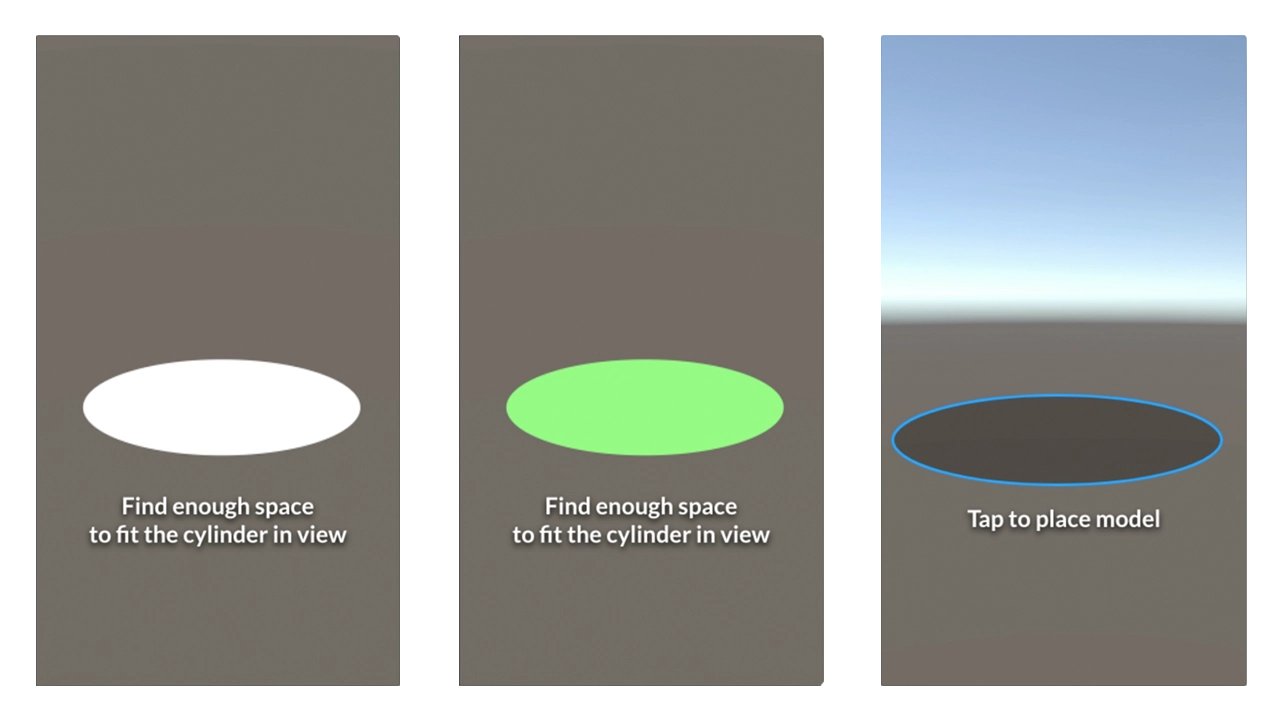
    Screen asking user to set up a circle. This is where the model is able to change between outfits.

    Scanning would then begin. Once complete users would be asked to tap within a blue circle that mimics the size of the initial circle to place the scene.

    Orange square will show up where users tap within the placing circle. This is the scene placed. The empty elevator tube is now visible.

    Users are then encouraged to swipe upwards to view the first model in the set. This is to try and enforce the mechanics of the app. We want users to be able to simply swipe through the app, up and down, to view different looks.
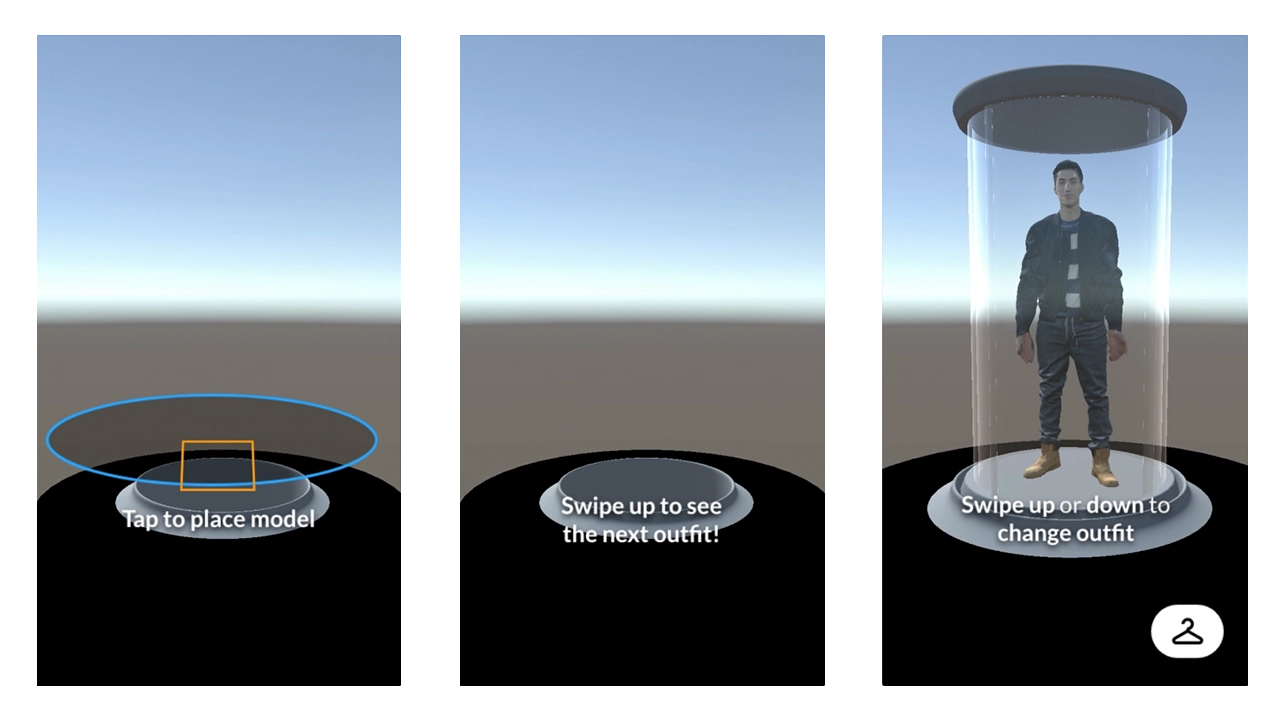
    Screen asking user to place a square, which will place the model on screen. After placing, app gives instructions to swipe for different outfits.

    The rack button is now visible as the model comes into view. The swipe up or down text comes into view and fades out after a few seconds.

    Model walks out of the elevator and starts motion, dancing in this case.

    Tapping the model brings this AR interface up that describes the outfit in more detail. Tapping the X on this interface closes it.
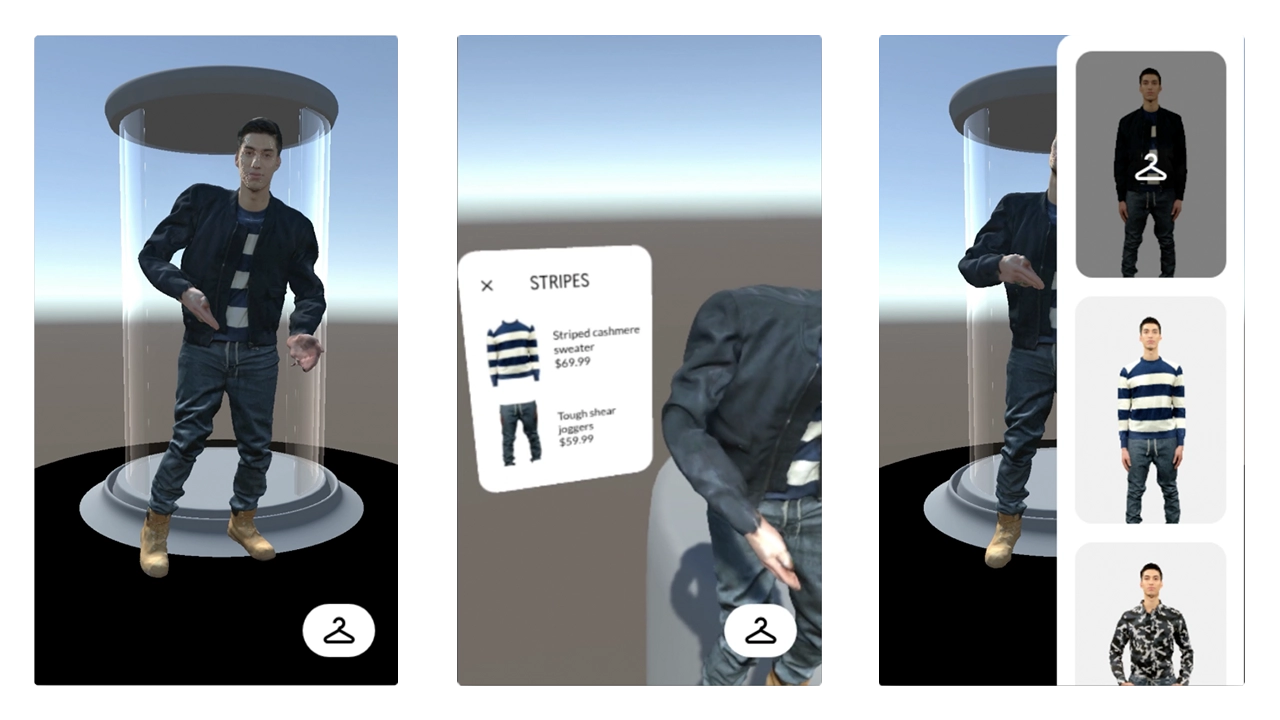
    Screen with model showing off outfit. When tapped, app will tell user what clothes the model is where and the clothes' prices.

    Tapping the rack button brings this rack view in from the side. This list scrolls and tells you what outfit you are currently viewing. Tapping outside the rack view boundary will close the view.

    When rack view is up, tapping a thumbnail will bring up said outfit from the elevator.

    When changing outfits, the model will walk back into the elevator and go back down.

    Once the old model has gone down, the newly selected model will rise up.
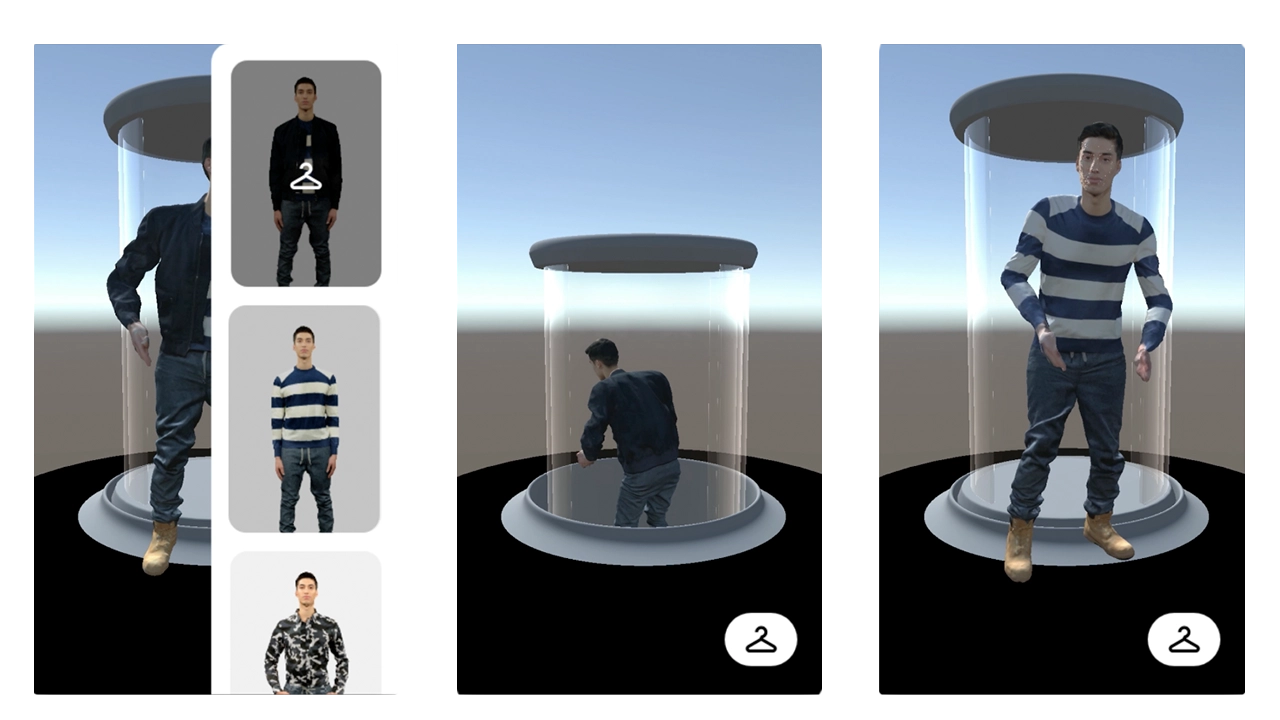
    Screen showing the model doing an outfit change.

  • The Basement Exhibition: A Visualization of Punk Aesthetic

    Introduction

    This project was created by combining the ideas of wanting to recreate what it is like at a house show / punk concert in a 3D space and as well try to use augment reality to fully surround a user in visuals via a faux portal.

    These two concepts were brought together and the result is The Basement Exhibition.

    Team

    Jake Bender & Jake Culp

    Goals

    • Provide users with an immersive experience that includes both visual and audio elements
    • Give the user the sense that they are stepping into a different world
    • Allow for the user to interact with the exhibit and be able to step in and out of it with ease.

    With these goals in mind and the short time frame we were given, it was crucial to immediately start development and begin wireframing and creating moodboards so we could see how the application would look and run.

    Process

    Audience

    Before creating a moodboard and wireframes, we needed to identify who exactly our audience was. We determined that the majority of users would be between the ages of 13-21 and would have some sort of punk music background. These meant moving forward we needed to heavily focus on incorporating the punk aesthetic into our design layouts.

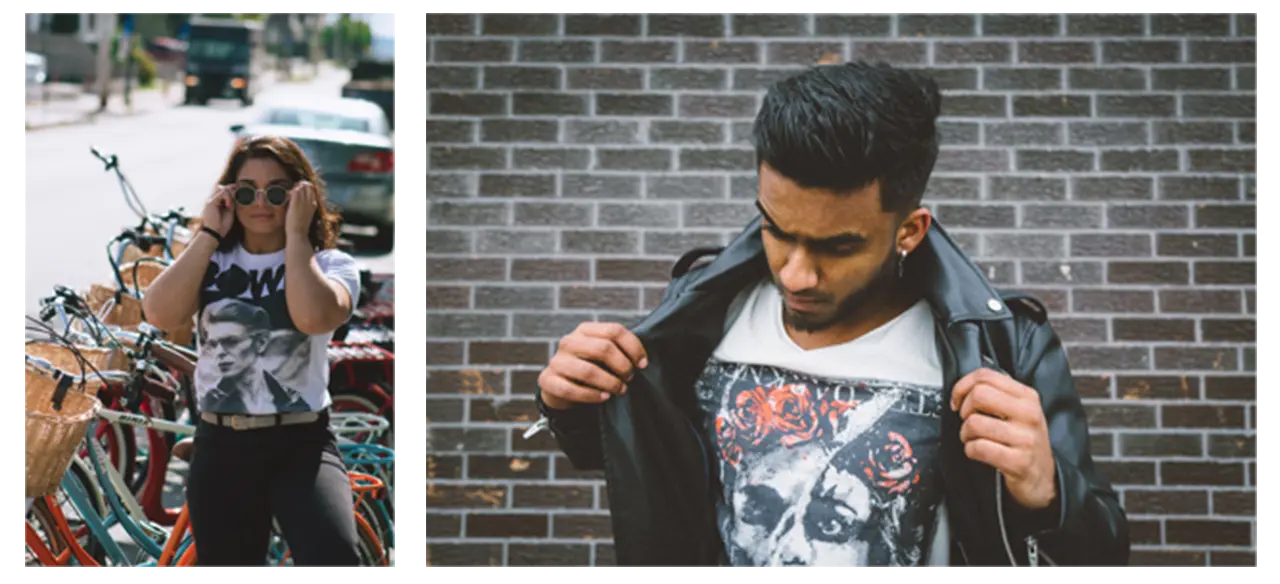
    Pictures of two people representing fans of punk music.

    Inspiration

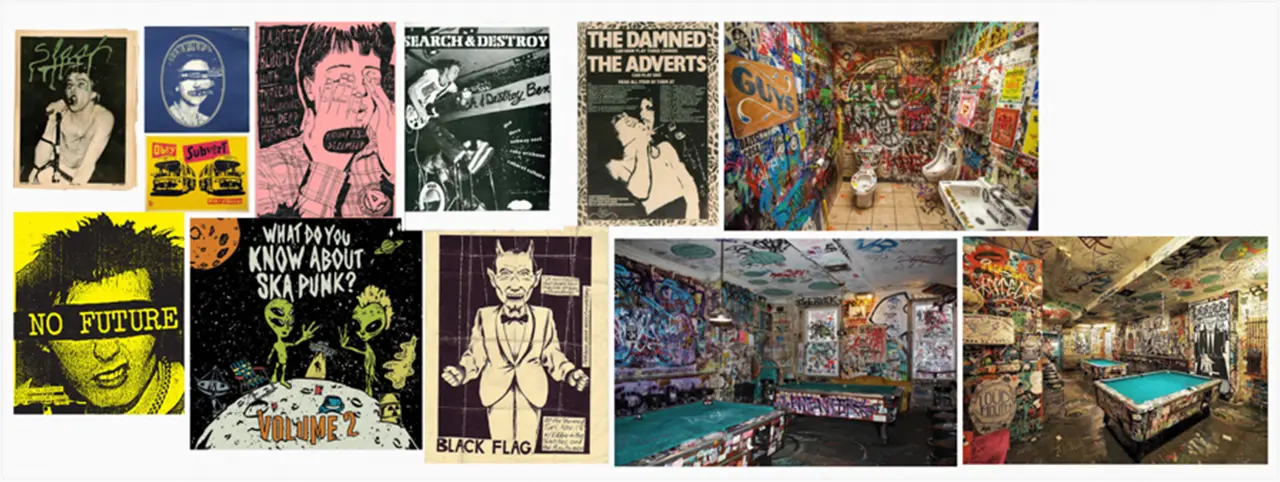
    We took inspiration from old punk flyers, posters, and zines that we had collected online. We noticed after awhile that the punk aesthetic was very jarring and in your face. The colors were very bright and text would sometimes be placed directly over images without the thought of design in mind. We drew so much inspiration from these pieces of art and wanted the experience we were developing to really allow for the user to see up close and in detail these pieces of art.

    Mood board containing punk flyers, posters, and zines that inspired the style of The Basement Exhibition.

    Technology

    To create the application we used Unity game engine along with Apple’s ARKit to allow for the user to place their exhibition wherever they want.

    Logos of Unity game engine and Apple ARkit.

    To allow for the user to simulate a teleportation into a new world we had to implement custom shaders and materials into our Unity project. This was our biggest challenge with getting this functionality up and running. Once this process was complete the rest was creating the room in Unity and refining the details of the user interface.

    User Flow / User Interface

    When it comes to the design of the user interface, we wanted for the setup process to be easy as possible for the user. This is due to the fact that the biggest impact the application has on the user is done after they have finished setup.

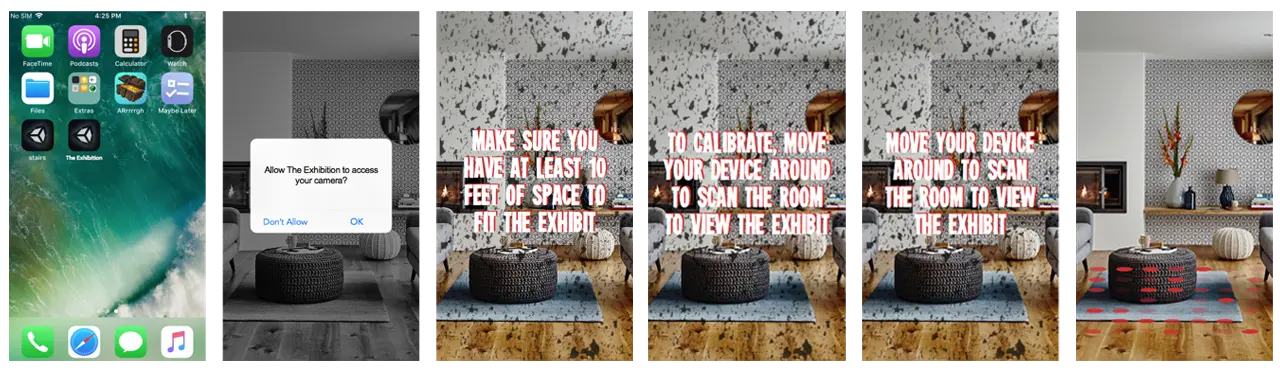
    Keeping our punk aesthetic and moodboards in mind, we decided to have a simple layout of steps that the user would complete in order to properly place their exhibit.

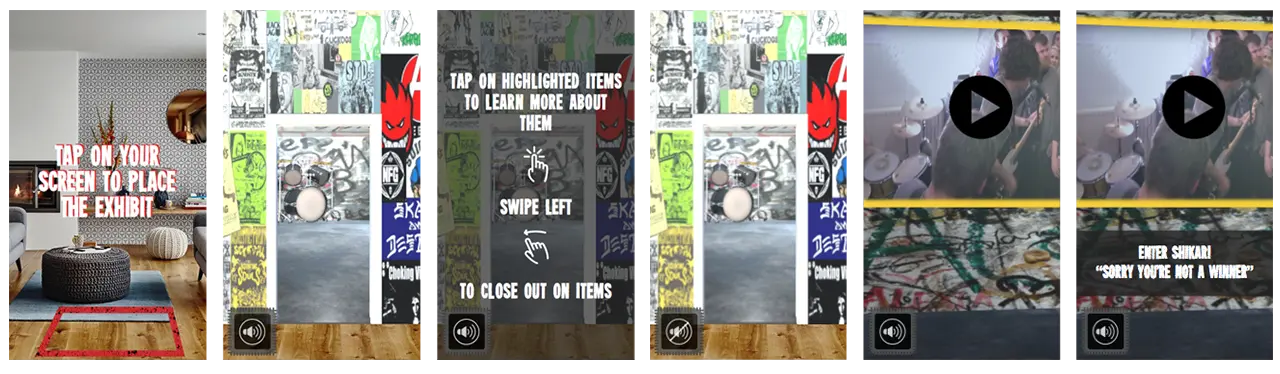
    Screens showing how to set up The Basement Exhibit in a home.

    Once the user has properly placed their exhibit, they are prompted to then walk through the portal and be seemingly taken into a different world. This world has the feel of being in a basement where a punk show is about to take place. Along the walls of the basement are posters and flyers that the users can view and look at.

    Screens showing The Basement Exhibit loaded and instructions on how to move around.

    As well, there are future goals to implement interactive objects and videos in the basement space. Users could then tap onto the items to learn more about them. This gives the users more ways to interact with the exhibit and can create a more long lasting and enjoyable experience.

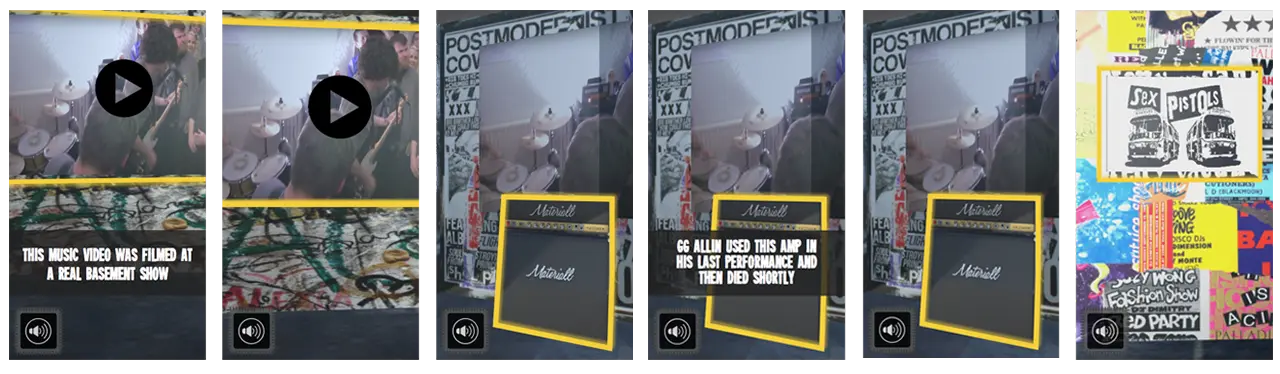
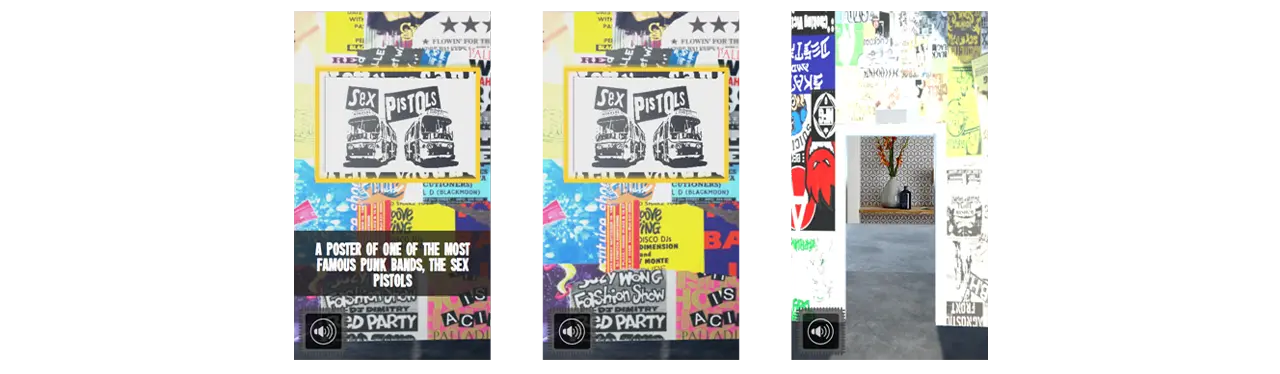
    Screens showing the features of the exhibit, including videos and objects.

    Object being narrated as user taps on them.

    Takeaways

    A huge takeaway from this project is seeing how much 3D objects can really help sell an augmented reality experience. Seeing the graphics that we had implemented into the design of the basement in AR made them seem almost life like and we think that they alone could have been enough to fully immerse a user into the exhibit.

  • Animal Crossing Zodiac

    IDM231: Scripting for Interactive Digital Media I

    By Sarah Bray – 2018

  • Pokemon Zodiac

    IDM231: Scripting for Interactive Digital Media I

    By Joseph Lunine – 2018

  • Jazz Musicians Zodiac

    IDM231: Scripting for Interactive Digital Media I

    By Clay Tercek – 2018

  • Cherri Cola

    IDM222: Web Development II

    By Hannah Mystic – 2018

  • Portfolio: Ryan Van Dongen

    IDM222: Web Development II

    By Ryan Van Dongen – 2018

  • Portfolio: Clay Tercek

    IDM222: Web Development II

    By Clay Tercek – 2018

  • Ghibili Museum

    IDM212: User Interface Design II

    By Wooyoung Song – 2018

  • Mutter Museum

    IDM212: User Interface Design II

    By Sarah Bray – 2018